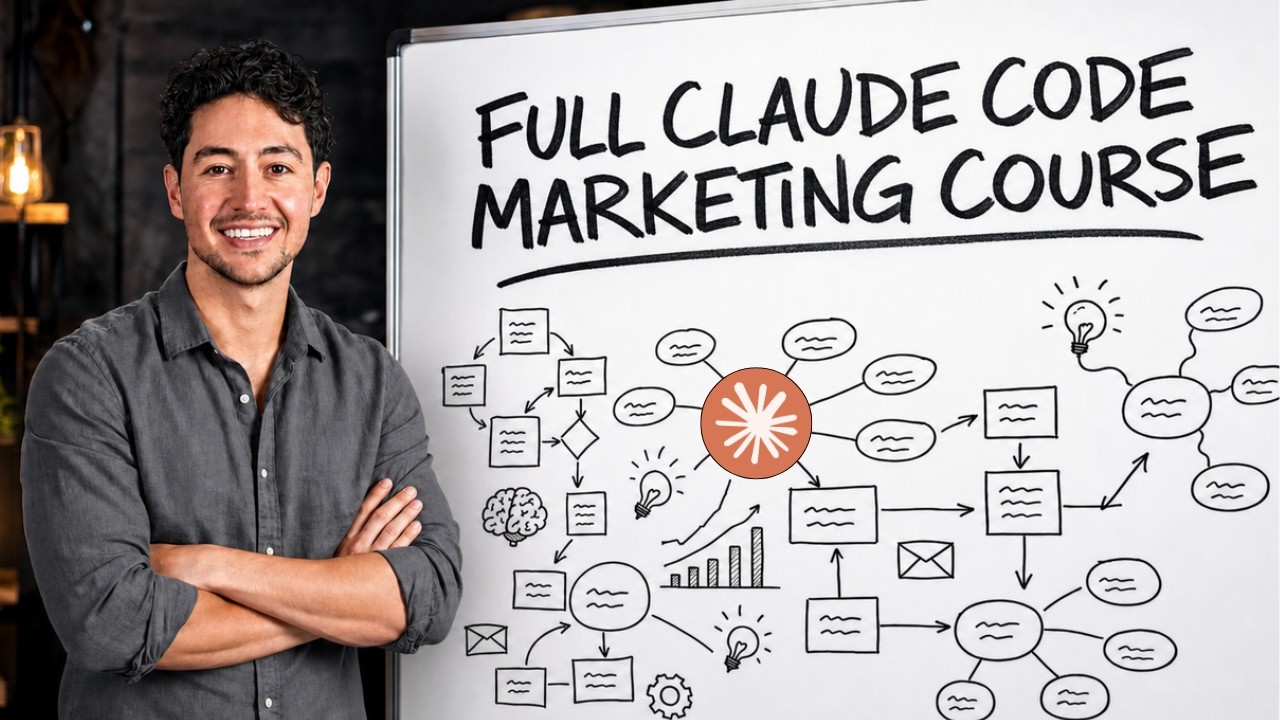
The course's spine is a four-level automation ladder: prompt (you steer every step) -> skill (saved, reusable instruction set) -> loop (scheduled on your machine) -> cloud routine (runs without your laptop). Rule of thumb from the source: a prompt you have typed twice should become a skill 1:09:53.
Every one of the five marketing-function builds (ad creative, video creative, personalized copy, speed-to-lead, dashboards, follow-ups) follows the same arc: manual proof of concept, iterate with a human reviewing output, extract the skill, schedule it, promote it to a routine, then wire error notifications.
Bottleneck thinking gates everything: an operation is constrained by its narrowest step, and automating a non-bottleneck produces no monetary return 0:58:24. The closing warning is the mirror image: the highest-impact work is often exactly what you should keep human 6:01:14.
Humans design and evaluate; AI executes the middle. The speaker's probability math: three chained 80% steps yield 51.2% end-to-end, so minimize steps and keep design/judgment human 1:13:41.
Concrete claimed economics: speed-to-lead took a home-services company from ~$3M to ~$9M monthly (source claim) 0:55:37; invoice follow-ups alone are claimed to add 20-30% revenue 5:12:22; personalized cold email reportedly lifts reply rates from 1-2% to ~5% 3:43:40.
Maintenance economics: roughly 70% of automation breakage is login/auth, so gather credentials up front; wire failures into a Slack errors channel and let Claude debug from stored credentials 5:38:53.
Setup: account, install, first launch (0:00:00)
Nick (the speaker; his surname is not stated clearly, appearing as "Nick", "Nick Sar", "Nixar", or "Nyx" in the transcript) introduces the "Zero to One" (raw: "0ero to1") course on Claude Code (raw: "cloud code") for marketing; by the end, viewers should know how to use modern AI tools like Claude Code to automate "virtually the entirety" of the marketing function, whether they run their own company or work inside somebody else's 0:00:00. He claims his marketing business just did over $500,000 in revenue last month using "an overwhelming amount" of Claude Code 0:00:03. He claims over 7 years of AI experience, back when the smartest model was called GPT-2 0:00:20, and that he has trained teams including the MrBeast (raw: "Mr. beast") team 0:00:32. He states no programming or prior AI experience is required; he has no coding degree and learned what he teaches from free YouTube videos just like the course itself 0:00:36.
The course outline begins with downloading, installing, and setting up Claude Code — including signing up, creating an account, and explaining every button in the interface — followed by the five marketing functions the course automates, a framework for those, and an explanation of the four automation levels 0:00:48.
A course-outline slide for Claude Code for Marketing lists the five marketing functions and compares prompting, Skills, scheduling loops, and Claude Routines. 0:01:03
Nick defines the four automation levels — prompts, skills, loops, and Claude routines — as the approach used for the rest of the course. Prompting is the simplest level and requires the user working on their computer; Claude routines are the most advanced, a scheduled loop that runs in the cloud without the user 0:01:30.
He then walks through the five marketing functions. First, top of funnel: automating the generation of creative for ads and organic posts via images, video, and even some audio 0:02:00. Second, personalization of copy for newsletters and pull emails (raw: "pulled emails"): starting from a template and having Claude automatically fill in "really fuzzy variables" that it goes out and finds on the internet 0:02:25. Third, in the middle of funnel, speed-to-lead (raw: "speed tole") systems for appointment booking that squeeze far more out of ad spend and organic growth 0:02:35. Fourth, data collection, tracking, dashboards, and a proprietary analytics platform that interprets the data through Claude and surfaces it on a dashboard so the user or their clients can see it 0:02:45. Fifth, at the bottom of funnel, automated high-quality follow-ups and nurturing via emails, SMS, and notifications, done in a way that seems very human despite being entirely automated; he stresses this is not a sales course 0:03:01. Finally, he will show how to maintain and upgrade these systems over time and give advanced tips learned the hard way from working with large businesses and multi-billion-dollar enterprises 0:03:01.
The first practical step is creating an account by heading over to claude.com 0:03:01. On the sign-up page, the user clicks "Continue with email" (or "Continue with Google") and enters an email address; Nick chooses email and clicks to receive a sign-in link at that address 0:03:32.
Claude's sign-up page shows an email field and a prominent 'Continue with email' button. 0:03:44Claude's sign-up page displays options to continue with Google or continue with email. 0:03:56Claude homepage displaying "Continue with Google" and "Continue with email" sign-in options. 0:04:00
Nick then opens his email inbox, finds the message, and clicks "Sign in to claude.ai", which returns him to the site 0:04:05.
A Gmail message from Anthropic displays a Claude.ai sign-in verification email with a prominent "Sign in to Claude.ai" button. 0:04:10
The account creation page then asks for consent to terms and privacy; Nick clicks "I agree" and "I consent" and declines promotional emails and notifications 0:04:15.
Claude's account creation page displays terms and privacy consent checkboxes, an optional promotional email and notification checkbox, and a Create account button. 0:04:20
Onboarding questions followto avoid doxxing himself, Nick enters a random birth date, "010190", and selects "personal use"; he recommends personal use because Anthropic is testing a team/enterprise feature, and for a solo user personal use is best 0:04:33.
Claude's onboarding flow displays the birthday verification question with a date entered and a Continue button. 0:04:33
Claude Code requires paymentthe speaker says he invests $24 Canadian per month and claims an "absurd" ROI of roughly 10,000% from his subscription, given his business does half a million per month 0:04:34. He clarifies that Claude itself can be used free, but not the code aspect, which is foundational to doing really high-level automation quickly 0:04:34. If funds are unavailable, he suggests watching the course and signing up later once the monthly amount is available, then circling back — in that remark he quotes "28 Canadians a month", which conflicts with the $24 stated earlier (inference: the ledger flags current pricing as needing verification) 0:04:34. On the payment page, he selects the monthly option, goes down to payment method, and enters payment information 0:04:34.
After payment, the page automatically advances to downloading Claude according to the operating system; a browser cookie determines which button appears, and on his macOS (raw: "MacOSS") machine the correct download button pops up automatically, while on Windows it will be a bit different 0:06:06. In Chrome, the download is often blocked; Nick clicks "download unverified file" in the top-right corner 0:06:06.
Chrome's download popup shows the unverified "Claude (6).dmg" download while Claude's installation page displays the completed "Claude.dmg" file. 0:06:24
He drags the Claude app from the download into the Applications folder; a chime confirms the copy. On Windows, the usual "Are you sure you want to open it?" prompt appears instead 0:06:06.
A macOS dialog warns that Claude.app was downloaded from the Internet and asks whether to open it. 0:07:16
To launch, Nick types "Claude" in the Raycast launcher and clicks it, opening the Claude desktop app; clicking "Get started" signs him in with his email, and he enters a verification code received by email 0:06:06.
Once signed in, the app double-checks the account info; Nick clicks continue, enters the name "Nick", sets the role to "product management", and selects "I have my own topic", landing in the main interface 0:07:37. Nick notes the interface is busy with many widgets and buttons; Anthropic, Claude's parent company, is testing many user interface features and changes them often, so they are short-lived 0:07:37. He highlights the top-left window controls (top-right on Windows), a sidebar open/close button, and a search chats/projects button for finding anything in past conversations. There are effectively two products — a simpler "home" Claude product and the Claude Code product — and the course directs viewers to the Code product; when jumping to the Code product, much changes, and on a first run with no conversations in the queue it looks different 0:07:37.
Claude's home screen shows the window controls, sidebar toggle, and search control at the top left. 0:08:27Claude's Home view shows the window controls, sidebar toggle, search icon, and Home/Code tabs at the top left. 0:08:27Claude's navigation visibly offers separate Home and Code tabs, with Home currently selected. 0:08:47
The full interface tour (0:07:54)
With setup complete, the tour proper begins on the Code product's history overview: the speaker says his account shows usage going back to around July and that he mostly uses the smartest model at the time of recording, which he calls Fable (uncertain raw transcript spelling “Fable”) 0:09:07.
Claude Code’s conversation-history dashboard shows 384 sessions, 95,681 messages, All/30d/7d filters, a 1,123-message day, and usage approximately 241× that of Pride and Prejudice. 0:09:31
He then demonstrates artifactsunder the New section, he clicks New, and Claude prepopulates a request reading, “I want to build a code artifact, a self-contained web page published with the artifact tool... make this page about Nick Sar.” He presses Enter, and Claude confirms the angle, gathers key facts, and asks what the page’s job should be; he answers “a personal bio portfolio page emphasizing the YouTube channel and automation agency” 0:10:23. Claude suggests an autocomplete at the bottom, and pressing Tab accepts it; the speaker estimates this autocomplete is right about 30–40% of the time 0:10:23. He says Claude pulled publicly available facts — Leftclick, Maker School, subscriber counts, where he lives — and generated the page in seconds, though not all of it is up to date 0:10:23.
Claude's Artifact builder asks what the page's job should be while suggesting a personal bio/portfolio page focused on the YouTube channel and automation agency. 0:10:41Claude displays a command-approval dialog with Deny, Always allow, and highlighted Allow once options. 0:11:55
The request is a command-approval dialog with Deny, Always allow, and Allow once; the speaker says Allow once is normally the highlighted default, but chooses Always allow because this is just a simple web page 0:11:55. After approval, a “Creating” tab appears; clicking it shows the underlying shell commands, the total time spent working, and the total number of tokens spent 0:11:55. Tokens are the unit Claude usage and billing is measured in; bigger and more complex projects consume more tokens 0:11:55. The resulting page is an artifact — not yet on the internet and not always perfect — that he says is pretty good 0:13:26.
Nick Saraev's Calgary-based portfolio preview presents automation systems that run without him in the room alongside 400K+ YouTube subscribers, 50M+ channel views, and 10,000+ Maker School graduates. 0:14:54
Clicking the expand button opens the artifact in the default browser; from there he shares it, copies the link, opens an incognito tab while signed out, and verifies public access 0:13:26. Artifacts can be shared with teammates on Teams/Enterprise plans or with anyone on the internet. The speaker says he uses them to host client dashboards and internal tools without managing hosting 0:13:26.
Under Customize, the key tab is Skills — programs that run on knowledge work by feeding a detailed saved prompt into Claude. Anthropic preloads example skill definitions for “morning,” “setup-writing-style,” and “skill-creator” 0:14:56.
Claude’s Customize > Skills screen lists the example skills “morning,” “setup-writing-style,” and “skill-creator.” 0:17:55The Connectors screen displays Gmail, Google Drive, Slack, and Spotify (AppleScript) among the available connectors. 0:17:57
The “morning” skill renders the user’s morning brief as a styled HTML artifact or a recurring weekday task; it should run only when explicitly invoked, and an ordinary question about the user’s day, schedule, or calendar should be answered directly instead 0:14:56. Skills can be custom-built for ad creative — generating ad variants for testing — or for dashboards that pull from the Google Analytics API, Google Sheets, or agency analytics software 0:14:56. Connectors are integrations that hook apps to Claude Code so Claude can read and control them; the Spotify connector, for example, exposes functions to get the current track, player state, volume, position, repeat, and shuffle, so Claude can turn up Spotify volume 0:17:57.
Plugins are the next Customize feature. The installed plugins show source, version, and author; clicking the source button opens a plugin marketplace built by Anthropic and its partners 0:19:29.
The Claude Plugins marketplace displays the Finance plugin and the beginning of the Legal listing. 0:19:29
Plugins range from changing how Claude looks or its output style to structured actions similar to, but not exactly, skills — such as code review. Named examples include a Finance plugin for journal entries and financial statement reconciliation, a Legal plugin for contract review and NDA triage, bio research, and code modernization 0:19:29. At the bottom, Memory stores what Claude knows about the user; the speaker says he added that he is 6’2 tall, and that memory could also hold a dog’s name, career details, income, marketing channel, and business priorities 0:19:29.
The More tab exposes Routinestemplated skills that are kicked off on a schedule, by API, or by webhook — for example, every morning at 5:30 a.m. — without the user at the computer. The speaker calls this the final step of automation 0:21:00.
Claude’s sidebar shows the expanded More menu with Routines alongside the 'For YouTube' folder and new-conversation button. 0:21:00
The sidebar can be customized; he is working in a folder called “For YouTube,” and the plus button creates new conversations. Conversation settings include status and environment 0:21:00. In the actual chat window, an empty dashboard shows the number of sessions, messages, and total tokens consumed, plus model-specific usage breakdowns. A connection-mode selector lets him switch between Local, Cloud, Remote Control, and SSH 0:22:31.
Claude Code’s empty dashboard displays usage totals and an open connection-mode selector with Local, Cloud, Remote Control, and SSH. 0:24:31
Local runs Claude Code on the user’s computer; Cloud runs on Anthropic’s computers; Remote Control runs on another computer the user owns; SSH (Secure Shell) is a legacy secure protocol for connecting to computers with passwords 0:22:31. In Local environment settings, clicking the gear icon lets the user add usernames and passwords as environment variables, such as Nodeenv=production, user=nick@clarvo.io, and a password, then save. Environment variables can log into apps and APIs such as the Meta Ads API, and cloud environments standardize environment variables across a team so builds work identically 0:22:31.
The mode control is importantManual asks before anything; Accept Edits can modify existing files but not create or delete them; Plan only produces a plan; Auto handles most permission decisions and asks only for scary actions; Bypass Permissions never asks 0:25:33. The speaker recommends Auto or Bypass Permissions for marketing work; bypassing permissions requires accepting a warning checkbox because it can have long-term impact 0:25:33.
Claude’s Code interface shows the expanded mode selector with Manual, Accept edits, Plan, Auto, and Bypass permissions alongside the For YouTube project. 0:28:34
The interface can also add files or photos directly into a conversation. The speaker shows videos made with Jack Roberts, a big list of community members, and a photo of himself, Alexi (uncertain raw transcript spelling “Alexi”), and Sam Ovens at what he calls “the school games” 0:28:36. A whole folder can be added as context, and typing / opens a large list of slash commands; this list also includes skills such as anthropic-skills:morning0:28:36.
A slash-command picker is open in the Claude Code composer, showing commands including dataviz, debug, design, extra-usage, and goal. 0:30:01
Running /anthropic-skills:morning makes Claude check what is connected — email, calendar, Slack, Gmail, or Outlook — before gathering data for the brief. With none connected, it produces a basic page saying that nothing is connected yet and includes a note like, “Nick, you should get your stuff together” 0:28:36. The /btw command opens a side chat for a quick side question without interrupting the main thread; closing it returns to the main conversation 0:31:27. Generation can be paused with the pause button or Escape, which is useful when Claude gets stuck in loops or keeps re-running a tool 0:31:27.
/usage shows the plan, rate limits, and current progress. The speaker is on the $20 consumer plan: a 5-hour rolling usage window plus a weekly limit; reaching 100% blocks further usage until the limit resets, and limits can be model-specific, usually for new models 0:31:27. On-screen, his 5-hour limit resets in 4 hours and 21 minutes at 9%, his weekly limit resets Friday at 9:00 a.m. at 1%, the session cost is 88 cents, and the token breakdown shows he was using mostly Sonnet for the task 0:32:59.
Claude Code’s /usage panel shows 5-hour and weekly limits, session cost, and a Sonnet 5 token breakdown. 0:32:59
The chapter flags that the $20 plan limits, the model lineup (Fable/Opus/Sonnet/Haiku), and the 967k-token context window are version- and date-sensitive, so current plans should be verified before relying on them 0:31:27. His skill run consumed 67% of all of the limits used by that point, which he estimates means the morning skill could be run roughly 20 times in a row 0:32:59.
/loop defines an interval; the speaker sets 5 seconds with the prompt “say hey Nick,” but says a current rounding rule enforces a one-minute floor, so he sets a 1-minute loop instead 0:34:31. Loops can run skills and connectors repeatedly — for example, checking a flash-sale campaign every 5 minutes, collecting new signups, and provisioning access in the background 0:34:31. To stop a loop, the user types “stop the loop,” and Claude cancels the active tool call 0:34:31.
Voice input works by pressing the microphone button or holding Command+D; the speaker speaks and sees real-time transcription, and the microphone can be changed in the menu. He claims speaking is about 3–4x faster than typing and works well for brain-dumping prompts into Claude 0:36:26. The model list he shows includes Fable 5 (which requires usage credits), Opus 5, Sonnet 5, Haiku 4.5, and older last-generation models; he chooses Sonnet 5 0:36:26. Effort is a slider controlling how hard Claude works: low is faster and guessier, while high/ultra consumes more tokens and takes much longer — roughly 2 seconds versus 5 minutes. He says he usually keeps effort at medium or high, and Sonnet 5 at high is fast with good results 0:36:26.
The context window is the total token capacity. The speaker states Sonnet 5 can hold 967,000 tokens; this session had consumed 112,000 tokens, about 12% of the window. When full, Claude compacts the conversation, and he recommends working in the 0–500k range 0:36:26. The context is consumed by messages, system tools, system prompt, MCP tools, skills, and memory files. MCP tools are external skills hosted by other people that can be loaded into Claude; memory files store persistent facts about the user, such as his height of 6’2; the system prompt is a snippet of text prepended to every conversation 0:36:26.
At the top right, tools include spawning a terminal, checking the diff of code changes, a built-in browser for automating browser activities, and an iOS simulator for building iPhone apps; building iPhone apps requires Xcode from the Mac App Store 0:41:00. A conversation or artifact can be renamed — he renames “Nyx Drive web page” to “Nyx demo” — and users can view the transcript, view a summary, fork, archive, or delete conversations 0:41:00.
CLI stands for command line interface, a text-based way to access Claude Code, as opposed to the desktop app or VS Code 0:44:01. He opens a terminal called Ghostty, goes to a folder named “business,” and runs claude --verbose (transcribed as “cla-verbose”) to launch Claude Code with visible thinking 0:44:01.
Claude Code is open in the Terminal with its welcome prompt, empty input field, token count, and status indicators visible. 0:47:00
Claude Code is one product accessible from the desktop app, terminal, and VS Code; the speaker personally prefers the terminal, but will use the desktop app where simpler. He notes that accessing Claude Code through a different model or engine makes it behave and handle differently 0:44:01. The first step — download, install, and set up Claude Code — is now complete; next is the five marketing functions framework 0:47:03. He closes by describing all businesses as a pipeline: marketing gets strangers’ attention, a sales transformation event turns interest into money, fulfillment delivers what was promised, and administration keeps the machine running; the course will cover five marketing functions and a framework to automate them 0:47:03.
Frameworks: five functions, RACE, bottleneck thinking (0:47:17)
The speaker frames "all businesses" as a four-stage pipeline: marketing gets strangers to notice the business, a sales-transformation event turns that interest into money, fulfillment delivers what was promised, and an administrative wheel keeps the machine running; the whole process converts a stranger into profit 0:48:34. The same pipeline applies to ecom: strangers notice a product, the product is sold, delivery happens, and admin keeps purchasing, inventory, vendor relationships, and logistics in line 0:48:34. Marketing and sales work in tandem, and this course focuses on marketing and sales, with future courses planned for sales specifically 0:48:34.
A service-business pipeline flows from strangers through marketing, sales, fulfillment, and administration to profit. 0:48:34
The automation framework the speaker uses is RACE: Reach, Acquire, Close, Expand 0:49:58. The delineator between marketing and sales sits between Acquire and Close: everything to the left is marketing, everything to the right is sales, so the course covers Reach and Acquire 0:49:58. Reach is about impressions, views, and getting the brand in front of eyeballs; Acquire is about turning those impressions into intent through booked meetings, form fills, newsletter signups, or offer opt-ins 0:49:58. Close and Expand are treated as the sales-transformation threshold where a marketer can tee deals up but is not responsible for closing or expanding them 0:51:28. The speaker runs Leftclick, an AI automation agency, and uses RACE to tie clients back to revenue and growth levers, saying people focus on revenue and growth less than they should 0:51:28.
The RACE framework is shown with Reach, Acquire, Close, and Expand stages, with Close and Expand forming the right side of the sales transformation path. 0:51:28
Under Reach, the first lever is creative: AI generation of images, videos, and audio, orchestrated by Claude and typically used for advertising or organic brand reach 0:52:35. The speaker says this can be scaled by letting Claude arrange prompts and press buttons, which reduces creative bottlenecks0:52:35. The speaker claims he used this creative system at a company doing over $1 billion a year in revenue to massively increase top-of-funnel content and ads 0:52:35. Copy is the second lever: Claude Code can customize marketing copy such as newsletters per recipient, for example opening with "Hey Nick, just wanted to send you this because I know you talked about X, Y, and Z last month in your LinkedIn" 0:52:35. The speaker says that kind of personalization performs very well and blurs into direct outreach 0:52:35. Outbound marketing is also Reach; the speaker says he has door-to-door marketing experience and has applied AI and Claude Code to the outreach stack, calling it a high-opportunity lever for outbound growth 0:54:07.
Marketing control panel with six sliders grouped under REACH and ACQUIRE, captioned “Claude Code lets you push every slider up at once.” 0:53:00
Under Acquire, the first lever is speed to lead: capitalizing on interest by responding to, or orchestrating a conversation with, a lead very quickly — for example, within 30 seconds of a form fill 0:54:07. The speaker claims speed-to-lead can "make companies 300 to 400%," and he says he runs a company that does speed to lead all day 0:54:07. The speaker claims a home services company went from about $3 million to $9 million in monthly sales, a 300% increase, after implementing a speed-to-lead system 0:55:37. Booking percentage is the fraction of prospects that opt in or book an offer; it improves through speed to lead and by economizing opt-in forms 0:55:37. Reducing a form from 10 questions to 3–4 questions improves booking percentage, and Claude Code can research the prospect to replace the lost qualification information 0:55:37. Following up uses Claude Code to orchestrate autonomous, highly customized follow-ups so prospects feel treated as individuals; AI supplies the manpower to personalize creative, copy, outreach, speed to lead, and follow-ups for every customer 0:57:07.
Marketing control panel with handwritten R and A annotations beside the REACH and ACQUIRE sections. 0:57:00
Before building, the speaker introduces bottleneck, or constraint-based, thinking: an operation is constrained by its narrowest step, and improving any non-bottleneck step will not increase total output 0:57:07. In the factory analogy, 100 units of raw material enter daily, step A has capacity for 100 units per day, and step B has capacity for 10 units per day, so the factory's total daily output is 10 units per day 0:58:24.
Factory diagram showing 100 units entering, step A with 100 units per day capacity, and step B with 10 units per day capacity. 0:59:43
If you double step A to 200 units per day, the factory's output stays the same because the bottleneck is still 10 units per day; if you double step B to 20 units per day, the factory's total output doubles 0:59:16.
Illustrated pipeline diagram warns, “DON’T UPGRADE THE WIDE PIPES,” directing viewers to fix the booking flow first. 1:01:15
In a marketing example, if creative and leads have plenty of capacity but booking is the bottleneck, improving booking multiplies the whole business: moving booking from 10 units per day to 20 doubles it, and 10 to 30 triples it 1:00:47. The speaker calls this freeing because no work needs to be spent on creative, leads, or follow-ups until the booking step is widened 1:00:47. Automation systems should not be applied indiscriminately; they produce monetary return only when they target the current constraining step 1:02:17. A creative system makes sense if creative is narrow; speed-to-lead and booking systems make sense if booking is narrow; if a process is already not the bottleneck, automating it will not produce much monetary return 1:02:17.
Automation ladder: prompts vs skills vs loops vs routines (1:03:06)
The speaker presents an automation ladder in which a bottleneck is defined as the narrow constraining step in a process that limits overall throughput, with creative, booking, and distribution given as examples 1:03:47. The first rung, prompts, is manual every time: the user has to be in the driver's seat steering the AI, compared to a Flintstones car run with feet because wheels had not been invented yet; it is slow, but it is the only way to do a process the first time 1:03:47.
Illustrated slide showing the progression from manual prompts through reusable skills and autonomous loops to scheduled self-driving routines. 1:05:00
Because business processes are repeated, prompts are transformed into skills — saved, reusable, more efficient instruction sets that can be invoked via slash commands 1:04:50. Skills can be very granular, and a "meta skill" or "master skill" chains skills together so a process that previously took many man-hours runs as one 1:04:50.
The speaker claims their YouTube channel is self-managed through skills that handle title candidates, thumbnails, descriptions, publishing, keyword selection, and automatic end screen cards 1:05:18. The speaker claims every video previously required an extra one to two hours of manual publishing work and now requires none, because master skills run all the granular skills in sequence, turning small tasks into big ones and eventually replacing entire roles 1:05:18.
Automation progression from prompts to routines, with handwritten arrows and annotations emphasizing the loops and routines stages. 1:09:00
The next stage, a loop, is a skill that runs on its own without the user's involvement, scheduled on a timer on the user's computer 1:06:00. Loop examples include running the YouTube meta-skill every day at 12:00 before a deadline, running a morning brief completely autonomously at 5:00 a.m., and scraping competitor ads every morning at 5:00 a.m. so the list is ready when work starts 1:06:50. Loops are limited because they must run on the user's computer, which reduces shareability with the organization and makes them brittle: they can break if logins, plugins, skills, or MCP servers change 1:07:30.
Routines run in a cloud environment such as Anthropic or another cloud provider, are entirely self-managed, and need an input trigger such as a schedule, API, web hook, or trigger 1:08:22. The speaker claims routine economics are the simplest ROI of your life: you spend very little, only token costs, and roughly $1 in tokens yields the equivalent of about $100 in deliverables 1:08:22. All systems in the course will eventually become routines/cloud-based; the first automation uses Claude Code (raw transcript: "Cloud Code") to create ads essentially wholesale 1:08:22. The speaker describes a four-step pipeline: build a step-by-step prompt that walks Claude manually through the process; convert it into standardized instruction sets (skills); run it a few times to perfect it and make failure unlikely; convert it into a loop; and finally convert it into a routine, with pricing shown 1:08:22.
A split-panel slide contrasts repeated prompts with reusable skills and highlights the takeaway, “A prompt you have typed twice should become a skill.” 1:11:00
A stated rule is that the moment you find yourself saying the same thing more than once, turn the prompt into a skill 1:09:53. For example, instead of typing "act as an expert social media marketer and generate five LinkedIn post ideas about AI automation," save it as a skill and invoke it with something like "ad batch" 1:09:53. Not everything is turnable into a skill because some tasks require a human in the driver's seat; the recommendation is to attempt the conversion for everything done often, and if it passes the autonomous barrier it becomes a skill, otherwise the human stays in control 1:09:53. This is a way to identify which tasks you are not necessary for and ascend to overseeing a fleet of agents doing economically valuable work 1:09:53.
The final concept review defines the stages by trigger: prompts run when you type; skills run when you press run; loops run while the laptop is on; routines run regardless of whether the laptop is on 1:11:24. Use cases: prompts are for quick experimentation; skills are for repeat tasks you still need to be in the loop for; loops are best for monitoring and automatically scraping resources; routines are best for daily production 1:11:24.
For the ad generator, the speaker first dispels the idea that you can just say "make me some great ads": the model will instinctively ask narrowing questions, but even with answers it will go on a wild goose chase 1:12:54. You need to be clear about what and how, and bring a pre-existing, whiteboarded process to automate rather than letting AI pick, carry out, and evaluate its own process, because that multiplies probabilities 1:12:54. Sometimes the steps of the process need to be shifted to make it more amenable to automation, such as providing input data 1:12:54. The human should design the process and judge the quality of outputs; AI should only carry out the middle execution step 1:12:54.
Whiteboard math illustrates three 80% success steps multiplied together: 0.8 × 0.8 × 0.8 = 51.2%. 1:14:27
The speaker demonstrates the probability math: three steps each with a 0.8 (80%) success rate multiply to 0.8 × 0.8 × 0.8 = 0.512, a 51.2% total success rate 1:13:411:13:521:14:13. Minimizing the number of steps and keeping human control over design and evaluation can move success from 51.2% toward 80% 1:14:20. The speaker also states you probably will not achieve 100% success with any AI agent process as of the recording; AI lets you take many more shots at the net, so the ad generator will produce dozens, hundreds, or thousands of ads for the user to review and run, which the speaker says alleviates the creative bottleneck if that is the bottleneck 1:14:20.
The ad generator process issave high-performing ad formats as templates; feed in a variable such as a niche, offer, angle, or product; Claude generates combinations of niche × ad format, offer × ad format, and angle × ad format; then the user reviews, picks, and ships, staying in the loop until the end where taste matters 1:15:20.
Top of funnel: the ad creative pipeline (1:15:23)
The speaker frames the entire system through bottleneck thinking: the ad generator only makes sense if creative is the bottleneck. Companies with lots of ideas and distribution but no creative capacity improve significantly, but if you're short on ideas or distribution, more ads won't help much 1:15:51. He discloses his own credibility: he used to run a PPC company that capped out at roughly $200,000 in a year, and he considers 5–10x ROAS (return on ad spend) "okay but not the best" 1:16:10. He now runs ads for his own information and education products 1:16:10. He wants to give a "cookie cutter process" that is above average, but stresses that viewers should map out their own process and follow the steps to make it replicable 1:17:21.
Illustrated slide showing a four-stage creative pipeline from ad-format templates and variable inputs through Claude-generated combinations to human review. 1:17:00
The first step is to find high-performing ad formats and save them as templates. Ideally a company already has its own winning formats, but since he doesn't, he opens the Facebook Ad Library (Meta Ad Library) and searches for ads from Stripe, Maker School, and others 1:18:52. He notes he is in Canada and switches to "All" to see global ads, avoiding political ads 1:18:52. He observes Stripe's format: a high-quality gradient image in brand colors, a logo, and text placed in a specific layout, plus a "Start Now" button and simple videos 1:18:52.
Meta Ad Library results show multiple Stripe sponsored ads with vivid gradient creatives, branded logos, promotional copy, and calls to action. 1:18:52
He zooms into each ad to capture the highest-quality screenshot possible, then saves three ad images into a folder named "ad formats for claude" in Downloads 1:20:25. He notes that one ad is taller (mobile-specific) and that the system should natively figure out the aspect ratio 1:20:25. He picks a third format with "Create a link. Sell anywhere." 1:20:25. He emphasizes that you should fill the folder with your best formats, not "a bunch of shitty ads" 1:21:55.
Meta Ad Library displays a colorful Stripe ad preview with smaller alternate thumbnails in the left panel beside a mostly blank detail workspace. 1:21:15
Next, he needs a variable to feed in—information about his business. He describes two products: Clarvo (raw transcript also "Claro"), a software-as-a-service dialer that automates dialing, calls multiple people simultaneously, routes only answered calls to agents, and improves connect rates 1:22:00; and Maker School, an AI automation program that guarantees a customer in 90 days, with daily coaching videos and a community 1:22:00. He decides to make ads for Maker School first because he knows it best 1:22:00.
Maker School: AI Automation community course page showing a presenter video preview with a play button and course details sidebar. 1:23:15
He uses voice transcription in Claude to dump business info into a prompt: Maker School's offer (90-day money-back guarantee, $21,000 in discounts), audience (freelancers, agency owners, marketers, ex-corporate professionals), and the request to scaffold ads matching the saved formats 1:23:26. He also feeds the folder of ad screenshots directly into Claude 1:23:26. Claude breaks down the pattern: "Bright abstract gradient, wave graphic, bold short benefit driven headline, tiny wordmark logo, single CTA button or text, high contrast, very buildable" 1:26:28. Claude asks if there is a real Maker School logo; the speaker says to typeset "Maker School" in a clean sans-serif 1:26:28.
A dark Claude Code workspace displays a long marketing-automation response above an open command composer. 1:26:25
The speaker explains that Claude does not have inherent image generation ability; instead, it builds templates using cheap image processing platforms like ImageMagick 1:28:27. He notes that AI image generation platforms cost money—if it costs $2 per ad and you generate 100, that's $200 each time, which is significant for most viewers 1:28:27. Claude generates an HTML template and a test image (test_stacked.png) that is "okay" but needs improvement 1:28:27.
A generated Maker School test ad displays a purple-orange gradient, headline copy, and a Start Now call to action. 1:29:13
He uses voice command (Command+D) to ask Claude to build a web page with sliders to adjust font, spacing, gradient angle, etc., for tuning the ad design 1:29:59. Claude builds an SVG filter pipeline to reproduce the smooth meshed gradient procedurally 1:29:59. The speaker notes that Claude self-manages errors and debugs by passing outputs back as inputs; prompts can take 15–20 minutes, and the icon turns yellow when done 1:31:30. He watches the filter debug and sees procedural noise and streaks being added 1:31:30.
Claude opens the Maker School Ad Tuner in a browser, showing controls for generating organic streak textures in the SVG filter pipeline. 1:31:05
He opens the ad tuner and manually adjusts settings: gradient angle, noise, grain, seed, blend mode, font, letter spacing, and CTA text (changing "Start Now" to "Join Now") 1:33:00. He adds a period to the headline: "Land your first client in 90 days or it's free." 1:36:08. He exports the settings as JSON and copies them into Claude 1:37:28.
Maker School Ad Tuner displays gradient, texture, blend, seed, and typography controls alongside a live square ad preview. 1:33:00A dark Code chat view displays generated explanatory text above a large monospaced block of quoted design fields. 1:35:00A dark Maker School Ad Tuner workspace displays one centered white promotional card reading “Land your first AI client in 90 days. Or it's free.” 1:37:00
He asks Claude to apply the settings and generate 50 different ads with different CTAs and looks, then pick the best ones and turn the flow into a reusable artifact/skill1:37:28. Claude creates a script that iterates through procedural variations, producing a contact sheet of 50 variants with angles and copy like "Land your first AI client 90 days or it's free" and "Get 21k in tools free" 1:38:58. The speaker notes he wants to keep four of them 1:38:58.
A browser contact sheet displays a dense numbered grid of generated Maker School ad variants, with multiple rows of colorful ad cards visible. 1:39:17
He provides feedback via Command+D to vary the gradient angle (so they don't all look vertical) and add a select-and-download mechanism for winners 1:39:37. He clarifies that the idea is to scoop your own past winners or team-created templates, not just copy competitors, then generate variants quickly 1:39:37. He notes that AI-generated video ads usually cost around $500 each to test, but this pipeline can reduce that to $2, allowing testing 10x or 100x more ads and letting the market pick winners 1:41:09. He downloads the selected winners and says they can be uploaded to Facebook Ads or any ad library manager 1:41:09.
He turns the flow into a skill. The skill.md file was generated by Claude based on his conversation, consolidating a distributed prompt into a reusable instruction set 1:42:40. The skill description reads: "Generate stripe style minimalistic ad creative with an organic gradient header and bold headline plus CTA for Maker School, Nick's AI automation and coaching program" 1:42:40. He demonstrates running the skill in a new chat with zero context, asking it to generate 10 ads for a different product (Clarvo, clarvo.io) and send a contact sheet 1:43:58. Claude researches clarvo.io, applies the skill, and produces a contact sheet with ads like "Dial leads in seconds. Hit 85% pickup rates." 1:44:02.
Claude’s file viewer displays the maker-school-ads SKILL.md instructions for generating Stripe-style Maker School ads with an organic gradient header, bold headline, and CTA. 1:42:55A colorful Clairvo content board displays multiple generated promotional cards with vivid gradient artwork and black call-to-action buttons. 1:45:00
He describes scaling the skill to a loop that runs every morning at 5:59 a.m., generating a large batch of ad variants for a creative specialist to review at 6:00 a.m. 1:45:34. He asks Claude to turn the skill into a loop, specifying batch size 20, generating new copy each time, outputting locally, and not cleaning up old batches 1:46:00. He explains that converting a skill to a loop requires giving the model more autonomy, so it passes its own previous outputs back through itself to create time-based variation 1:47:06. Claude uses a scheduling platform called cron to set up the daily automation 1:47:06. The loop runs tomorrow morning at 5:59 a.m. 1:47:06.
Dark Claude Code chat editor displaying a detailed response about generating fresh headlines and content workflows, with the message composer visible below. 1:47:15
He explains the difference between loops and routines: loops run on your local computer, while routines run in the cloud on a schedule and dump output to a company-accessible folder 1:48:38. He asks Claude to convert the loop into a Claude routine that generates ads into a Google Drive folder accessible by link to team members 1:49:00. Claude asks about GitHub repos; the speaker creates a private GitHub repo (an online code repository) 1:50:10. He connects Google Drive via cloud.ai/customize connectors, authorizes with his Google account, and shares the Maker School Ads folder with anyone with the link 1:51:42. The routine is created as "maker school daily ad batch" and is testing, with status paused; it uses cloud code remote and Google Drive as connectors plus the GitHub repo 1:53:13. The routine generates ads successfully, creates a dated subfolder in Google Drive, and uploads the ad images 1:54:45.
Hand-drawn diagram illustrating the progression from prompts to skills to loops to routines, with a cart evolving into a self-driving car. 1:49:00Claude’s Connectors settings display the Google Drive authorization dialog and a confirmation that Google Drive is connected. 1:51:42Routine detail page for “Maker School Daily Ad Batch” showing its Google Drive and Claude_Code_Remote connectors, GitHub repository, schedule, and upload instructions. 1:53:13Google Drive displays the uploaded Maker School ad image ad_01.png alongside other ad PNG files. 1:54:39
He clarifies that Claude does not have built-in image or video generation; it generates assets by driving compositing tools like Photoshop, Canva, or Microsoft Paint 1:55:34. In the first version, Claude hardcoded every pixel via compositing. He then explains the shift to version 2: using direct image and video models steered by Claude, like GPT Image 2, which produces pixels directly rather than compositing elements1:57:32. He contrasts Premiere Pro (a video compositing tool) with video generation models like Sea Dance 2.5 (raw transcript "Cance 2") 1:58:00. He shows examples generated on Higgsfield (raw transcript "Higsfield"): product photography of a frosted glass jar of blue clay overnight face mask labeled "MIDNIGHT CLAY," painting-style scenes, astrolabes, jellyfish, cartoons, a futuristic building with drones, and a video of ships at sea generated by Sea Dance 2.5 1:58:45.
A gallery of AI-generated examples includes a blue MIDNIGHT CLAY face-mask jar, sepia painting-style scenes, and astrolabe-like astronomical imagery. 1:58:45
He notes that direct image and video models have a much higher failure rate than compositing tools, estimating about 25% success rate for direct gen tools versus 80% for compositing templates 2:00:32. He advises using compositing tools for simple, cheap, repeatable tasks and direct gen tools for more complicated work, noting direct gen is more expensive per generation and requires about 4 generations on average to get a good one 2:00:54.
A white handwritten slide states “Compositing tools = 80%” beside a small video inset of the speaker. 2:01:00
He outlines the creative pipelinesave best-performing ad formats as templates, feed in a product variable, have Claude generate combinations, pass to GPT Image 2, then review, pick, and ship with a human in the loop 2:02:25. He browses the ad library for sock ads, saves three templates (socks 1, socks 3, and another) into a folder called "ad formats for image generator" 2:03:41. He finds a Nordic Socks ad with the logo in the center and four panels of socks 2:05:06.
Meta Ad Library search results show a Nordic Socks static image ad with a centered logo arranged across four panels. 2:05:06
He introduces two productsCloud Socks (marino wool sleep socks) and Linen Tails (waffle towel bath sheet, 100% organic linen) 2:06:29. He tests GPT Image 2 directly first to verify it can do the task, converting a webp file to PNG because the free plan couldn't upload webp, then upgrading to the ChatGPT Plus plan to upload multiple images 2:07:00. He recommends at least the ChatGPT Go or Plus plan as of the time of recording, noting the free plan can't upload more than one image and interferes with API communication 2:09:00. He uploads the sock template and the Cloud Socks product image, then prompts GPT Image 2 to apply the format from the second image to the product in the first, adding value props like "light, fluffy cloud sock that's cozy and helps you go to bed" 2:10:09. The result is a Cloud Socks ad with headline "Softer. Cozy. Cloud-Like. Your new bedtime essential." 2:10:45.
Generated Cloud Socks ad featuring cozy bedtime imagery and the headline “Softer. Cozy. Cloud-Like. Your new bedtime essential.” 2:10:45
He connects GPT Image 2 to Claude Code by creating an API key in the OpenAI playground, naming it "for YouTube", then adding it as an environment variable in Claude Code's local environment settings 2:11:40. He notes that for security reasons, Claude does not have access to the API key value; it only knows the variable name, to prevent prompt injection leaks 2:13:10. He asks Claude to research the GPT Image 2 API (functions, endpoints) and generate a basic test image using the socks as template product, correcting it when it used GPT Image 1 instead of GPT Image 2 2:14:25. Claude generates five variants, some with "Maker School Cloud Socks" logos and product images 2:16:40.
Claude Code displays five Maker School Cloud Socks ad variants featuring branded logos, product images, and distinct lifestyle and studio layouts. 2:16:40
He explains that giving a model more freedom and flexibility increases variance and the chance of poor results, which is good for creativity but bad for repeatable business processes 2:17:30. He asks Claude to digest the image ad, identify levers to tweak (like the compositing workflow), template out changes, and generate with more conformity to the main image, aiming for an 80% success rate template 2:18:24. Claude breaks the template into zones: 0–20% logo band, 20–30% transition/negative space, 30–100% product band 2:19:45. The speaker advises against mixing a procedural compositing approach with AI pixel-by-pixel generation, choosing a pure prompt template instead, agreeing with Claude's recommendation for product option two 2:20:18. The resulting images show pairs of raised socked feet against a plain cream background, closer to the original template 2:21:30.
Claude presents the template as fixed geometric zones, including a 0–20% logo band, 20–30% transition space, and 30–100% product band. 2:19:45Two generated Cloud Socks template images show pairs of raised socked feet against a plain cream background. 2:21:30
He asks Claude to turn the local flow into an HTML flow with checkboxes to select winners, generating at least five variants per template (15 total for three templates) with varied instructions (warm/cool, inside/outside) 2:22:30. The app allows scaffolding 20 variants and downloading selected ones, and you can adjust adherence to the template to add diversity 2:24:51. He shows a dark browser catalog with Cloud Socks product thumbnails and textile collages 2:25:00.
A dark browser catalog displays two rows of Cloud Socks product thumbnails, with textile collages and prominent red diamond labels. 2:25:00
He asks Claude to turn the flow into a skill, then into a loop firing at 5:59 a.m. daily, generating 3 templates x 5 variants = 15 total renders 2:25:30. He creates a new API key named "routine API key" in GPT Image, then adds it to the cloud routine's default environment in ENV format so it applies to all new sessions 2:27:00. He asks Claude to turn "product ad genen" into a routine mirroring the maker school ads system, generating a Google Drive folder with dated subfolder, querying the maker school routine first for structure, and noting the API key is in the default environment 2:28:41. The routine is created as "Product Ad Gen Daily Batch" and is active, scheduled to run daily at 5:59 AM PDT, with Google Drive and manual, API, and webhook run options visible 2:31:22.
The Product Ad Gen Daily Batch routine is active and scheduled to run daily at 5:59 AM PDT, with Google Drive and manual, API, and webhook run options visible. 2:31:22
He introduces Higgsfield (raw transcript "Higsfield") as a major model aggregator hosting most video models, noting video models have no captions or text because text performs poorly, and mentions free Sea Dance 2.0 4K starting tomorrow as of recording 2:31:58. He notes video models have more frames and more opportunity to fail, and that UGC-style testimonials or product reviews tend to work well; friends spend tens of thousands of dollars a day on AI-generated ads using these flows 2:32:30. He explains Higgsfield combines many models (video, image, text) into one place with a single API key, and has a model context protocol (MCP) server that Claude Code can drive well 2:33:30. MCP is a simple API endpoint structure that allows Claude Code to directly drive a platform like Higgsfield 2:33:30. He signs up for Higgsfield in an incognito window, choosing UGC videos, one-click presets, and MCP during onboarding, noting the interface will change by the time viewers use it 2:35:02. He notes that sign-up currently includes discounts and promo offers 2:35:02.
Higgsfield’s signup overlay offers Google sign-in and other account-creation options over the creative-suite homepage. 2:35:14
AI video creative: the UGC pipeline (2:35:08)
The speaker starts by opening an incognito window, going to Higgsfield (raw transcript: "higsfield.ai"), signing up, dismissing the discount offers, continuing with Google, and completing a human-verification step; he notes that users still have to purchase credits on Higgsfield even after the sign-up offer 2:35:50. His plan is to first generate a video locally and manually so viewers understand the parameters, then automate the same flow with Claude Code via MCP, the Model Context Protocol, which he says lets Claude Code directly drive external tools such as Higgsfield 2:36:39.
He starts in the Video tab and reviews earlier generations: ash falling in a city, a zooming wheel on an old church theme, and a medieval battlefield. He points out that some generations are unusable — for example, horses running backwards — because the video model is not perfect 2:36:39.
Higgsfield's Video History displays a prior clip of dense ash falling over classical architecture. 2:36:44
He explains that a convincing UGC product ad cannot be generated in one shot: it needs a product image, an influencer image, and then a video of the influencer talking about the product. He therefore goes to the Image tab rather than Video so he can generate a base frame first 2:36:39.
Higgsfield's Image tab displays previously generated images, including the last-viewed MIDNIGHT CLAY image. 2:38:04
He then searches Pinterest for UGC-style reference content, noting that most of it features women demoing products because, according to the speaker, those ads mathematically perform better 2:38:10. He selects GPT-image-2 (raw transcript: "GBT image 2"), uses settings for high visual fidelity, 2K/1K/4K and auto size, chooses a 1:1 aspect ratio, and sets a batch size, which is the total number of image generations to create in a single run from the reference images 2:38:10. His first prompt asks for a woman with all of the reference woman's features but different, with changed hair and placed indoors instead of outdoors, for use in a later product shoot; generating three options cost 21 credits at the time of recording 2:38:10. He explains that 2K means 2048×2048 pixels and 1K means 1024 pixels 2:38:10.
Higgsfield's Image page shows GPT Image 2 selected with High quality and 2K resolution controls visible. 2:39:05
The generation is computationally intensive because the images are 2048×2048 pixels 2:39:41. Models available in Higgsfield at recording time included Higgsfield Soul, Higgsfield Soul Cinema, and Cream 5.0 Pro, which he says is "actually pretty good" 2:39:41. He also notes that Higgsfield was offering free usage at the time of recording, which he characterizes as an advertising play to monetize cheap last-gen inference — his "Costco chicken" analogy: the free generation brings users in, then they pay for other products 2:39:41.
GPT Image 2 is shown generating images in the interface, with the 1:1 aspect ratio selected. 2:40:26
After the three options generate, he says he likes one of them because it is a little different from the original, with slightly different lips but the same outfit 2:41:12. He observes that the selected influencer image is itself AI-generated, calling the process "putting AI on AI on AI" 2:41:12.
A grid of three generated women in matching white outfits shows subtle facial variations, with the third image marked "Last downloaded." 2:41:42
He downloads the selected woman and uses her as the reference for the next image generation, prompting for an image of the woman holding his product, possibly in a bathroom, enthusiastic but not overselling; he one-shots this second image at 2K because the previous round showed him he does not need as much diversity 2:41:12.
While waiting for that generation, he returns to Claude Code, attaches the product image, and asks for three scripts written like a real young-female influencer pitching the product, around 30 seconds long 2:42:48. He also pulls the product image from Finder on macOS 2:42:48. This is a VSL: a video sales letter script that sells the Midnight Clay mask 2:42:48.
Claude Code displays a prompt requesting three approximately 30-second influencer-style scripts for the Midnight Clay overnight mask, along with the generated UGC-style response. 2:43:28
He lightly edits the first generated script into his final version: "I need to talk about this cuz I've been sitting on it for like 2 weeks and I'm mad I didn't try it sooner. This is the midnight clay overnight mask. I have combo skin that's oily in my T-zone but flaky everywhere else. Most clay masks either dry me out or don't do anything. But this one changed the game for me. I can literally sleep in it. You just put on a thin layer before bed like this, then wake up and rinse it off. Your skin just looks really calm, way less redness, my pores look smaller and it's not stripped at all." 2:44:19
Claude Code displays the "Midnight clay mask UGC scripts" document with Script 3, "The Skeptic Turned Fan," visible. 2:44:19
Back in Higgsfield, the generated woman is now holding the Midnight Clay mask in a bathroom setting. He turns the image into a video and plans to test a variety of video models rather than committing to one 2:44:57. He uploads the product image as a reusable "element" and attaches it to the prompt so the mask stays in place during generation; he says that if the product is not uploaded, the video generation may not keep the product in the right place 2:44:57.
Higgsfield's video-generation screen shows the bathroom source image of a woman holding the Midnight Clay overnight mask alongside the product narration and Generate button. 2:44:56Higgsfield's New Element dialog shows the Midnight-Clay-Mask product image and the description "This is a clay mask used for product videography." 2:45:37
He turns on sound and generates 10 test videos on each of several models: Kling (raw transcript: "Cling"), Kling Turbo (raw transcript: "Cling Turbo"), and Cance 2.0, an unidentified video model with the same raw name 2:44:57. After some test runs, he says a short test clip confirmed that audio works and the woman moves her mouth while promoting the product, with even a small zoom-in 2:46:28.
A woman presents a Midnight Clay overnight mask in a short UGC-style video ad. 2:46:43
He says the initial model-test round can be expected to cost roughly $10–$20 to find the best model at the time of recording 2:46:28. One output was, in his words, "probably a little bit better than Cling 3.0 Turbo," but the generated duration was too short for a full ad; he notes that the model he calls Gemini Omni Flash is capped at 10 seconds per the speaker, which is version- and feature-sensitive 2:46:28. He therefore shortens the script to fit the 10-second window, for example: "You need to try this. This is the Midnight Clay Overnight Mask. It fixes oily skin without flakes. 10 out of 10 would recommend. Change the game for me." and uses a 16:9 aspect ratio 2:46:28.
While generations run, he scaffolds the repeatable skill. He says scripts for this flow need to be short — roughly 150–200 characters 2:47:59. He checks the working script and says it is about 146 characters and could go to about 170 characters, or roughly 27–30 words 2:47:59.
The WordCounter tool displays the working script at 27 words and 147 characters. 2:48:54
He then voice-dumps the manual process into Claude Code: take a product image and an influencer image, generate a starting frame of a woman holding the product with GPT-image-2, generate 10 script candidates under 35 words each, and show the frames and scripts for approval before spending video credits 2:49:30. He confirms that Claude Code can call GPT-image-2 using the OpenAI API key stored in the local environment 2:49:30.
Claude Code displays a voice-dumped prompt requesting a woman-holding-product starting frame and ten influencer-UGC script candidates under thirty-five words. 2:49:45
He brainstorms scaling the processrather than using one woman, use 20–30 different personas of varying gender, geography, age, and ICP (ideal customer profile) 2:51:02. He describes a combinatorial scale: 10 influencers × 10 settings × 10 scripts equals 1,000 possible ad options 2:51:18. For QA, he proposes splitting each 10-second video into 1-second frames, feeding screenshots to GPT or Claude Code to flag malformed content, and deleting bad variants, leaving roughly 250–500 options 2:51:18. Human review of 250–500 ten-second videos equals 2,500–5,000 seconds of watch time, or about 40–80 minutes, and the reviewer can shortlist the top 20 performers for a small ad-budget test; the speaker claims this pipeline can effectively replace a creative department for about 1,000 times the generation cost 2:51:18.
He checks the generated hero/start frame: an AI-generated woman smiling while holding the Midnight Clay overnight mask, captioned "Midnight clay overnight face mask." He says the hero/start frame for the video was made primarily using the model he calls Gemini Omni Flash 2:52:50. He defines "hero frame" or "start frame" as the initial still image the video model animates into the generated clip 2:52:50.
An AI-generated woman smiles while holding the Midnight Clay overnight face mask in a bathroom-style hero shot. 2:53:20
To make Gemini Omni Flash accessible inside Claude Code, he uses Higgsfield's MCP and CLI feature. He copies the install command from the MCP & CLI page, pastes it into Claude Code, and runs it to install the Higgsfield CLI globally; after installation, he logs in to authenticate 2:52:50. He says CLI login is a simpler replacement for the earlier approach of fetching an API key from OpenAI and adding it to the environment manually 2:52:50. A CLI is a command-line interface: a locally installed, login-authenticated tool that Claude Code can call, in this case the Higgsfield CLI 2:54:21.
Higgsfield's MCP & CLI page shows Claude Code setup instructions with a copyable command block for installing the CLI and companion skills. 2:53:40
The CLI then requests browser authorization to access the user's Higgsfield account. He completes the sign-in and confirms the authorization; the skills can then be installed 2:54:21.
Higgsfield CLI requests browser authorization to access the user's Higgsfield account, with Deny and Allow options visible. 2:54:39
He dictates to Claude Codetake the provided hero frame as a start frame for Gemini Omni Flash, set a 10-second total generation at 16:9, use the prompt "A woman influencer talking about a product," and generate three candidate options per request 2:54:21. He notes that he uses Claude's built-in voice transcription tool, and also has a custom Fn-key voice input tool that pastes text into any box 2:54:21. He expects the first automated run to use more credits and involve more trial-and-error, with costs decreasing once the flow is consolidated as a skill 2:54:21.
Claude returns three candidate scripts. The speaker reads them aloud: a "10 out of 10 would recommend" script, a "wake up glowing" script, and an oily-skin script that ends with "best skincare purchase I've ever made all year" 2:56:51.
Claude Code displays three midnight clay mask script candidates, including the requested oily-skin and no-flakes claim. 2:56:56
He parallelizes the video generation by sending three jobs at once — Jobs A, B, and C in the queue — then combining their outputs after all three finish 2:56:51.
The Claude Code screen shows Jobs A, B, and C submitted and generating concurrently in the background. 2:57:11
He reviews the outputs. One video repeats "10 out of 10. Would recommend" because the script was shorter than the 10-second video length, so the model padded the video with repeated lines 2:56:51.
Candidate B video plays in the browser, showing a woman presenting the Midnight Clay mask with a 10-second playback timeline. 2:57:46
Another output has a glitch where the product vanishes mid-shot; he says this is exactly why a QA/filtering step is needed 2:56:51. He then dictates one change: because shorter scripts were padded, the video duration should be dynamic — roughly 8 seconds for shorter scripts and 10 seconds for longer scripts — to save credits 2:58:22. He tells Claude Code to turn the validated flow into a repeatable skill called "AI video generator product ad skill," invokable with a simple sentence 2:58:22. In Claude Code, a "skill" is a reusable packaged workflow invokable by a simple command or phrase 2:58:22.
Claude re-confirms the pipelinetake product images and influencer images as input, prep and resize them, generate hero frames, generate 10 script candidates, show hero frames and scripts for approval before spending video credits, generate three video candidates per approved script via the model using the hero frame at 16:9 with an 8-second duration, then download and deliver all video candidates 2:59:58.
Claude Code displays the UGC product-image and script-generation pipeline from image intake and resizing through hero-frame and 10-script generation with approval. 2:59:58
He corrects the readbackremove the step that self-selects winner scripts, remove the fixed 8-second duration, and instead use 8 seconds for shorter scripts and 10 seconds for longer scripts 2:59:58. He also wants the skill to accept multiple influencers from a folder plus multiple products as inputs 3:00:11. If there are multiple influencers and multiple products, he wants them crossed: influencer A on both product A and product B, influencer B on both product A and product B 3:00:32. The pipeline should generate autonomously, deliver to a folder, require no human oversight until the last step, and parallelize where possible 3:00:49.
He creates a folder called "video add gens video add assets" and combines the assets into it 3:01:12. He then defines the duration rule by word count: less than 22 words uses 8 seconds; more than 22 words uses 10 seconds. His script A was 28 words and worked fine at 10 seconds but felt short 3:01:12. The test uses two products: a woman with the Midnight Clay mask and a man with what looks like rosemary scalp oil, and they are crossed with each product 3:01:12.
When running the skill, it initially misunderstood and wanted to generate nine videos per person instead of three, which would have been roughly 420 credits; he cuts it down to 360, and expects the actual total to be less than 360 because several videos will run at 8 seconds instead of 10 3:02:42. The skill runs woman × mask, woman × scalp oil, man × mask, and man × scalp oil, with three hero frames each 3:02:42.
Claude Code displays the selected woman × mask and woman × scalp oil marketing scripts in the generated-script list. 3:02:57
During the run, he hits a concurrency limit: only eight jobs can run at the same time, but the skill fired 12 at once because four pairings times three candidates. He updates the skill to cap concurrent generation at three and retries the two failed male pairings one at a time 3:02:42. He reviews generated woman × mask videos, including different angles, product shots, and one where she is actually applying the mask, and notes the improved adherence to the product 3:02:42. He reviews male ads as well, saying some sound staccato and that male ads tend to be worse because there is less training data on men 3:04:14.
A man presents the Midnight Clay mask in a playing video ad. 3:04:54
He says the skill is now reproducible and could realistically run every morning on something like 10 gens. He suggests possible improvements: add a background audio track, add grain to remove AI characteristics, check whether the product text is legible, fix the start frame, or cut frames so every video starts at a good one 3:05:44. He then transforms the skill into a loop and then into a routine, using the same process but with the Higgsfield connector 3:05:44.
To connect Higgsfield as a routine connector, he goes to MCP and CLI, copies the URL, returns to Claude, scrolls to connectors, adds a custom connector, pastes the URL, names it "Higgsfield," and logs in through what he calls the "OOTH flow" — likely OAuth 3:07:15. He then goes to Routines, creates a new cloud routine, connects the Higgsfield connector, and prompts "make this a routine" 3:07:44.
Claude creates the routine, including a top-level Google Drive folder, uploads the raw source images, downscales and re-uploads them, and generates both the loop and the routine. The routine appears as "UGC video ads daily batch." Its step-by-step file lists: list files in the asset drive folder, determine which assets are new since the last run, check for a dated subfolder, build the cross of every influencer times product, generate a hero frame for each pairing, write 10 ad-copy candidates, select the best ones, determine video duration by word count, generate three video candidates per pairing, and insert the results into the Google Drive link 3:09:15.
The active UGC Video Ads Daily Batch routine shows Google Drive folder-creation and asset-upload instructions. 3:09:44
The speaker claims this pipeline runs for cents on the dollar every day; Higgsfield credits cost more than that, but it is still cheaper than using a production studio to find influencers 3:10:16. He says future walkthroughs will be faster because viewers now understand the prompt-to-skill-to-loop-to-routine process, and he will automate routine creation using a prompt template 3:10:16. His next steps are a newsletter campaign using AI for variable filling and an outbound email campaign using AI for icebreaker snippets 3:10:16.
Personalized copy: newsletters and fuzzy variables (3:11:12)
The speaker opens this chapter by outlining two assets: a newsletter campaign that uses AI to fill variables, and an outbound email campaign that uses AI to add icebreaker snippets 3:11:47. Basic AI personalization, he claims, can make campaigns work 5% better immediately, and the cost of tokens used to personalize emails is "way lower" than the revenue lost by not personalizing 3:11:47. He demonstrates on his own data collected through Maker School and Maker Zero, his free community 3:11:47.
For cold outreach, he typically scrapes databases such as LinkedIn Sales Navigator 3:13:18. He shows a spreadsheet with roughly 100 records that include email addresses, names, and a company description column, pointing to descriptions like "Waltz is an e-commerce company that helps brands grow revenue on Amazon" and "Advertwise is a digital marketing agency" 3:13:18.
Google Sheets column labeled companyDescription displays Waltzco and AdvertWise company descriptions. 3:13:48
He contrasts a generic "Hello, I would like to sell you something" with a personalized "Hey Walt, I love Waltzco and I've been following you guys..." and asks which would perform better 3:13:18. The answer is obvious, and AI enables that degree of personalization at scale 3:13:18.
For the newsletter side, he uses Kit, which he describes as a straightforward email newsletter platform 3:14:50. He notes that he is not affiliated with Kit but is among users like Matthew McConaughey (raw transcript 'Matthew McConna') and Ali Abdaal (raw 'Ali Abdal') 3:15:15. The Kit dashboard shows subscriber metrics: 24 today, 412 over the past 7 days, 2,347 over the past 30 days, and 38,096 total 3:15:50. He says the mailing list has almost 38,100 subscribers and they started about 6 months ago 3:15:45.
Kit dashboard showing subscriber metrics of 24 today, 412 over the past 7 days, 2,347 over the past 30 days, and 38,096 total. 3:15:50
His email growth comes primarily from LinkedIn and Instagram. On Instagram, he publishes videos listing tools, then asks viewers to comment "code" to get a free open-source tool; he replies "message you" and starts a DM flow where the asset is exchanged for an email address 3:16:30. He shows the Maker School welcome email, a mass template with no personalization beyond the generic greeting: "Hi, welcome to Maker School. This won't be one of those bloated stuffy onboarding emails..." 3:17:30.
Maker School Welcome Email template displaying the greeting and concise onboarding essentials. 3:17:30
He claims Maker School did $280,000 in sales last month with an extremely lean team 3:17:53.
He then defines hard variables—static fields like first name, company, city, copied straight from the data—and fuzzy variables, AI-enriched personalization fields that go beyond verbatim data, e.g., "Hey Pete, saw you love snowboarding..." instead of "Hobbies: snowboarding" 3:19:45. The workflow is to pass hard variables through AI to turn them into enriched fuzzy variables, then insert them into the email template 3:20:50. He shows an example template using a fuzzy variable called "short plausible reason why they signed up" in the opening message 3:21:45.
A Maker Skool welcome email template uses subscriber first-name and plausible-signup-reason variables in its opening message. 3:21:45
He explains that fuzzy variable names use camel case, a programming convention where the first letter is lower and subsequent words start with uppercase, like "shortPlausibleReasonWhyTheySignedUp" 3:22:13.
He copies the high-quality email template and pastes it at the top of a prompt. The prompt asks AI to personalize a Google Sheet of leads for an email campaign, listing columns like first name, last name, email, company name, job title, city, hobbies, why signed up, favorite tool, and biggest challenge. It instructs AI to read every row, produce three new column values per person, vary sentence structure, and create a new Google Sheet via Drive rather than edit the original 3:23:44. The prompt describes the email as "a welcome email for Maker School, Nixar's AI automation coaching community" (raw transcript 'Nixar', likely 'Nick's') 3:23:44. He notes that AI can create a new Google Sheet (via Drive API) but cannot edit existing sheets 3:26:00. Claude then displays a long response with numbered review headings 3:27:15.
Claude displays a long personalized-email automation response with numbered review headings and the conversation list visible in the dark workspace. 3:27:15
He emphasizes the principleverify output first, start at the end, do the thing manually, then work backwards to systematize; he warns against automating a process that hasn't been validated 3:28:16. He then shows the generated CSV output with Marcus's personalized reason: "You're trying to push North Partners past that 20K ceiling and you're betting automation is the lever." 3:29:30.
Generated CSV output displays Marcus's personalized signup reason about pushing North Partners past its $20K/month ceiling with AI automation. 3:29:30
He then asks AI to shorten the variables: "short plausible reason why they signed up should be closer to 10 words. Short custom reason why it's useful should also be closer to 10 words. And paraphrase challenge should be maybe five words or so. In paraphrase challenge, instead of saying the person's name, write it so it can be inserted into the email copy." 3:29:56. He also shows a slide illustrating personalized snippets for Sarah and Mike, highlighting how one template can contain individualized lines 3:31:15.
A slide illustrates personalized email snippets for Sarah and Mike, highlighting how one template can contain individualized lines. 3:31:15
He explains that AI writing the entire email usually sucks; instead, a human writes the template and a few fuzzy variables are inserted 3:31:26. He shows the updated shortened variables in a Claude Code workspace 3:32:15.
A Claude Code workspace displays a shortened lead-generation spreadsheet with Lumen Ops and co-founder automation variables visible. 3:32:15
He moves to Kit to add custom fields. In Kit, he goes to Subscribers, adds custom fields named "short plausible reason why they signed up", "short custom reason why it's useful", and "paraphrase challenge" 3:33:30. He tests the email preview. The Kit email editor shows the concluding paragraph about treating AI changes as an opportunity 3:32:37.
A Kit email editor displays the concluding Maker School paragraph about treating a rapidly changing AI challenge as an opportunity and working hard. 3:32:37
He previews as Marcus at North Partners, showing "Hey Marcus, welcome to Maker School... especially because you're pushing North Partners past 20K a month with automation" 3:34:36.
Kit email preview welcoming Marcus to Maker Skool and mentioning North Partners surpassing $20K per month with automation. 3:34:36
He also previews as Rachel at Lumen Ops, showing a welcome message about lead generation that runs while she sleeps 3:35:28.
Kit email preview for Rachel at Lumen Ops shows a welcome message describing lead generation that runs while she sleeps and lessons that become shipped automation. 3:35:28
After validating the proof of concept, he moves to systematization. He connects the Kit API to Claude and voice-dumps a request to turn the process into a skill, querying the Kit API directly: check new subscribers every 24 hours, generate the three variables, update custom fields, and add to the welcome broadcast 3:37:08.
Claude Code displays the speaker's submitted voice-dump prompt requesting a Kit API-based skill instead of a Google Sheet. 3:37:08
Claude proposes using a tag "maker school welcome pending" to tag new subscribers, filter the broadcast, and remove the tag after sending 3:37:10. He notes that MCP does not cover what's needed for Kit, so they must use the API key approach 3:37:40. He shows a chat discussing MCP and REST-based broadcast outreach 3:39:00.
Claude’s dark chat interface displays a bulleted discussion of MCP and REST-based broadcast outreach, with the prompt composer and presenter webcam visible. 3:39:00
In Kit settings, he creates an API key labeled "V4" named "for YouTube" (to be changed after video) 3:38:15. He adds the API key as a local credential in Claude: go to local environment, add variable "kit API key", save 3:38:30. He pastes the entire conversation history from the previous thread into the new thread where credentials are available 3:39:55. To provision the API key in a cloud routine, he clicks cloud, clicks gear icon, selects API key, and adds as done locally 3:41:30. He shows the created routine "Daily Maker School Newsletter Personalization" with its daily schedule and instructions 3:41:03.
Claude's Routines tab displays the created “Daily Maker School Newsletter Personalization” routine with its daily schedule and welcome-email personalization instructions. 3:41:03
Personalized copy: cold email at scale (3:43:01)
A five-stage cold outreach assembly line runs from LinkedIn prospect discovery and scraping through raw-row enrichment to templated copy ready to send. 3:43:15
At 3:43:01, the speaker shifts from newsletter marketing to the cold-outreach version of the same flow: scrape prospect data from services like LinkedIn Sales Navigator, connect it to a set of platforms, get raw lead rows, and then have Claude read each row and write the fuzzy variables before inserting them into a templated sending platform. He contrasts the warm-audience tool Kit with the cold-email platform Instantly, which sends to people who have never heard of the sender and have not opted in. At 3:43:40, he says the degree of personalization is the number one determinant of reply rate: fully templated messages got 1–2% replies, while personalized openings such as “Hey, Nick, love your last vid, man” got around a 5% reply rate, which he claims equates to 200–250% of the revenue because every dollar he made was contingent on cold outreach. At 3:44:06, he defines an icebreaker as a short, punchy opening line written by AI that references the prospect’s recent post or milestone — for example, “Hey, loved your post on hiring hygienists” — and gives the example of Omar at Peak Roofing (raw transcript: “Peak Reefer”): “Congrats on the second crew.”
Slide titled “EVERY ROW BECOMES ITS OWN EMAIL” shows prospect rows for Jane and Omar flowing into two personalized sample email cards. 3:45:00
At 3:45:36, the speaker claims his best cold email copy on earth achieved a 20%+ reply rate using this fuzzy-variable method combined with conference leads, and that even conservative 2–4% reply-rate campaigns made him hundreds of thousands of dollars at sufficient scale. At 3:47:08, he names the lead sources he uses: Apify (raw transcript: “Amplify”/“Ampify”), Pipeline Labs Leadfinder with emails, Apollo, and ZoomInfo. He describes filtering by job title (e.g., founders), seniority (suite people), email status (high quality/deliverable), and phone status (so the lead can also be cold-called). He puts the lead cost at roughly $1.50 to $180 per 1,000 leads.
A Google Sheets demo lead list displays annual revenue, company audience, city, country, and company description columns. 3:48:37
The example lead list he shows includes fields such as annual revenue, company audience, company city, company country, company description, company domain, company industry, LinkedIn URLs, company name, company specialties, location, full names, functions, cities, and even the technologies the company uses. At 3:50:17, he displays a complete sample cold email built around fuzzy variables: “Yo, Nick, saw you liked Labradors. I have one myself and wanted to say hi. I run B2B outbound for agencies that do 5 mil a year and up. We work with Meta and just help them close 500K in the last 45 days.” The email offers a guarantee of 20 additional book meetings per month with qualified MSP vendors, claims that is probably another $1–2 million a year, costs $0 upfront, is free if the number is not hit, pays mostly commission, guarantees 20 appointments a month in perpetuity, and asks for no more than 30 minutes over the phone.
A Google Docs frame displays the complete personalized cold email template, including the outbound offer, guarantees, call to action, and sign-off. 3:50:17
At 3:51:02, he explains that lowercase, casual, intentionally imperfect language outperforms because prospects are used to AI spam with perfect grammar and M-dashes; imperfect copy reads as human. At the same timestamp, he defines a fuzzy variable as an AI-generated personalization segment in double curly brackets that weaves naturally into the email context so it does not look like a variable, just a real human personal touch. He then gives Claude the prompt: “above is a cold email template that I've been sending. It's been working quite well. However, I want to kick it up a notch with AI based variables. Anything in the two curly brackets here is an AI based variable… feed you a bunch of information about five leads and I want to see how well you can weave in their information into an email like this.” At 3:53:02, he pastes five leads and asks Claude to “create five email variants so that I can take a look at them,” adding that he is Nick Sarić (raw transcript: “Nick Sarif”), and that these are hypothetical demo prospects so no amount of research on them will yield any benefit. Claude flags that the template’s numeric claims, such as “500K in 45 days,” are the kind of thing that gets outbound accounts suspended and can cross into deceptive-claims territory if the underlying numbers are not real and substantiated.
On screen, Claude’s work appears as three successive states:
A dark Claude Code screen displays a blue cell-like activity grid above dense prospect data and a request to create five email variants. 3:53:15Claude displays a personalized cold-email variant for Luke Emerson of Haven Group, referencing his Tampa performance-marketing work and the Florida agency scene. 3:54:38Claude displays generated prospect-specific fuzzy variables for fintech/wellness brands wanting SEO and Western brands entering China. 3:55:23
The generated Luke Emerson variant reads in part: “Yo, Luke, saw you're running performance marketing out of Tampa. I've spent a lot of time in the Florida agency scene, too, and wanted to say hi.” The other generated variable slots include qualified prospects such as fintech/wellness brands wanting SEO and PPC, Western brands entering China, agencies looking to automate PPC management, hiring managers building search and social media teams, and SEO/PPC clients ready to buy. At 3:56:04, the speaker asks Claude to actively update the Google Sheet itself: “Add these columns to this Google sheet and then customize them for every row. The idea is I should be able to insert those variables directly into the email via merge variables and have them be 100% readable and contextually relevant.” He defines a skill as a Claude Code feature whose input is a lead list and whose output is a fully enriched lead list with the customization columns already filled in, and a merge variable as a placeholder in an email platform that gets filled with a per-row value from the spreadsheet when sending. He also asks Claude to cut down the CSV fields that are painful to upload, keeping only the customization fields plus first name, last name, email address, company name, company size, and so on.
Dark AI chat displays a detailed outreach-validation workflow with numbered location and input-format checks alongside the conversation list. 3:57:00A dark AI chat displays the completed lead-enrichment workflow, validation results, command outputs, and the generated leads_trimmed_subset10.csv file. 3:59:00
The trimmed result starts with Marcus Hayes and North Partners, with the superfluous fields removed and only the fuzzy-variable columns such as “my thing in common,” “their thing in common,” paraphrase, company name, and prospect-specific terminology remaining. At 3:57:35, the speaker says he wanted to extend the skill so it scrapes leads in addition to enriching them: instruct Claude to steer Apify to scrape the leads, then run the enrichment flow on them, bundle it into the skill, and test it on a small subset — 100 leads to start, with only 10 enriched. He demoed this by spending 18 cents on Apify and getting 100 email addresses. He mentions LeftClick, his AI automation agency that builds Claude Code flows for marketing. At 3:59:06, he explains the Apify MCP connector setup: copy the MCP configurator URL from the Apify scraper, go to Claude Code settings > connectors, create a new custom connector called Appify, and paste the link in; Claude then logs into Apify and can steer the scraper. He defines MCP as Model Context Protocol, a connector standard that lets Claude Code log into and drive external services like Apify.
At 4:00:37, he defines ICP as ideal customer persona — the profile a lead must match to be worth pursuing. He describes his own SOP: create filters, scrape a list, check the list against the ICP, and if fewer than 75% of leads match, redo the process. He told Claude to scrape 100 leads, check 20 of them against the ICP, and require at least 15 of 20 to match; if less than 15 of 20 matched, Claude was told to redo it.
A handwritten whiteboard outlines creating filters, scraping a list, checking leads against the ICP, and redoing the process if fewer than 75% match, with the presenter shown in an inset. 4:01:55
The reported runs were 9/20, 9/20, and 15/20, and then 19/20 on the final self-driving run, where the skill ran once and scraped and enriched a large lead list on its own.
At 4:02:57, he introduces Instantly as a tool for sending emails to a cold audience — people who have never heard of the sender — as opposed to warm-audience tools like Mailchimp or Kit. He mentions Clarvo (raw transcript: “Clarvo”), the startup named after the hat he is wearing, and shows campaigns for legal intake, staffing & recruiting, and automotive BDC.
The Instantly Campaigns dashboard lists Clarvo campaigns including Legal intake, Staffing & recruiting, and Automotive BDC. 4:03:02
He sets up a demo campaign populated with the same manually written copy, uses “first name” as the subject line, inserts the merge variables into the sequence, imports the generated and enriched list, and previews how the variables resolve for individual leads.
Instantly's Email Preview displays personalized campaign copy and variables for the Marcus Hayes lead, with Marcus shown as the resolved subject. 4:03:47
The Marcus preview reads “Saw you're running a full service Amazon marketing shop. I spent a lot of time around Amazon seller agency circles 2 and wanted to say hi.” The speaker removes the extra “2” from the campaign, then previews other leads: a Google badge partner running out of downtown Reno, Maya doing performance-based SEO for businesses with custom-built sites, Rich marketing with a “one-track mind of clients, not just clicks” line he calls a little rough and AI-sounding, and an SEO/SEM shop operating out of Boise. At 4:04:27, he explains bottleneck thinking: only automate something into a continuous loop when you genuinely need it every day; otherwise, run it on demand. He notes the workflow can be turned into a Claude Routine by telling Claude to “turn this into a routine, launch at 5:59 a.m. every morning, here's the Appify connector,” and shows his existing scheduled routine named “Daily Clervo Legion,” which runs every day at 5:59 a.m. PDT.
At 4:05:59, the speaker says personalized copy is complete and the top of the funnel is done; next is the middle of the funnel: speed to lead for appointment booking via email, SMS, and voice. He frames the problem as companies spending thousands or tens of thousands of dollars on leads by buying lead lists like Apify or running ads, but recovering only a small fraction because most companies do not treat their leads with the time, energy, and respect needed to convert them. He adds that the newsletter build is finished and is simple if you know what you're doing, and that the next task is a massive build.
Speed to lead (4:06:22)
The speaker opens this section by framing leads as directly convertible to money and argues that most companies convert them at a very low exchange rate 4:07:44.
A whiteboard introduces the problem with a large "Problem:" heading and the handwritten statement "You spend $$$ on leads," 4:07:00
The speaker claims that spending $10,000/month on leads and receiving $20,000/month back is a 2x ROAS (return on ad spend), which he calls "quite poor" and means roughly 50% of every dollar earned goes to acquisition 4:07:44(the transcript reads "2x ros", which the ledger identifies as ROAS — inference: the speaker is referring to return on ad spend). Treating leads better — responding faster, making follow-up feel more customized and personalized — can turn that single dollar into many dollars 4:07:44.
Whiteboard problem statement: "You spend $$$ on leads, You only get $ back," 4:09:00
The speaker says he spends about 20-30% of his day on this and started a whole business around it with a friend called Clearville (ledger marks the name uncertain; later transcript variants include "Clarabo" and "Clarvo"). In that business, a paid lead at roughly $30 cost per meeting should be contacted immediately — called within seconds of form fill, sent text messages, and followed up persistently. The system weaves in flows that call leads immediately and builds "intelligent dispositions," which are outcomes that route unanswered calls to the right next step to maximize the probability of future pickup. It also leaves voicemails intelligently, dials from phone numbers that maximize pickup probability, brands caller ID, gives call centers visible monitoring, and uses AI to coach people on post-form-fill calls 4:09:20.
A light Clairvo webpage highlights lead performance with large 99% connection rate, 85% pickup speed-to-lead, and green 0 spam flags metrics 4:11:00
The speaker claims a home services client grew from $3M/month to $9M/month revenue (300% revenue growth) simply by treating leads like gold — calling ASAP, calling consistently and repeatedly, and dialing with good dial practices. This is what a speed-to-lead system does, affectionately referred to as "S2L" in the industry. If before a lead waited on average 10 minutes before someone picked up the phone, after a speed-to-lead system they'd wait maybe 30 seconds 4:10:24(the ledger flags this revenue claim as unverified and client-specific).
Whiteboard contrasts a 10-minute pre-process wait with an after-process response under 30 seconds and sketches intent flowing toward an action 4:13:00
The longer a lead waits, the lower the likelihood they still want the offer, because the mindset they had when filling out the form fades. The system starts with an "intent demonstrated" event — a form fill, phone call, brand email, or SMS — and cuts the response time down to within 30 seconds, ideally about 5 seconds, by immediately sending an SMS and an email 4:11:57. Both are AI-customized based on form-fill data: name, why they signed up, challenges, and other opt-in fields. A more advanced extension is a "merged call" where call-center agents are merged into calls seconds after a form fill; the speaker says his business builds this kind of software 4:13:07.
The speaker recalls his former roommate Jonno (ledger marks the name uncertain), who ran wedding videography/photography companies and once made over $20,000 in a month. About six years earlier, Jonno's website promised a call within 30-60 seconds of form fill; he would text immediately, email, then call via an automated phone merge. The speaker notes that many companies making $30k/month could make $100k/month (or $50k instead of $150-200k) if they stopped letting leads go cold 4:14:39. The build will use Claude and Claude artifacts to create a hypothetical ad-based form fill for an air conditioning installation service 4:14:39.
Google results for "air conditioning installation" show sponsored HVAC listings and local businesses 4:16:11
The speaker prompts Claude"I'm creating a demo to show people how speed to lead works. Essentially, I want to make a simple form fill for a hypothetical error conditioner installation service. Pretend that I'm running an ad for this. When I fill out the form, I want to receive an email and my email address. I'm then going to build a speed to lead system that monitors that email address and then, you know, emails and then SMSes them immediately after they fill out the form. So, help me build this HTML artifact, whatever works, needs to actually send me an email." 4:16:11.
Claude Code's browser preview displays a Summit Air quote-request form promoting AC installation in as little as 24 hours 4:18:07
Because the demo page cannot send an email by itself, the speaker registers for a form backend service called Formspree (ledger marks the raw transcript "Form Scree" uncertain), described as "totally free" and taking two seconds to sign up for (the ledger flags the pricing claim as worth verifying). He adds a new form and wires it as the form-fill backend 4:17:42. He then makes the "anything else we should know" field mandatory so AI can use that text to personalize the reply 4:18:32.
A received Formspree submission email displays the lead's ZIP code, email, home type, service, notes, and source 4:19:20
The flow isthe lead fills out the ad, then a polling system constantly checks email to detect new form-fill-shaped messages, and if found, immediately sends a personalized email and SMS. The speaker notes that automation responses should look realistic — he spaces delivery out (30 seconds or so), and notes that people add small spelling mistakes on purpose so messages sound human 4:20:09.
Summit Air displays a confirmation stating, "You're on the list," and that a specialist is reviewing the request 4:22:01
The speaker fills out the demo form with test data (condo, service needed, new install, "Can't make the top floor cold. Please help get my free quote.") and verifies the submission lands in email 4:21:40. Back in Claude, he asks for a way to pull his mailbox for new form fills. He connects Gmail directly via the Gmail connector in Claude (which can read, compose, and send emails), and lets Claude inspect one message to learn the body format and parse the lead list. The connected mailbox is nicholas@gmail.com; Claude pulls one message, parses the leads, and shows how many seconds since each lead arrived 4:22:22. The build needs a polling check that runs once a minute, verifies which leads are new, and immediately sends a human-sounding reply 4:22:22.
The speaker drafts email copy in Google Docs: subject "Re: air conditioning" (first name), casual body with first name, a short paraphrase of the request, and a promise of a call within 5 minutes, signed "Jonah" (he pretends the caller's name is Jonah rather than Nick) 4:23:53.
Google Docs displays the drafted speed-to-lead reply email with a personalized subject, callback promise, and Nick's sign-off 4:24:49
For SMS, the copy must be much shorter because SMS has a 160-character limit. A draft of 176 characters had to be trimmed. The paraphrased request should be about 20-30 characters to leave room for AI variable fills like names 4:24:51.
The WordCounter web editor displays a 16-word analysis, explanatory "What is WordCounter?" content, and stacked writing-analysis controls in the right sidebar 4:27:00
The speaker feeds both templates to Claude and instructs it to keep the paraphrased request to a maximum of 10-15 words, use casual formatting, and not stray from the template. After firing, Claude begins sending and receiving test emails; a test email came in during the build 4:27:14. For SMS, the speaker uses a service called Qo (ledger marks the name uncertain; raw form "Kuo" appears in the transcript), formerly OpenPhone. Twilio is the main alternative most people use. SMS requires A2P verification/registration, a relatively new US government requirement to reduce phone spam; wait times are roughly 2-14 days and rejection is possible. The speaker had to do A2P registration with Qo. Whatever SMS platform you use, you grab its API key and give it to the model; Qo works the same as Twilio in principle 4:28:46.
In testing, a new form submission from Dana Whitfield ("upstairs bedrooms never cool down no matter what we set the thermostat to. Unit is maybe 12 years old.") triggered an email reply from "Jonah" promising a call within 5 minutes 4:28:46. The speaker then checks whether Qo has an API or MCP and finds it integrates with Claude and ChatGPT. He connects it in Claude Code settings → connectors → browse, and the Qo cloud connector is now connected 4:30:18.
A phone displays an incoming Quo API SMS reporting an AC lead and promising a callback within five minutes 4:31:31
The speaker asks Claude to confirm Qo access and send a text to his own number; the SMS arrives pretending to be Dana: "Hey Dana, just got your request. I know the AC house needs a look. Calling you in the next 5 minutes, Jonah." Integrating a platform is quick when it is in Claude's MCP/connector list; the flow can run locally or as an autonomous cloud routine4:31:25.
The speaker turns the prompt series into a dedicated skill and tests on a new lead named Priya with personalized email and SMS copy 4:32:56.
Claude Code creates ROUTINE.md for the speed-to-lead workflow and displays the SMS sent to Priya 4:33:26
He creates a cloud routine named "speed to lead SMS and email" using only Gmail and Qo connectors, removing extra connectors such as the Gmail app and "Higsfield" (ledger marks the name uncertain; unidentified connector). Routines can be triggered via API, so the flow can wait for a form-fill trigger instead of polling periodically; polling can still be run locally 4:32:56.
The Speed to Lead routine is shown running with live setup and connector-confirmation logs 4:35:11
He creates the routine, copies the API token, gives it to Claude, and watches the runs execute: initializing the session, starting Claude Code, checking connectors, and firing Gmail send/label tools 4:34:26. The speaker explains "call merge": a third phone number calls both parties simultaneously; whoever picks up first is connected, avoiding latency. Call merging matters for mid-to-high-ticket offers that make sense to handle over the phone 4:34:26. The remaining piece versus Clearville-level tooling is tracking dispositions and follow-ups in a CRM, which the speaker says is more sales-based and not covered in this course. The next task is middle-of-funnel data collection and tracking: UTMs and building dashboards 4:35:57.
Data, tracking, dashboards (4:36:37)
The next task in the course is middle-of-funnel data collection and tracking: UTMs, building a dashboard, and related skills4:36:37. A UTM is a tagging parameter appended to URLs to track campaign traffic sources in analytics 4:36:50. The speaker describes the naive approach most people take: dumping all marketing data into Claude Code and saying "visualize it," which produces ugly, mediocre dashboards 4:36:50.
The purpose of a dashboard is to visualize marketing data effectively and simply while using Claude Code and AI agents to make them not "absolutely ass to look at" 4:36:50. The naive approach is contrasted with a far better approach: treating dashboards as web design/HTML projects rather than data-showcase tools 4:37:28. HTML is hypertext markup language, the language of websites; modern dashboards are essentially HTML pages 4:37:28. The speaker's hypothetical dashboard for "North Beam Digital" tracks total ad spend, sessions, leads, blended CPL, and closed-won deals 4:37:28.
Northbeam Digital dashboard showing ad spend, sessions, leads, blended CPL, closed-won revenue, and deals won. 4:37:54
Marketing data lives across many platforms: Meta ads (spend and clicks), Google Analytics 4 (GA4), Stripe (revenue), CRM, and email platforms 4:37:28. A unified dashboard requires an ingestion pipeline — connectors that pull data from multiple marketing platforms into one dashboard build 4:37:28. The ingestion pipeline runs on a daily, weekly, or monthly schedule to pump data into a dashboard, creating a single source of truth where all of an organization's metrics live instead of disconnected per-platform reports 4:38:58.
In the old agency model, a monthly "report day" produced polished reports used almost as sales mechanisms to impress clients; importing data from many places was a huge pain, now replaced by auto-ingesting dynamic dashboards 4:38:58. The course dashboard will also get an AI questionnaire/assistant feature so that a client (or the user) can query the AI locally on the dashboard about the data 4:40:29. The dashboard build flow is: read all API docs on the platforms, write the tests and queries, generate a dashboard page that is refreshed by a cloud routine on a schedule 4:40:29.
A hand-drawn comparison shows a frustrated person overwhelmed by manual reporting transforming into a relaxed person drinking coffee beside an automated dashboard, with a small robot pointing toward them. 4:41:15
Data sources assembled for the demo include hypothetical Facebook ads, website visits, sales data, salesperson logs, and email stats, stored as fake-data CSVs so the instructor avoids exposing proprietary/private real stats 4:42:01. CSV stands for comma-separated values, basically a Google-sheet-like flat data file 4:42:01. Step one of the dashboard build is assembling all the marketing data files that will stand in for the databases 4:43:32.
A Finder window displays the data folder with dimension and fact CSV files including channels, clients, sales reps, activities, ad creatives, agency financials, attribution paths, backlinks, and budget pacing. 4:43:51
The data folder contains DIM channels, clients, sales reps, fact activities, fact ad creatives, agency financials, attribution paths, backlinks, budget pacing, call tracking, number of calls, channel daily, client summaries, and monthly time series 4:43:32. "fact activities" is a time log showing reps' total calls, emails replied, etc., usable to measure rep productivity 4:44:15. The demo filters fact activities by activity date, clears all values except rep one, then sums their total logged seconds 4:44:40. Rep one logged 2,940 seconds = 49 minutes of activities (assumed to be within the last 24 hours); the demo's "today" date is August 6th 4:45:05.
A Google Sheet is shown deep in the dataset at rows around 106,113–106,142, displaying structured marketing data for client CL-012. 4:45:44Google Sheets displays the imported GA4 dataset with client, channel, country, sessions, engaged-session, and bounce-rate fields visible across the header row. 4:45:58
The GA4 data file is 6.1 megabits with over 10,000 rows; the activity data is approximately 50,000 rows 4:45:05. The GA4 data includes client ID, channel, country, number of sessions, engaged sessions, bounce rate, and pages per session 4:45:05.
To begin, the speaker opens Claude Code, starts a new chat, finds the "marketing dashboard data" folder, holds the attach button, and feeds it a brief description of all the data plus the data folder itself 4:46:36.
Claude Code displays the typed prompt describing a detailed hypothetical company database and asking for analysis of its data. 4:46:58
The prompt asks Claude to go through all the data, find ways to combine databases logically, create a high-level structure, scaffold pages simply, and provide a few candidate structures 4:46:36.
On model intelligencemost of the course used Sonnet 5, described as a "last generation," "not very intelligent" model; for high-quality design one should use the best models available (Opus 5, Fable 5) to save time and energy 4:47:30. The speaker buys a one-time $20 block of usage credits to run Fable 5, sets the monthly credit usage limit to $20, and leaves auto-reload off; this is not needed on Max plans, only on Pro plans 4:47:40. The speaker then re-runs the structure analysis with Fable 5 at "high" reasoning (up from "medium"), with the prompt: "I just swapped to Fable 5. I'd like you to revisit these — assume the analysis done before was by a dumber, less capable model" 4:48:07.
Fable 5 at high reasoning found three properties of the data force the structure: the anomaly distribution (dictates the primary axis, client-scoped), coverage gaps (e-commerce data exists for only 4 of 12 clients, attribution for only 44% of leads), and grain mismatches (dictate what cannot be client tabs) 4:49:39. Fable 5's recommended page structure: overview, portfolio grid, alert feed, performance, traffic, pipeline, search presence, commercial, client broken down by ID, channels, sales teams, and signals 4:49:39. By contrast, Opus 5 (medium reasoning) proposed a funnel-oriented structure (overview, acquisition, traffic and site) vs a client-centric one (agency overview, client detail, channel analysis), plus persona questions like "Are we hitting the number? Where's the money going? Is the site converting?" 4:50:30.
The design processfirst get the data on the page, then "skin" it and select high-quality iterations — approach Fable 5 in this specific order 4:51:40.
The Fable 25 showcase gallery displays a collection of interactive site concepts, including the architecture-themed MASS+VOID. 4:51:28
The speaker references "Fable Design 25," a website he made where Fable created a bunch of extremely high-quality, well-designed sites, including an extraordinarily interactive website modeling all of them while flipping between font sizes and autocasting, a "sexy architecture website with cool effects," and cool typography work 4:51:10. The point is that design need not be constrained; Fable 5 can do a really good job when approached in the specific way described 4:51:40.
Naive SQL threshold detection is simple SQL logic that flags a metric as anomalous when it jumps or collapses faster than a chosen threshold (e.g., ~5x difference) over a period 4:52:00.
The Fable-5-built Northbeam Digital agency overview shows leads per day, a client portfolio, and active traffic-collapse signals. 4:52:15The Signals dashboard flags a lead-flow collapse for CL-010 in the week of March 9, 2026, showing 3 leads versus a typical weekly 57.8. 4:52:41The marketing dashboard displays a conversion rate jump alert for CL-005, showing 2.23% CVR against a 1.65% baseline. 4:53:15The Sales dashboard flags REP-05 Cole Baxter as a rep win-rate outlier at 15.6%, compared with a 24.2% team average. 4:53:20
The dashboard shows a lead-flow collapse for CL-010 (client 10) on the week of March 9, 2026: on average 57 leads normally, now 3 leads, flagged via a ~5x difference threshold 4:52:41. A conversion rate jump for CL-005 shows baseline 1.65% now 2.23%, roughly 1.25–1.5x total results 4:53:15. Rep win-rate analysis flags REP-05 Cole Baxter with a 15.6% win rate on deals (about one in seven calls) versus a 24.2% team average 4:53:20.
The cost of the Fable 5 dashboard session: 94% of the Fable usage limit used, about $13 (roughly $18 Canadian, ~12–13 US), for a dashboard controlling ~20 clients and tens of thousands of rows of data 4:54:12. The reason for using Fable 5 is to get the scaffold and architecture, then spin it into 20 different variants 4:54:12.
The speaker switches the active model from Fable 5 to Opus 5 (kept at high reasoning) — "extra high" is reported as not available on Opus 5; fast mode was also attempted to speed up the model 4:55:43.
Claude Code displays the request to generate five highly different HTML design variants with five subagents, followed by creation of five variant directories. 4:56:28
The prompt asks Opus 5 to spawn five sub-agents all working on the project simultaneously using HTML, demonstrating diversity and range of visual design appeal, with key focus on interpretability, usability, and practical UX 4:55:43.
Parallelization mathserial execution of 4 steps at 5 minutes each = 20 minutes total; spawning parallel agents on steps 2–5 then merging into a final step 6 takes only ~10 minutes 4:57:14. A parallelizable process is one where you can spawn multiple agents working on the same data resource but whose actions are independent and do not impact the actions of other agents 4:57:40.
A whiteboard diagram contrasts a 20-minute linear five-step agent chain with a parallelizable flow that fans out from agent 1 and converges into agent 6. 4:58:20
Pros of parallelizationmuch faster and lets you search the solution space broadly. Cons: much more expensive and each process must be non-monitored (independent), giving a higher risk of failure — acceptable because only one of several variants needs to succeed 4:58:45. Solution space is the space of all possible solutions to a problem; parallelization lets you explore it broadly 4:58:45.
Five sub-agents run in parallel against a shared brief, each producing a distinct editorial, terminal, Swiss, dense-operations, or warm-print dashboard variant. 4:59:58The sleek Northbeam Digital reference scaffold displays an agency overview with headline metrics, performance charts, and a client portfolio table. 5:00:22The Background tasks panel shows Northbeam and five parallel variant agents running, including editorial, terminal, Swiss, dense ops, and warm print variants. 5:01:05
Five sub-agents were spawnededitorial style, terminal style, Swiss style, dense operation style, and warm print style 4:59:58. The brief required every variant to find the same seven anomalies 4:59:58. The reference scaffold is "bare bones," a neat and sleek design without a lot of "BS" 5:00:22. The background tasks panel shows the main agent "Northbeam" plus build editorial variant (agent 1), terminal variant (agent 2), Swiss variant (agent 3), dense ops variant (agent 4), and warm print variant (agent 5), each with transcripts and visible tools 5:01:05.
The five agents finish at staggered remaining times — 854s, 841s, 827s, 812s, and 756s — and the usage limit is being approached as work completes 5:01:46.
A near-black Claude workspace identifies the marketing dashboard variant as "v2-terminal" alongside other dashboard variants. 5:02:55Northbeam's light-mode dense ops Sales overview displays portfolio navigation, client channels, and key sales metrics including a 24.1% team win rate, 1,490 deals won, and $39.8M in revenue closed. 5:03:18The marketing dashboard's Agency overview shows channel navigation, client listings, portfolio metrics, and a client filter. 5:04:23
The dense ops variant looks far better in light mode, showing overview on the left, channels underneath across all clients, sales metrics (team win rate, total deals won, revenue closed, average sales cycle), and signals for wins with conversion rate jumps and losses with traffic collapse 5:03:18. Specific client pages show performance, traffic, pipeline, rep performance on the account, and search 5:03:18. The terminal-based style variant allows overview, clicking into a specific client, and drill-down through LinkedIn ads, Google ads through search, and organic search, with filtering functionality and smooth scroll navigation (1–6) for presentations 5:04:48. The portfolio-style variant shows client portfolio, click into client for growth over time, active/churned/health/MRR, on a 30-day timeline 5:04:48.
The speaker claims a company making roughly $20–30 million a year took one of these dashboards and put it up on office televisions as a slideshow where metrics populate through the day so responsible reps constantly see them 5:03:45.
To put the dashboard on the internet, the speaker uses Netlify, which lets you put static content on the internet for virtually free — a "free forever" plan that deploys a large number of websites (300/month or similar), far more than needed 5:05:50. To add the Netlify remote MCP server: go to settings → connectors → add custom connector, name it "netlify," and paste only the connection info — do NOT include the npx sections; then authorize it to access client projects 5:06:18.
Claude's Netlify connector displays its authorized tool permissions, including importing a cloud design from a URL and Netlify deployment service tools. 5:06:33
The instructor hit the usage limit during setup and bought another $15 of credits; viewers realistically are unlikely to breach limits as fast since the course was recorded in a day 5:06:50.
Claude's prompt field visibly contains a voice-dictated request to put the selected V3 version online using the connected Netlify MCP. 5:07:18
The voice-dictated prompt"My goal is I want to get this on the internet. My favorite was V3. I just connected the Netlify MCP. I would like you to add this and upload this to Netlify and then password protect it. Make the password 1 2 3 4 5" 5:07:18.
Northbeam's client detail view for Basalt B2B Software shows portfolio navigation, Health 95 and active status, summary metrics, and spend, sessions, and leads over time. 5:07:30The finished Northbeam app displays Torque Auto Group's client-specific analytics dashboard in light mode with a Dark mode control visible in the sidebar. 5:08:05Torque Auto Group's client dashboard shows a health score of 62 alongside a prominent performance spike in the time-series chart. 5:08:30
The finished app has both light mode and dark mode, and can be gated per client via URL parameters and special passwords 5:07:30. The whole build recreated what agency-analytics-style marketing visualization software does for about $15 in tokens, but with far more data — 50,000 to possibly 100,000 rows, not just a Google sheet 5:07:50. The client health score is generated, showing pipeline, funnel, and drop-off points; a warning or "dead zone" is flagged, and CPL filtering shows a bump from an average of about $100 to literally $1,100 5:07:50. Torque Auto Group (CL-010) was critical on the week of March 9th, getting 3 leads versus its usual 58, with CPC spikes for CL-010 as well 5:08:30.
The entire dashboard was assembled in roughly 30 minutes even while using cheaper models and being rate-limited 5:09:21. The speaker claims he spent roughly $14,000–$15,000 on AI agents in one month, yet still got something "extraordinarily economically valuable" done in about half an hour by blasting everything with Fable 5, spawning multiple Fable 5 sub-agents, and using fast mode, which the speaker says allows the model to achieve somewhere around a 2x speed multiple 5:09:21. The middle-of-funnel data collection/tracking build is now done; the only remaining project-side work is automation of high-quality follow-ups via email and SMS 5:09:21.
Follow-ups, maintenance, and when not to automate (5:09:55)
The speaker opens the final build of the course's practical section by referencing his prior spend of roughly $14,000–$15,000 on agent invocations for the creative-generation module, noting that he normally "blasts everything with Fable 5" using parallel sub-agents and fast mode (a ~2× speed feature), but deliberately avoided that approach here so viewers could learn the standard path 5:09:21. The remaining project work is the automation of high-quality follow-ups via email and SMS, using the same tools as the speed-to-lead build — the Kuo platform (raw transcript: 'Kuo'; possibly a mangled product name for the SMS platform the speaker plans to use; he states he is not affiliated with it), the Twilio setup, and the email connector — but schedule-driven rather than event-driven: the follow-up cadence is set entirely on one's own 5:09:55.
The speaker grounds the demo in CRM terms. "CRM" stands for customer relationship management platform — a system holding leads arrayed with all the conversation history between a company and a prospect 5:10:51. In a typical CRM, leads are separated into stages — e.g., clients actively in progress, clients with invoices upcoming, and clients whose invoices were sent a while ago and are waiting to pay so work can start 5:10:51. For the demo he built a simple hypothetical CRM in ClickUp, which he calls "a glorified Google sheet" and says is close to his real CRM, with fields for company name, deal amount, contact, invoice-sent date, days outstanding, due date, paid date, and services rendered 5:10:51.
ClickUp's Invoice Collection CRM list shows an in-progress $4,200 Silverbirch Wellness record with contact Tara Nguyen, invoice sent 7/23/26. 5:11:21ClickUp's Invoice Collection CRM with records tagged on-hold, not-due, and day-7. 5:11:41
Most people do not follow up on invoices anywhere near as robustly as they should, the speaker says, and simply following up more can genuinely add 20–30% of an organization's revenue (the speaker claims; the ledger flags this as a marketing-style claim worth verifying against your own business data) 5:12:22. He draws the speed-to-lead analogy: before, 10 leads yielded 3 calls (a 30% call rate); with rapid contact and consistent follow-up, the same 10 leads could yield 6 calls 5:13:37. On close rate: 10 potential clients produced 2 clients (20% signing) before; after robust follow-up, 10 leads become 3 clients — a 150% improvement in revenue 5:13:57. Combining the two — 1.5× close rate and 2× call rate — gives a 300% revenue improvement (1.5 × 2 = 3) 5:14:25. The economic example: a company averaging $250,000/month that improves 300% to $750,000/month produces $500,000/month in economic value; even a 10% cut is $50,000/month (the ledger flags the arithmetic claim "1.5× × 2× = 300%" for verification against your own numbers) 5:14:29.
The Follow-Up Machine diagram — six automated lead-conversation steps around "NO LEAD LEFT BEHIND." 5:13:00Handwritten whiteboard math comparing ~$250K vs ~$750K monthly revenue. 5:15:00
The overall loopquery the CRM, read historical email conversations with the prospect, check trigger conditions, pick a draft from a pre-made template library, send, and repeat daily until the prospect no longer needs a nudge 5:14:29. Trigger conditions are a set of checks used to decide whether a prospect actually needs a nudge, whether they have given all needed information, and what amount is outstanding 5:14:29. Using a purpose-built template library rather than letting AI write from scratch produces higher-quality follow-ups, keeps the voice closer to the sender's, and results in far fewer catastrophic mistakes 5:16:00. Example cadences: if there is no reply 7 days after a proposal, send a brief nudge from the nudge pool; if the prospect ghosted a question, send a different nudge (the speaker's example: "Hey Pete, let me know if there's anything more I can clarify on this. Thank you" — Pete is a hypothetical prospect); if the prospect asked you to follow up next month, catch that and follow up then; if there is a warm signal (e.g., the prospect opened the last email several times), send a nudge 5:16:00.
To connect the CRM, the speaker goes to the Claude connector library, searches for "ClickUp", finds a pre-created one-shot connector, presses the button, and logs in to both Claude and ClickUp 5:17:31. Two connection options exist: the MCP (Model Context Protocol) connector or the API; MCP is preferred and is what the speaker uses for ClickUp 5:17:31. Alternative CRMs the speaker says could be used — Notion, Asana (raw transcript: 'ASA'), and Pipedrive — would follow a similar process via MCP or API 5:17:31.
Claude's Directory — Connectors library filtered for "clickup," with the ClickUp connector card visible. 5:18:18
Once connected, the speaker finds the "invoice collection CRM" list under the Operations space, copies it, and prompts Claude to query the list and pull anything with days outstanding equal to 7, to verify the connection works 5:19:05. He hits his usage limit for the earlier model "fable" (raw transcript: 'fable'; uncertain — possibly a mangled model name) because he has no more usage credits, and switches the model back to Opus 5 for the rest of the demo 5:19:05. The demo CRM includes Dr. Nina Patel, a prospect with a 7-days-outstanding invoice 5:19:05.
Claude returns three invoices with Days Outstanding = 7 (Erica Doyle, Dr. Nina Patel, Marcus Behn). 5:20:00
For the demo, all contact email addresses route to the speaker's own email at nickleclick.ai (raw transcript: 'nickleclick.ai'; uncertain) so the test emails reach him; he then verifies he can pull the email addresses to send a real check-in 5:19:05. He attempts to send a check-in email to Erica; Claude reports it cannot send from the speaker's email because the Gmail connector exposes only "create draft" and "update draft" tools — no send action 5:20:35. He asks Claude for alternatives; it recommends the Gmail API with your own OAuth client. Claude then builds a small pipeline, finds libraries, writes an authentication script, and opens the OAuth flow — the speaker logs into Google Cloud Console to grant access 5:20:35. Claude sends a proof test to the speaker's own address; the inbox shows: "Hey Nick, just wanted to check in. How are things going on with the invoice? Let me know if you have cues (questions)" (the transcript reads 'cues' where the intended word is 'questions'); the sender and recipient name is Nick, likely the speaker's first name 5:22:07.
The speaker then prompts Claude to write 10 simple, light, one-line check-in messages, with straightforward subject lines like first name, "invoice [first name]", or "how are things going", no em dashes, no invoice number, all signed "thanks - nick" 5:22:51. Because the follow-up runs completely automatically on a loop, the messages are deliberately soft rather than pushy 5:22:51.
Claude Code displays the generated email template pool with subject and body columns. 5:24:03
These 10 messages form the template pool. The rule: never send the exact same template twice in a row — always rotate to a different one 5:24:15. The daily flow: query ClickUp, detect contacts at days-outstanding thresholds of 1, 2, 3, 7, 14, 21, 28, 56, and 84; for each match, send an email template with merge variables (placeholders such as "first name" that are replaced with the individual prospect's real data, e.g., "Hey Erica") filled in 5:24:15. Before sending, review the prospect's email conversation history so the exact same message is not sent twice 5:24:15.
The history check requires adding a read scope to the Gmail token; a new token is created because the existing one cannot do the read 5:25:45. The speaker also adds opt-out handling: if a prospect explicitly asks not to be emailed, no email is sent; instead, flag that on the actual ClickUp task 5:26:07. A manual check before running the flow identifies three follow-up records: Sunhill Property, Pace Orthodontics, and Ridgeway Autodetailing 5:26:07. He runs the flow end-to-end on the 7-day threshold, asking Claude to narrate everything: it matches 7-day records, searches Gmail, selects a template (correctly remembering templates #1 and #2 were used, picking #3), and performs an opt-out check 5:26:07.
Claude identifies ClickUp's Notes field and Chase Stage dropdown (with Closed option) for flagging. 5:27:52
To test the opt-out path, the model invents a fake inbound reply containing a stop phrase: "Hey man, please don't send me emails. Please stop emailing me about this. We are disputing this invoice through our lawyer" 5:27:37. When opt-out is detected, Claude sets the chase stage to "closed", adds a note and a comment for the audit trail, updates the CRM, and verifies the flag landed on the record 5:27:37.
The speaker confirms the three real contacts with 7-day flags (Erica, Dr. Patel, Marcus), then instructs Claude to run the flow for real using the info in the CRM rather than hypothetical data 5:29:12. He notes Claude will often stop and ask before spending tokens rather than just executing, which is generally reasonable positive behavior 5:29:12. The usage popover shows 44% of the five-hour limit used, resetting in 1 hour and 27 minutes, while Opus 5 is selected — "a little bit smarter" than Sonnet 5, the model used at the beginning of the course (the ledger flags model names and limits as session/version-specific — check current Claude model names and plan limits) 5:29:12.
Claude usage popover — 44% of 5-hour limit used, reset in 1h27m, Opus 5 selected. 5:29:30
The speaker says the whole demo ran on a CRM he set up "in just a few seconds," and running a real CRM through Claude the same way can produce "tremendous alpha" 5:29:12. He then prompts Claude to convert everything built so far into a reusable Claude skill: run the skill once every morning, check all thresholds (1, 2, 3, 7, 14, 21/28, 56, 84), match to templates, and perform the opt-out check; write it as a bulleted SOP so a future Claude instance without the conversation context can execute it reliably 5:30:42. A skill, in the speaker's usage, is a standard operating procedure stored by Claude: each time it is run, the skill finds its script, uses its built-in integration, and executes the flow without needing the original conversation context 5:30:42. The ClickUp connector is an MCP integration that only works inside a Claude session — exactly what is wanted for the skill 5:30:42. He then turns the skill into a loop that fires every morning at 5:59 a.m., discussing running it on a cloud Claude instance instead of locally, adding the ClickUp MCP connector in the cloud, and replicating the local Gmail script 5:30:42.
Daily Invoice/Proposal Chase routine — daily at 5:59 AM PDT, using ClickUp and Gmail, referencing the invoice-chase skill. 5:32:13
The speaker says that if you have been chasing someone for more than 84 days and they still have not responded, you probably have bigger issues — they likely are not going to sign or pay 5:32:15. This officially finishes the last demo of the course; the entire follow-up system was built with Claude Code in "just a few minutes" 5:32:15. Ideas to improve the system include higher-quality nudges, sending value (case studies, insights, assets via email sequences/newsletters), pre/post-meeting touchpoints, customer stories, and gentle price-objection check-ins 5:32:15.
The speaker gives a course recap. Creative generation covered ads, organics, images, and videos — starting with an HTML-based compositing workflow that produced something similar to Stripe, then AI image generators such as GPT Image 2 (raw transcript: 'GPT image 2'; uncertain) and video generators such as Gemini Omni (raw transcript: 'Gemini Omni'; uncertain) and Canva (raw transcript: 'Cance'; likely Canva or Kling; garbled) 5:33:46. Top-of-funnel personalized copy was applied to email newsletters, using Maker School — the speaker's AI automation community that teaches how to sell AI automation — as the demo product 5:33:46. Middle-of-funnel speed-to-lead email/SMS/voice was built via an email polling system and a cloud-based routine called by API; then data collection, tracking, and dashboard visualization 5:33:46. Bottom-of-funnel automated follow-ups were built via email 5:33:46. To round out SMS, the speaker adds the Kuo connector, checks for the phone-number field, and in addition to sending an email, drafts and sends a message to prospects' phone numbers using Kuo 5:33:46. The phone numbers come from the local ClickUp scrape; modifying these sorts of flows "is really that easy," but the speaker notes you have to test at scale and cannot assume it will work perfectly, since bugs crop up throughout the process 5:35:17.
Two things remain to covermaintenance and upgrading of the automation systems over time — "wholesale making this better basically every time you run it" — and a bundle of advanced tips for running this kind of work in real organizations, "less so academic" 5:35:45.
The speaker's worksheet — getting logins/authentication up front is the first point. 5:36:45
His first major maintenance pointif you are maintaining systems for a client or another business, get all login and authentication credentials upfront before anything else 5:36:41. Login and authentication in practice end up being something like 70% of all the maintenance requests and problems he has ever had (the speaker's personal estimate; flagged by the ledger for verification) 5:36:15. A typical failure pattern: a service such as Gmail upgrades, the connector breaks, the client thinks the system does not work, calls in the middle of the night, and the fix requires re-authentication and a last-second hack 5:36:41. While it is far more secure not to hold credentials for all clients or team members, having the core or root login makes it much easier to handle problems on the fly and allows the agent to run a debug flow 5:37:21. In a debug flow, when something fails, the model can log into the affected service, navigate to the relevant location, and regenerate the API key instead of forcing a manual call with the client 5:37:21.
Inside Claude, the speaker shows where such credentials can be stored: New → local environment, which has a section for storing keys; the same section can store usernames and passwords such as clickup_user and clickup_pw (a keyboard-mash password is shown on screen) 5:38:53. In a cloud routine or local loop, you can add a line saying: if the tool ever has an outage or issue, log in via the stored credentials, navigate to the location where the stuff is, and regenerate the API key 5:38:53.
Claude's "Update local environment" dialog — env-var fields for ClickUp user and password credentials (keys truncated on screen; password is keyboard-mash). 5:38:53
Modern models now have browsers — for example, when Claude develops a website it opens a little browser on the right-hand side — and the model can legitimately use that browser to log into services for you 5:39:23. The autonomous debug flow is only possible if all login and authentication is already stored; because these recurring issues are roughly 70% of maintenance, the speaker says you have to let go of security-optimal practice and let the model log into and operate the service itself 5:39:23.
For self-healing, the speaker's recommendation is to give the model "basically total carte blanche autonomy" to fix the problem and then rerun the flow 5:40:29. Self-healing means giving your AI systems the ability to rewrite their own instructions: if a step keeps failing in the skill, update that skill's instructions and try again 5:40:38. Instead of letting the model retry the same broken attempt over and over, add a line at the bottom of the skill or loop routine: if you have tried this more than three times and it does not work, odds are there is an issue with the actual core service; figure out what the issue is (e.g., a route may have changed), update the route logic, and add a log of everything you did so future runs can work successfully 5:40:38.
Illustrated slide — a cartoon robot editing its instructions beside a system prompt that allows the system to rewrite the prompt when a step keeps failing. 5:41:00
The speaker says he has called this "self-annealing" in the past but now prefers "self-healing," comparing it to Wolverine's body regenerating when he is slashed 5:42:09. The suggested self-healing instruction: "if at any point you run into the same error more than three times, odds are something has materially changed in the systems you are interacting with. Evaluate these changes, explore, and see if you can solve the problem. You have full agency autonomy. After you've solved the problem, report back and update your own skill, loop, or routine with a change log of upgrades, including the problem, your solution, and then update the actual skill itself" 5:42:38. Append to the changelog as you continue fixing issues, so you always keep a breakdown of what happened and why 5:43:05. This is one of those instructions you can copy and paste into virtually every window, and doing so generally produces a significantly better and higher-performing system 5:42:38.
Handwritten troubleshooting notes — regenerate API key, rerun after fixes, document solutions in a changelog. 5:43:00
Self-healing is not 100% foolproof: too much autonomy has sometimes caused the model to change itself because of a spurious rate limit and then make a mistake, but this is less common than the model hitting a temporary issue and just giving up 5:43:05. The whole point of automation is that it is hands-off and functions without humans, so human labor can be redirected to more profitable and likely more fulfilling work rather than just minimizing labor 5:44:36. The speaker uses the metaphor of weaving baskets by hand 5,000 years ago: go up one level of abstraction and instead monitor and improve the basket-weaving machine; now imagine a basket-weaving machine that can clean itself and fix minor bugs — that is what self-healing automation does 5:44:36.
The second major maintenance topic is error logging. Old-school drag-and-drop platforms such as Make.com automatically log every change, display errors and incomplete executions physically on the flow diagram, and can send email or push notifications when something fails 5:44:36. n8n (raw transcript: 'N8'), a more modern builder, also provides similar visibility — tickets, error-logging flows, and emails — so you would actually know when something has gone wrong 5:44:36. Because AI has moved so quickly, there is no standardized observability for agent systems; as a minimum, the speaker gives every routine that runs his business the ability to log errors to a de facto error channel in his workspace 5:46:07.
Illustrated slide — unseen error log files vs live workflow alerts; errors should be logged where they will actually be seen. 5:45:00
An error channel is a dedicated chat channel (in WhatsApp, Slack, or Discord) where error notifications get dumped so everyone in the organization can see what failed 5:46:07. Error handling must be visible: dump errors where you work — WhatsApp if the business works in WhatsApp, Slack if Slack, Discord if Discord 5:46:07. The speaker recommends weaving in self-healing: log "error with XYZ, tried XYZ to fix, succeeded or failed" so every person in the org has top-to-bottom visibility into processes 5:47:32. In Claude Code, go to connectors, add Slack, and at the bottom configure: "if you have any errors send the error notification to the #errors Slack" 5:47:32. The speaker creates a public Slack channel named "errors" as a demo (his real one is private); it is made public so it won't be forgotten 5:49:06.
Slack's #errors channel — posted sample notification for invoice-chase-worker in production (undefined-property TypeError, one occurrence). 5:49:24
He instructs Claude to send a sample error notification to errors-public in Slack to verify the connector works 5:49:06. Then he asks Claude for all the info needed so it does not have to search the channel again — "give me all the info to ensure you don't have to search this channel up again" — and pastes that verbatim into the routine prompt 5:50:37. In the routine "Maker school daily ads batch", he adds the Slack notification instruction, telling Claude "for the sake of this demo, I want you to pretend there was an error in the flow, then report to Slack", then saves 5:50:37.
Claude Code shows the Maker School Daily Ad Batch routine run today at 10:30 AM — session initialization, repository cloning, and the option to add a setup script. 5:50:37
Routines can be run live and manually from the run log; after running, you go to the bottom and see "today at 10:30 a.m." with the first action being to clone the repository, then initialize the session 5:50:37. You can add a setup script to a routine that runs every time it loads, bundling environment variables and extra information 5:50:37. Routine runs are slower than a local Claude Code session running on your computer 5:50:37. During the demo run, Claude generates the ad batch, uploads to Drive, and then a real error fires to Slack: "Drive upload blocked for maker school ad batch — service maker school ad batch — render environment scheduled task — the bulk upload of the PGs plus contact sheet HTML stalled — the drive connector only accepts" a single-call base64 limit 5:51:12.
Slack's #errors channel — Drive upload blocked error for the Maker School ad batch scheduled task (bulk PNG/contact-sheet upload exceeded the connector's single-call base64 limit). 5:51:12
With observability and logability, a routine failing at 5:59 a.m. gives you until 8 a.m. (about 2 hours) to fix it before the person needing the output arrives; without logging, you would lose that window and lag the employee's deliverable by five or six hours 5:52:08. The speaker treats these systems as highly autonomous agents that have the ability to rewrite their own code if needed 5:52:08. He says he has roughly two years of experience using AI agent workflows in production for clients ranging from small to mid-size businesses (tens of thousands of dollars a month in revenue) up to companies making billions of dollars per year 5:52:08.
The first advanced tipeffectiveness beats efficiency. Efficiency is doing things fast and cheap; effectiveness is about doing the right things and allocating resources where they actually move the needle of the organization 5:53:39. The speaker's example: a private equity firm that works with blue-collar businesses (electricians, junk removal, movers) wanted to automate an hour per week of phone calls doing due diligence with prospective business owners; the speaker advised against it because that is the core activity that makes the firm money 5:53:39. If the only way you make money is jumping on calls with prospective blue-collar businesses to determine eligibility, automating that for a one-hour-per-week savings makes no sense 5:55:09. The speaker does many things manually by choice; the only work he does manually is work requiring full attention — recording videos like this course and going on sales calls with mid-market and enterprise businesses where his presence materially changes the probability of the deal 5:55:09.
Things worth automating include routine data entry (like enriching personalized icebreakers in the scraping flow, which frees 40–50 minutes a day), first-draft copy, ad creative at scale (tens to thousands of images, videos, and copy pieces), reporting, and scheduling 5:56:41. What you should not automate: the production of the final creative asset itself, client relationships, and the delivery of bad news from reports 5:56:41. Use AI as an ideation and concept-spec tool for creative; you pick the concepts that make the most sense, upgrade them a bit, and push them live 5:58:12. A terrible idea is using the signals feature from the dashboard to automatically email the client their monthly signals — that is likely one of the core moments where you make or lose money, so you should sit down and meet with the client in person 5:58:12. A good appointment-setting flow asks "Hey, I think we have time on Tuesday or Wednesday, does 2 p.m. work for you?" rather than lazily sharing a calendar link, because it makes the client feel human 5:59:43. Automation should buy you more time with people; it should not replace the time you have with people 5:59:43.
Hand-drawn graphic — an AI chatbot vs human conversation; automation should create more time with people, not replace them. 5:59:43
A simple filter for deciding what to automate: does the customer actually feel this process? Is it a frontline activity where you sit down and talk, or is a relationship at risk? If the answer is no, you are usually good to automate it; if it involves a real relationship, automate it but QA by hand with your taste applied 5:59:43. A "Hey Pete, can you check in on the invoice?" message is logistical and safe to automate, but a "Hey Pete, I'd love to schedule a call to talk about XYZ" is relationship-based and worth keeping human 6:01:14. The speaker says he is a big fan of automation — it is his whole business model — but after working with a lot of automation he has realized that people over-automate tremendously, and he has recently seen many downsides of over-automation6:01:14. If a candidate for automation would really help you and make a big bottom-line impact to your business, that is something worth keeping human 6:01:14.
This closes the course. The speaker says the course is his attempt to compress everything he knows from working with many companies into a few hours 6:01:14. He asks viewers who enjoyed it to do two things: first, subscribe to the channel (he says most people who watch are not subscribed, but he will continue regardless); second, if they are considering using these automation tools to help other businesses or organizations, check out Maker School via the link in the description 6:01:14. Maker School — the speaker's 90-day AI business program that guarantees you get one customer or your money back (promotional claim flagged by the ledger) — includes a day-by-day curriculum on how to sell these AI automation tools 6:02:45. The speaker says he shows up in the Maker School community every day, 7 days a week, 365 days a year, responds to almost every post, and calls it "easily the most impactful thing I've ever done" 6:02:45. He thanks viewers, says he plans to make a lot more courses, and closes with "good luck and get out there and crush it" 6:02:45.
Tools and resources
Tool
Role in the course
Claude Code (desktop app, terminal CLI, VS Code)
The automation engine for every build; skills, loops, connectors, routines
Meta (Facebook) Ad Library
Source of proven ad formats to template
GPT Image 2 (OpenAI API)
Direct image generation for ad variants (v2 of the creative pipeline)
Higgsfield (+ MCP server, CLI)
Model aggregator for UGC video ads (Kling variants, Seedance-family video models)
Kit
Warm-audience email platform for newsletter personalization
Apify / LinkedIn Sales Navigator / Apollo / ZoomInfo
Lead scraping and lead databases for cold outreach
Instantly
Cold-email sending platform
Formspree
Free form backend used to wire the speed-to-lead demo form
Quo (formerly OpenPhone) / Twilio
SMS providers for speed-to-lead and follow-ups
ClickUp (via MCP)
The demo CRM for invoice follow-ups (alternatives named: Notion, Asana, Pipedrive)
Gmail connector + Gmail API (Google Cloud Console OAuth)
Email detection and sending (the built-in connector has no send tool; the API does)
Netlify (via MCP)
Dashboard deployment, password-protected
Slack connector
The errors channel for routine failure logging and self-healing
Google Drive connector + GitHub
Routine output delivery and code storage
Claims to verify
Claude Code consumer pricing: stated as "$24 Canadian per month" and later "28 Canadians a month" in the same chapter 0:04:34. Date-sensitive.
The $20 plan's limits, the Fable/Opus/Sonnet/Haiku lineup, and the 967k-token context window0:31:27. Version- and date-sensitive.
Revenue and results claims are the speaker's own throughout: $500k/month business 0:00:03, $3M->$9M speed-to-lead case 0:55:37, 20-30% invoice-follow-up lift 5:12:22, ~$1 tokens -> ~$100 deliverables routine economics 1:08:22, $14-15k/month agent spend 5:09:21.
prompts: the simplest level of automation, requiring user interaction on a computer
loops: an automation level between skills and routines, not further defined in this slice
Claude routines: the most advanced automation level; a scheduled loop that runs in the cloud without user involvement
top of funnel: initial marketing stage targeting creative generation
middle of funnel: stage focused on appointment booking and lead conversion
speed to lead: system for rapid response to leads to maximize ad spend efficiency
bottom of funnel: final stage involving follow-ups and nurturing toward sales
ROI: return on investment; the speaker claims roughly 10,000% ROI from the Claude Code subscription.
Tokens: the unit Claude usage and billing is measured in; larger, more complex projects consume more tokens.
Skills: stored programs that run on knowledge work; invoking a skill (e.g., /morning) feeds a detailed saved prompt to Claude to produce output like an HTML brief.
Connectors: integrations that hook apps to Claude Code so Claude can read and control them (e.g., turn up Spotify volume).
Routines: templated skills that run on a schedule, via API, or via webhook (e.g., every morning at 5:30 a.m.), without you being at the computer; described as the final step of automation.
Local/Cloud/Remote Control/SSH: Local runs Claude Code on your computer; Cloud runs on Anthropic's computers; Remote Control runs on another computer you own; SSH (Secure Shell) is a legacy secure protocol for connecting to computers.
Modes: Manual asks before anything; Accept Edits can modify existing files but not create/delete; Plan only produces a plan; Auto handles most permissions and asks only for scary actions; Bypass Permissions never asks.
Effort: a slider controlling how hard Claude works; low is faster and guessier, high/ultra consumes more tokens and takes much longer (~2 seconds vs ~5 minutes).
Context window: total token capacity; Sonnet 5 can hold 967,000 tokens, 112,000 used (~12%) in this session; when full, Claude compacts the conversation; recommended working range is 0–500k tokens.
MCP tools: external skills hosted by others that can be loaded into Claude; memory files store persistent facts about the user (e.g., height 6'2); system prompt is prepended text.
CLI (command line interface): a text-based way to access Claude Code, as opposed to the desktop app or VS Code.
RACE: Reach, Acquire, Close, Expand – the framework used to structure marketing and sales automations.
Booking percentage: the fraction of prospects that opt in or book an offer; can be improved through speed to lead and by economizing the opt-in form.
Bottleneck / constraint-based thinking: an operation is constrained by its narrowest step; improving any non-bottleneck step won't increase total output.
Bottleneck: the narrow constraining step in a process that limits overall throughput (e.g., creative, booking, distribution).
Prompt: the first stage of the automation pipeline; manual every time, the user is in the driver's seat steering the AI (Flintstones car analogy).
Skill: a saved, more efficient, reusable instruction set; can be invoked via slash commands; a 'meta skill' or 'master skill' runs multiple skills in sequence, chaining small tasks into big ones and eventually replacing entire roles.
Loop: a skill that runs on its own without your involvement, scheduled on a timer on your computer.
Routine: a process that runs in a cloud environment (e.g., Anthropic or another cloud provider), entirely self-managed, requiring some input trigger like a schedule, API, web hook, or trigger.
ROAS (return on ad spend): speaker considers 5-10x ROAS okay, probably not the best; he ran a PPC company that capped around ~$200,000/year and now runs ads for his information and education products.
Claro: a software-as-a-service dialer that automates dialing, simultaneously calls multiple people, routes only answered calls to agents, and improves connect rates.
Maker School: an AI automation program that guarantees a customer in 90 days, with daily coaching videos and a community.
MCP (Model Context Protocol): a simple API endpoint structure that allows Claude Code to directly drive a platform like Higsfield.
UGC: user-generated-content-style ads, typically a person demoing or reviewing a product as an influencer.
One-click presets: beginner-friendly preset workflow options in Higgsfield's onboarding.
Batch size: the total number of image generations to create in a single run from the reference images.
VSL (video sales letter): a marketing script/video that sells a product; speaker asks Claude Code to generate a VSL script for the Midnight Clay mask.
Elements: reusable assets (e.g., a product image) uploaded into the Higgsfield video prompt to keep a prop consistent across generations.
ICP (ideal customer profile): persona or audience segment being targeted by an ad.
Hero frame / start frame: the initial still image the video model animates into the generated clip.
CLI (command-line interface): here, a locally installed, login-authenticated tool that Claude Code can call, e.g., the Higgsfield CLI.
OOTH flow: likely OAuth flow, authentication flow used by Higsfield.
fuzzy variables: AI-enriched personalization fields that go beyond verbatim data, e.g., 'Hey Pete, saw you love snowboarding...' instead of just 'Hobbies: snowboarding'.
hard variables: static fields like first name, company, city, copied straight from the data without transformation.
camel case: a programming convention where the first letter is lowercase and subsequent words start with uppercase; used for fuzzy variable names like 'shortPlausibleReasonWhyTheySignedUp'.
icebreaker: a short punchy opening line written by AI that references the prospect's recent post or milestone, e.g. 'Hey, loved your post on hiring hygienists.'
fuzzy variable: an AI-generated personalization segment in double curly brackets that weaves naturally into the email context so it doesn't look like a variable, just a real human personal touch.
merge variable: a placeholder in an email platform that gets filled with a per-row value from the spreadsheet when sending.
MCP: Model Context Protocol — a connector standard that lets Claude Code log into and drive external services like Apify.
ICP: ideal customer persona — the profile a lead must match to be worth pursuing.
bottleneck thinking: only automating something into a continuous loop (e.g. daily routine) when you genuinely need it every day; otherwise run it on demand.
ROAS: return on ad spend; speaker cites a 2x ROAS as poor (transcript says '2x ros').
Intelligent dispositions: outcomes that route unanswered calls to the right next step to maximize the probability of future pickup.
S2L / speed to lead: the industry shorthand for speed-to-lead systems that respond to leads almost immediately.
Intent demonstrated: the event (form fill, phone call, brand email, or SMS) that triggers the speed-to-lead flow.
Polling system: a process that repeatedly checks an external source (such as an inbox) to detect new submissions.
A2P verification/registration: US government requirement for registering a business texting phone number; wait times are roughly 2-14 days and rejection is possible.
Cloud routine: a Claude Code automation that can be invoked via API and run fully autonomously with connector integrations.
Call merge: a third phone number calls both parties simultaneously; whoever picks up first is connected, avoiding latency.
UTM: a tagging parameter appended to URLs to track campaign traffic sources in analytics.
Ingestion pipeline: connectors that pull data from multiple marketing platforms into one dashboard build.
HTML: hypertext markup language — the language of websites; modern dashboards are essentially HTML pages.
Single source of truth: one unified dashboard where all of an organization's metrics live, instead of disconnected per-platform reports.
CSV: comma-separated values, basically a Google-sheet-like flat data file.
Naive SQL threshold detection: simple SQL logic that flags a metric as anomalous when it jumps or collapses faster than a chosen threshold (e.g., ~5x difference) over a period.
Parallelizable process: a process where you can spawn multiple agents working on the same data resource but whose actions are independent and do not impact the actions of other agents.
Solution space: the space of all possible solutions to a problem; parallelization lets you explore it broadly.
CRM: customer relationship management platform — holds leads, deal amounts, and the conversation history between you and the prospect.
Trigger conditions: a set of checks used to decide whether a prospect actually needs a nudge, whether they've given all needed information, and what amount is outstanding.
Merge variables: placeholders like 'first name' in templates that get replaced with the individual prospect's real data before sending.
Skill/SOP: a standard operating procedure stored by Claude; each time it's run, the skill finds its script, uses its built-in integration, and executes the flow without needing the original conversation context.
speed-to-lead: incorporating quick email, SMS, and voice outreach into a lead flow, as demonstrated for the middle of the funnel
Self-healing: giving your AI systems the ability to rewrite their own instructions. If a step keeps failing in the skill, update that skill's instructions and try again.
Self-annealing: a previous term the speaker has used for this behavior; he still prefers 'self-healing' and compares it to Wolverine's body regenerating when he is slashed.
Error logging: a built-in behavior of old-school automation platforms such as Make.com, in which every execution, error, incomplete execution, and change is recorded and visible, with notifications sent by email or push; Claude-Code-based agent workflows do not have the same simple notification routes.
error channel: a dedicated chat channel (in WhatsApp, Slack, or Discord) where error notifications get dumped so everyone in the organization can see what failed.
over-automation: the speaker warns that people over-automate tremendously; his key warning is that not everything should be automated and he has recently seen many downsides from over-automation.
Personal recommendations
1
Fuzzy-variable personalization for client email sends
AI-written per-recipient merge fields ("fuzzy variables") replacing static merge tags, tested in Kit, then systematized as a skill plus a daily routine querying the Kit API.
System value
maps directly onto Anthony's RR/GHL client email work; personalization is the claimed number-one determinant of reply rate.
Proposed form
Skill (per-client template + enrichment prompt), then a scheduled job.
form fill -> Gmail detection -> personalized email + SMS (Quo/Twilio, 160-char discipline) -> API-triggered cloud routine, demoed end to end on a fictional AC company.
System value
the course's biggest claimed multiplier (300%); a natural offer for Phil/NEXT and RR real-estate lead flows where Anthony already owns the stack.
routines log failures to a dedicated Slack errors channel with observability notes; stored credentials let Claude debug and self-heal scheduled flows.
System value
Anthony's systemd timer fleet (spider, backups, publishes) currently reports by email; an errors channel with a self-healing pass is a direct upgrade and matches INS-21's dead-air lesson.
Proposed form
Task (wire fleet failure notifications into one channel + a debug skill).
the speaker attributes ~70% of maintenance requests to login/auth and gathers all credentials up front, storing them as environment variables that later power debug flows.
System value
converts Anthony's client intake into fewer mid-engagement stalls; the 70% figure is a source claim but the pattern is cheap insurance.
Proposed form
Reference (intake SOP addition to client onboarding docs).
Target project
alexana-brand (biz-dev SOPs).
6
Ad-creative tuner-UI pattern for template-based creative
Claude builds an HTML tuner (sliders for gradient, grain, typography, CTA) whose exported JSON settings drive 50-variant procedural batches; compositing claimed ~80% usable vs ~25% for direct generation.
System value
repeatable branded ad batches for Alexana/client campaigns at near-zero marginal cost; complements TheGallery design standards.
Proposed form
Prototype (one tuner for one client brand, then evaluate).
Target project
alexana-brand.
7
Compositing-vs-direct-generation routing heuristic for creative work
the speaker's stated success rates - compositing templates ~80%, direct generation ~25% (needing ~4 attempts per good output) - with routing advice: compositing for simple/cheap/repeatable, direct gen for complex one-offs.
System value
a routing rule for Anthony's Higgsfield work (marco-advisor/chain-designer already reason about this; this gives them a stated-benchmark reference).
Proposed form
Reference (add to higgsfield skill guidance).
Target project
alexana-workspace (higgsfield tooling).
Take this with you
Save the playbook to read later, or hand the raw notes to your favorite AI.
What's this?
The Markdown file (a .md file) is a plain-text copy of this whole playbook, written in the simple format AI chat tools read best. It keeps the headings, links, timestamps, and captions and drops all the page styling. Think of it as the raw notes behind this page, ready to hand to an assistant.
To use it, download the file and drag it into ChatGPT, Claude, or any AI chat (or just paste the text in), then ask for what you want: “Summarize this into a one-page cheat sheet,” “Turn these steps into a checklist I can follow,” or “Quiz me on the key ideas.” Because the file is already structured, the assistant works from the real content instead of guessing.