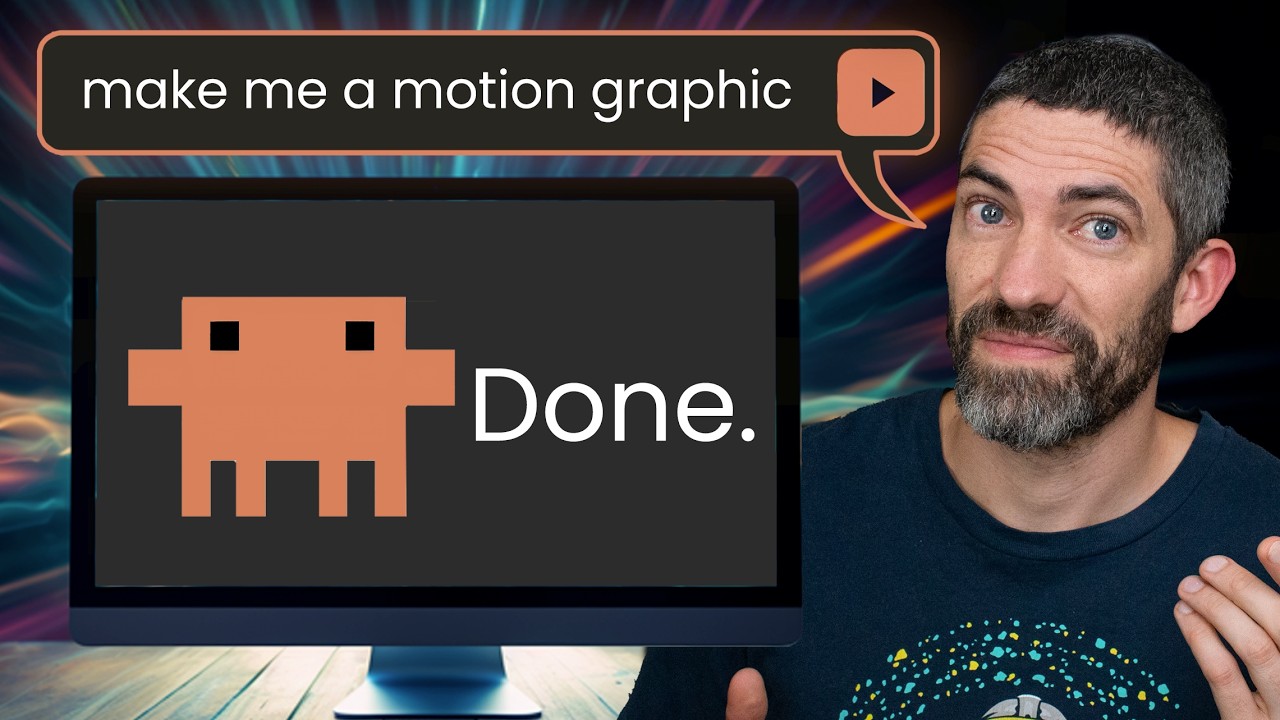
Claude Design has an animation template most people miss. You describe a motion graphic, and Claude builds it as real code (HTML for structure, CSS for styling, JavaScript for motion) rendered live, not a baked video file. Because it is code, every edit is precise and you can revise it in plain English.
The presenter's whole pitch: drop in a timestamped transcript and it pops out animations synced to the words you are speaking, with blank space left for a talking head.
Four ways to drive it, in order of control: from a prompt, from one reference image, from multiple reference images, and from a saved design system.
The reusable payoff is the design system: create it once (from a GitHub repo, a local folder, a Figma file, or dropped images) and Claude reapplies the full brand and motion spec to every generation, so shots stay on-brand across a whole video.
Access needs a paid Claude plan (Pro or Max) at claude.ai/design or the Design entry in the Claude sidebar. The presenter finishes each clip by exporting 1080p and compositing a talking head in Premiere (with a personal plugin he built in Codex).
The kind of output the presenter makes: a fully animated motion graphic built in Claude Design, not filmed or generated as video. 0:18
Access needs a paid plan (Pro or Max). You reach it two ways: go to claude.ai/design, or open the Design entry in the Claude sidebar (currently under Labs).
Claude Design lives at claude.ai/design and requires a paid Pro or Max plan. 0:52The other way in: the Design entry at the bottom of the Claude sidebar. Once inside, Claude Design offers templates for slides, mobile app design, UI mockups, resumes and 3D objects; this video is only about the animation template. 0:55
---
2. Create from a prompt (1:42)
The simplest pathtype what you want. For the demo prompt "animate a visual explanation of how LLMs are trained and how they work," Claude first asks a short questionnaire before building, and the vaguer the prompt, the more it asks.
After a vague prompt, Claude asks a short set of questions (audience, target length in seconds, aspect ratio, which beats to include) so it does not guess. You can answer or pick "Decide for me." 2:02
A few minutes later the animation is ready with two editing affordances: a Tweaks panel to swap the accent color and toggle captions or the motion editor, and a timeline at the bottom to drag individual shots shorter or longer.
The LLM explainer ("The cat sat on the mat") with the Tweaks panel open (accent swatches, captions, motion editor) and a per-shot timeline. Drag a shot to retime it. 2:35
The standout is editing with plain language. Asking for a different example phrase swaps it everywhere while keeping the rest intact.
A single request ("use a different example phrase than the cat sat on the mat") replaced the phrase across the whole animation, keeping every other element. 3:05
It is also strong for data visualization. From just a prompt (no data supplied), Claude researched the numbers itself and produced an animated market-bubbles piece.
A prompt comparing historical market bubbles to the current AI bubble; Claude found the figures itself. This is very different from a text-to-video generator's output. 3:45
Why the edits are so cleanClaude is writing actual code underneath (HTML, CSS, JavaScript) and showing it live. A precise change is just a change to part of that code, unlike a generator that hands back a finished video file.
The mental model the video gives: structure, styling and motion are HTML, CSS and JavaScript, all generated live. Being code is why the output is so editable. 4:00
---
3. Create from an image (4:51)
You can feed one reference image and say how to animate it. The presenter's example: he had already made a static "Claude ecosystem" image (from GPT image 2) and wanted each layer to animate in, pause, then move down. Claude recreates the idea in code, so the result looks a bit different from the source image because it is not animating the pixels.
Creating from an image: attach the reference, pick the Animation template, and describe the motion you want. Claude rebuilds the concept as code rather than moving the image itself. 5:15A reference image can be used two ways: recreate it, or just match its style. UI simulations are a strong use (a cursor moving and clicking, windows popping up, a conversation going back and forth), which is hard to do the traditional way. 5:55
---
4. Multiple reference images: the real production workflow (6:25)
For a long, consistent generation, attach severalreference images at once. That both locks the style and lets you include specific logos, UIs and icons.
Multiple references keep one style across a long piece while still letting you pin specific assets. 6:35Four references dropped in for a Claude-branded piece: the little Claude character, the prompt box, the chat interface, and the background. 6:52
The most reusable artifact in the video is the presenter's generalized prompt. It is written to work across any of his videos: follow a pasted transcript, illustrate concepts at matching timestamps, prefer graphics and icons over text (Claude defaults to too much text), and crucially leave the right third (or sometimes top third) blank for the talking head.
The reusable prompt: motion graphics over a talking-head video, follow the transcript, illustrate at matching timestamps, default to graphics/icons, use text minimally, and leave the right or top third open for the presenter. 7:05
The transcript itself comes fast from Gemini: paste the video section and ask for an SRT transcript, then paste that at the end of the prompt.
The quick transcript step: ask Gemini for an SRT transcript of the section, copy it, and paste it into the Claude Design prompt. SRT is a plain-text format of timecodes with the spoken text below. 8:15
The result follows the transcript and leaves space for the head; Claude also names each section so you can reference them by name when asking for edits (for example, "move conversation one turn to the bottom center").
The generated piece cut to the transcript in named scenes, with the right third kept clear for the talking head and a "Talking-head guides" overlay available in the Tweaks panel. 8:45
Then export (Share, then Video, then bump to 1080p) and finish in Premiere. The presenter animates scale and position with keyframes, smooths them with a bezier, and syncs a rectangle mask to the movement.
Compositing in Premiere: manual scale and position keyframes (smoothed with a bezier) plus a rectangle mask synced to the motion. 9:35
Because that manual work is tedious, he built a personal Premiere plugin (made in Codex, not public) that automates zooms, highlights, popups, and talking-head placement. It offers preset positions and shapes (Full, Portrait, Wide, Circle) and animates the head into place.
His "Headroom" plugin: pick a preset position and shape for the talking head, then "animate to this state." The head is composited over the motion graphic and synced to the narration. 11:45
---
5. Design systems: reuse a style across generations (12:58)
A single set of references only applies to one generation. To hold a style across many generations (or many videos), create a reusable design system. Your saved systems live in a dropdown; the plus button starts a new one.
Saved design systems, selectable per generation. The plus button (or the Design systems tab) creates a new one. 13:35
Creating onename it, then optionally give it sources. You can link a GitHub repo, link a local folder (Claude copies selected files, not the whole codebase), upload a Figma .fig file (parsed locally, never uploaded), or drop in fonts, logos and images. The presenter just dropped in three consistent GPT image 2 images.
Sources for a new design system: a GitHub repo, a local folder, a Figma file, or dropped images/fonts/logos. All optional. 13:48
After about five minutes it generates a full spec document: brand, colors, components, iconography, motion, glow and stroke styles, plus content-voice rules. This is what Claude reapplies on every generation.
The auto-generated "Halo Neon" system: a complete, editable spec (visual foundations, iconography, motion, and a "content fundamentals" voice guide) Claude reuses each time. 14:15
With the system selected, the same prompt plus a fresh transcript produced an on-brand agent-explainer animation in one shot.
A new animation generated from the saved system, matching the style on the first try, then composited with the talking head. 15:40
The presenter's closing note: he is "still genuinely blown away" that this is possible, and it has been a large time-saver, while acknowledging the specific talking-head workflow may only be relevant to some viewers.
---
Tools and resources
Tool / resource
Role in the workflow
Claude Design (claude.ai/design)
Generates the motion graphics as live code; needs a paid Pro or Max plan
Claude models (Opus 5 shown)
The model powering generations, selectable in the prompt bar
Gemini (Flash)
Fast SRT transcript generation from a video section
Adobe Premiere Pro
Compositing the talking head over the exported 1080p motion graphic
Codex
Used by the presenter to build his personal "Headroom" Premiere plugin
GPT image 2
Generated the static reference images fed into Claude Design
Figma (.fig)
One possible source when creating a design system
"Claude Design in action" guide
Free guide promoted in the video description (untrusted; not verified here)
Claims to verify
Access requires a paid Pro or Max plan. Stated on screen; plan availability and whether the animation template is generally available (vs Labs) may change.
Claude Design writes HTML/CSS/JS live. Presented as fact and consistent with the on-screen code preview; not independently confirmed here.
Design-system generation takes about five minutes and folder/local-code linking "copies selected files, not the whole codebase." Stated on screen.
Model shown as "Opus 5" in the prompt bar; treat exact model naming/availability as time-sensitive.
The "Claude Design in action" free guide and any prompts it contains are promotional and untrusted; do not run or install anything from them without review.
Glossary
Claude Design: Anthropic's design surface at claude.ai/design that generates designs and animations as editable code rather than static exports.
Motion graphics: animated graphic design (text, shapes, icons, charts in motion), as opposed to filmed footage or a generated video clip.
Animation template: the specific Claude Design template this video is about, which produces motion graphics.
Design system: a reusable, named spec of a brand's style, components and voice that Claude reapplies to every generation so output stays consistent.
Text-to-video generator: a model that returns a finished, baked video file; contrasted here with Claude Design's code-based, editable output.
SRT (SubRip Text): a plain-text subtitle format of timecodes with the spoken text below and blank lines between entries.
Talking head: the on-camera presenter shot, composited on top of the motion graphic in the blank space Claude leaves.
Keyframe: a marker that fixes a property value (like scale or position) at a point in time; the editor interpolates between keyframes.
Bezier curve: an easing curve applied to keyframes to smooth motion instead of moving at a constant, robotic rate.
Mask: a shape that reveals or hides part of a video layer; here, synced to the talking head's movement.
Reference image: an input image that guides the style or content of a generation.
Aspect ratio: the width-to-height frame shape (16:9 landscape or 9:16 vertical are the options shown).
Accent color: the primary highlight color of the animation, swappable in the Tweaks panel.
Tweaks panel: Claude Design's side panel for adjusting look (accent color, captions) and toggling the motion editor.
Artifacts: Claude's side-panel app or document window that opens next to a chat.
Connectors: Claude integrations that let it use external tools like email or calendar.
Projects (Claude): a Claude container that gives a chat permanent context about your work.
Figma / .fig file: a design tool and its file format; a .fig can seed a Claude design system and is parsed locally in the browser.
Premiere (Premiere Pro): Adobe's video editor used to composite the talking head over the exported motion graphic.
Codex: OpenAI's coding agent, which the presenter used to build his personal Premiere plugin.
GPT image 2: the OpenAI image model used to create the static reference images.
1080p: the export resolution the presenter bumps to before bringing a clip into Premiere.
Personal recommendations
1
Code-based explainer motion graphics synced to a transcript
A prompt plus a Gemini-made SRT transcript produces motion graphics whose beats line up with the narration, with space left for a talking head, all as editable code.
System value
Alexana and clients produce marketing and explainer video; this is a fast, revisable way to make on-brand motion graphics without a motion designer, and edits are plain-English rather than timeline-scrubbing.
Proposed form
A reference doc plus a saved prompt template for producing transcript-synced explainer animations.
Target project
alexana-workspace (content/tooling)
2
The reusable "motion graphics over talking head" prompt as a skill or template
The presenter's generalized prompt (follow the transcript, illustrate at matching timestamps, prefer graphics over text, leave the right or top third blank) works across any of his videos.
System value
Codifying this once removes the main friction (getting Claude to leave head-space and not over-caption) and makes every future video a paste-and-go.
Proposed form
A saved prompt snippet or a small /motion-graphics skill that assembles prompt plus transcript.
Target project
alexana-workspace (tooling)
3
Per-brand reusable design systems in Claude Design
A named design system (built from images, a folder, a repo, or a Figma file) makes Claude reapply the full brand and motion spec to every generation, on-brand in one shot.
System value
For Alexana and each client, a saved system means consistent motion graphics across a whole video or campaign without re-uploading references each time.
Proposed form
A checklist for standing up an Alexana design system (and one per active client) plus where to store the source assets.
The presenter built a personal Premiere plugin ("Headroom") in Codex that automates zooms, highlights, popups and talking-head placement presets, saving time on repetitive editing.
System value
Anthony already uses Codex; if video editing becomes a recurring output, a small automation plugin for the repetitive steps could pay off. Speculative until the editing volume justifies it.
Proposed form
A spike note to evaluate whether the editing volume warrants a Codex-built helper.
Target project
alexana-workspace (tooling, speculative)
Take this with you
Save the playbook to read later, or hand the raw notes to your favorite AI.
What's this?
The Markdown file (a .md file) is a plain-text copy of this whole playbook, written in the simple format AI chat tools read best. It keeps the headings, links, timestamps, and captions and drops all the page styling. Think of it as the raw notes behind this page, ready to hand to an assistant.
To use it, download the file and drag it into ChatGPT, Claude, or any AI chat (or just paste the text in), then ask for what you want: “Summarize this into a one-page cheat sheet,” “Turn these steps into a checklist I can follow,” or “Quiz me on the key ideas.” Because the file is already structured, the assistant works from the real content instead of guessing.