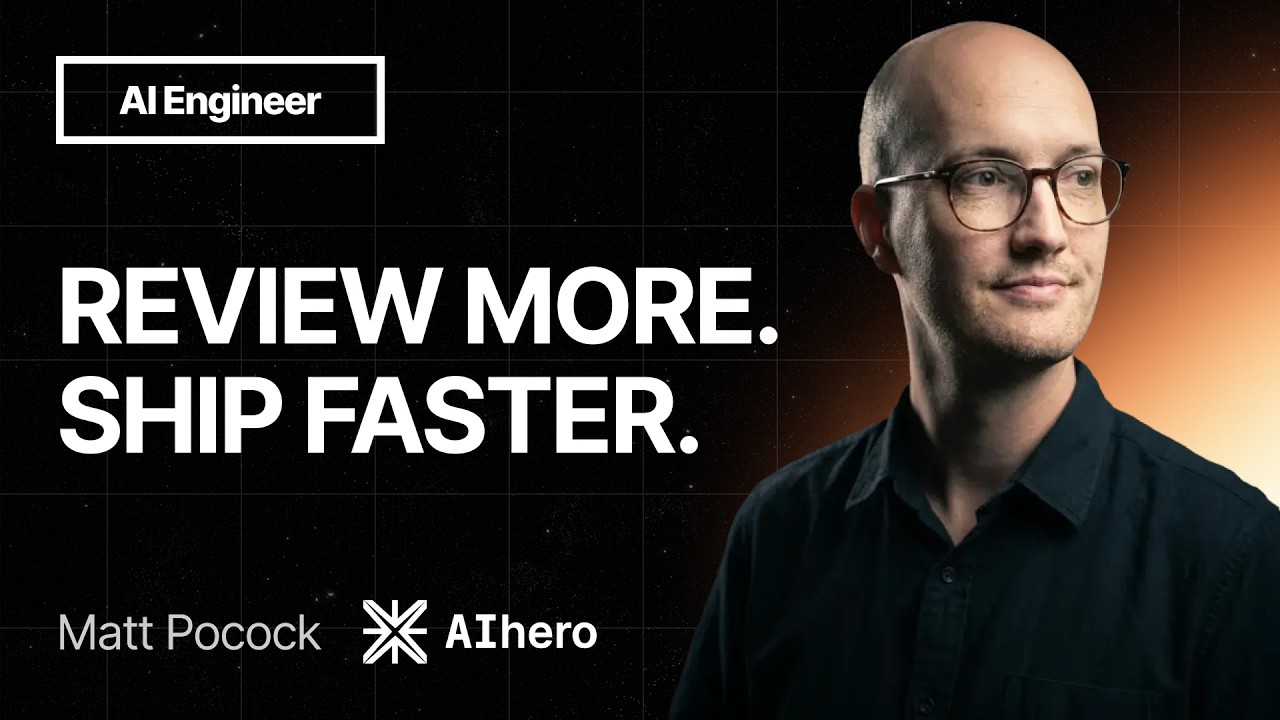
Agents make it trivial to open a PR, so review is now the bottleneck. Pocock's fix is three layers stacked under the human: deterministic automated checks, an automated review agent, and a slimmed-down human review. The better the first two get, the less the human has to do.
Checks are cheap but they lie. His three examples of agent-written lies are the tautological test, the structure-sensitive test that reads source text, and the mocked test that cannot fail. Deep modules (Ousterhout) make honest tests easier, and his /improve-codebase-architecture skill finds where to deepen.
Keep coding standards out of the implementer, whose context is already overloaded, and put them in CODING_STANDARDS.md for a /code-reviewsubagent that has spare capacity. Build that reviewer yourself rather than buying one. It should commit fixes, not leave comments.
A human-friendly PR body says how dangerous the merge is (one-way or two-way door, blast radius) and explains the why with pseudocode and diagrams in the style of HumanLayer's /show-me. His upcoming /pr skill writes it.
Review the system, not just the code. The new /retro skill turns past sessions and reviews into new checks, coding standards, navigation pointers, tool-economy fixes and de-bloating, so you never write the same review comment twice.
Speed, the software factory and the three brakes
Pocock opens by framing the problemfixing the PR bottleneck. Organizations have always had huge numbers of pull requests sitting around unreviewed, and AI has made that worse, because it pushes more work through than human reviewers can absorb 00:01. He is presenting through the rubric of his skills, with a couple of new skills to announce that are meant to speed up how PRs are done and reviewed.
The title slide reads "Fixing The PR Bottleneck", with the subtitle naming the three layers of the approach: Automated Checks, Automated Review, Human Review00:17.
Title slide: the talk's three layers in one line. Shown at 00:17.
Speed and the software factory
The pressure behind all of this is speed. Pocock says teams have been pushed to do more with less, meaning more PRs and more work, and that is the central promise of AI: agents let teams scale themselves up to handle more. That has produced the software factory, which he calls probably the biggest buzzword of the day. He thinks of this software factory as a place where humans no longer initiate all of the work; some of the initiation is now done by agents 00:01.
Accelerators
A factory needs inputs, and Pocock describes how work enters it. A classifier might come in and decide a report should turn into a fix or a reproduction, or it might ping people straight away. He gives PlanetScale as an example: hooked up to the factory, it produces query reports on the slow queries running against your database, and that can trigger a different part of the factory 01:50. The slide listing these accelerators shows the inputs: bug reports, support tickets, and slow-query reports 01:37. None of this is triggered by humans, he stresses; deterministic code triggers it. These are the accelerators, and they push more code through the factory.
Accelerators are the inputs that start work without a human: bug reports, support tickets, slow queries. Shown at 01:37.
Brakes
Then the catch. If you run only permanent acceleration, pushing everything through the factory, you end up with a slop cannon, a pile of low-quality PRs that nobody can review or even look at 02:24. So you need brakes: mechanisms that slow things down and increase quality, so the codebase does not turn into a software entropy nightmare. Pocock's reasoning is that code is the environment the agents operate in, so bad code begets more bad code. He says the talk covers three such brakes, and the counterintuitive point is that slowing down is how you go faster.
Brakes slow the factory down on purpose to raise the quality of what comes out. Shown at 02:24.
The three brakes
The first brake is automated checks. These are the deterministic checks in the repo, the ones teams have had since the 1950s: linting, tests, type checking, and code quality metrics, all working the same way every time 02:54.
Layered on top is automated reviewagents look at the code for the things the tests did not catch, and at the structure of the codebase in general. The third and final layer is human review, people looking at the PR 03:21. These three layers form a kind of cake, and the goal is to make human review faster by leaning on the first two phases.
Layer two: an agent reviews the code, then comments or commits. Shown at 03:21.
Stop the slop
More speed means more PRs, so the point of the first two layers is to make the final one faster. Pocock calls the first principle "Stop the slop": if you raise the quality of the code you ship, you do less human review, because the arriving work is just better and humans end up making fewer interventions 03:54. The slide frames it plainly: higher code quality means faster human review.
The first principle: higher code quality means faster human review. Shown at 03:54.
Automated checks, and how they lie
Automated checks are cheap. That is the cool thing about them, Pocock says. They do not cost tokens the way automated review does, and they do not cost human effort. They just cost CPU cycles 04:40. You run your tests on every code change. Some checks may indirectly consume tokens, such as when an agent creates a bug and a test catches it and you spend tokens to fix it, but he calls those tokens pretty well spent. Because checks are cheap, he argues, you can layer loads of them onto your repos, and most teams are probably not using enough of them or being creative enough with them.
Checks cost CPU cycles, not tokens or human effort. Shown at 04:40.
But checks can lie 04:53. Pocock asks whether a green CI means the code is ready for merge, and answers no. On top of these checks, teams have always needed an extra layer to figure out whether anything is catastrophically wrong with the code before shipping it.
A green CI run is not proof the code is ready to merge. Shown at 04:56.
That extra layer is the human review and automated review phases. Pocock calls these lie detectors05:11. They exist to find lies in the automated checks. He wants to show some of those lies first, because seeing how bad automated checks can get helps when thinking about code.
Review layers exist to catch the lies the checks tell. Shown at 05:11.
The first lie is the tautological test05:14, which he defines as a test that just reasserts the implementation. Opus 5 got addicted to these, he says, though he does not quite understand why. For example, the implementation is X post character limit equals 280. The test written to cover that behavior, which he says people have seen a thousand times, expects the same constant to be 280. The test reasserts the implementation, which is what makes it a tautological test.
A tautological test only re-asserts the implementation. Shown at 05:14.
This is real code from agents, or from stuff he found his own agents doing. The implementation sets X_POST_CHARACTER_LIMIT to 280, and the test asserts expect(X_POST_CHARACTER_LIMIT).toBe(280)05:55. The test essentially restates the constant.
The real agent-written test: it restates the constant it imports. Shown at 05:55.
Tautological tests are bad because they are extremely structure-sensitive 06:05. They are very sensitive to the actual internal workings of the system. Pocock says he cannot change that constant without a test failing, and he cannot rename that constant without a test failing. The test is so tied into the structure of the system.
A structure-sensitive test knows too much about the internal workings of the system. Shown at 06:05.
He found another example that is even more egregious. This test checks whether two things in the UI appear in the right order, specifically that the video section comes after the content plan on the pitch detail page 06:23. Instead of rendering to a screen, it reads the actual module file into its own memory using readFileSync, then finds the content plan, finds the videos, and expects the videos to come after the content plan in the source material. Pocock calls this crazy, because changing the way the source material looks will fail the test. It is too sensitive to the structure of his code base.
The test reads the component's source text and compares string positions instead of rendering anything. Shown at 06:40.
There are also tests that literally cannot fail 07:14. This will feel familiar to anyone who has abused mocking in the past. The example is a useAudioBoost function whose internals use the AudioContext API in the DOM. The test stubs the AudioContext out with some fake methods. But the AudioContext has complicated error modes and will fail under strange conditions. Stubbing it out means the tests cannot fail using those modes, and production will hit strange errors that the tests cannot catch.
Mocking the behavior instead of testing it makes a test that cannot fail. Shown at 07:14.
The slide shows the mock code, which uses vi.stubGlobal to replace AudioContext with fake methods before calling useAudioBoost(video, boostDb)07:44.
AudioContext is stubbed with fakes, so its real failure modes can never reach the test. Shown at 07:44.
Pocock's closing point is that you can cheat on automated checks even in good faith. The AI is not trying to write bad tests here. It is taking the instructions and writing tests that are too tied into the structure instead of actually executing code.
Designing your way out: deep modules
Pocock opens by asking how to make automated checks harder to cheat. His first answer is codebase design. "You can actually design your way out of these bad checks," he says. Good codebase design, in his telling, comes down to deep modules, which he describes as modules that hide complex behavior behind simple interfaces. He credits this idea to John Ousterhout's A Philosophy of Software Design. 08:18
The pivot question for the rest of the talk. Shown at 07:59.
He then contrasts two modules. Module A has a large implementation hiding behind a small interface at the top. Module B has a large interface, with many callable functions that individually do not do very much. He calls B a shallow module. With a deep module like A, you get fewer structure-sensitive tests, because more of the implementation is hidden behind that interface. If the tests exercise only the interface, they are better tests. The goal is to force agents to use that little interface instead of reaching into the implementation to test weird implementation details. 08:4308:55
Deep modules hide complex behavior behind simple interfaces. Shown at 08:43.Module A is deep: a big implementation under a small interface. Module B is shallow: a wide interface over little behavior. Shown at 08:55.The payoff of deep modules for test quality. Shown at 09:10.
He then presents the /improve-codebase-architecture skill, which finds opportunities to restructure a codebase into deep modules. He says even the worst vibe-coded codebase can be improved with it, no matter how crappy it looks. The skill produces an HTML report listing the opportunities it sees, with a before and after for each, reducing duplication and creating a nice deep testable module. 09:4710:08
The skill that hunts for deepening opportunities. Shown at 09:47.One finding from the skill's HTML report, with a before and after diagram. Shown at 10:08.The same finding in words: problem, solution, locality, leverage and the deletion test. Shown at 10:14.
The example on screen comes from his course-video-manager app. The finding is titled "Give Course View Display Settings a predicate module instead of three inline copies." The problem it names is a compound visibility expression hand-rolled at three call sites, with no shared name and no unit test; section-card.tsx has no test file at all. The proposed solution pulls each named rule into visibility-predicates.ts as pure functions over ResolvedVisibility, so all three components call the named predicate instead of re-deriving it. The report then scores the change in his vocabulary: locality, because the gating rule lives in one module and is testable without mounting three components; leverage, because one interface serves three call sites; and a deletion test, because deleting the new module later would strand three components with no source of truth.
Alongside the report, he has a codebase design skill that defines the shared language he uses: locality, leverage, and seam. Locality describes how well the related code sits together, which decides whether a small change in one module stays put or ripples out to others. He jokes that he was using seams before they were cool. Leverage is what you get from a deep module, because the caller gets a lot of value from calling a simple function. Both, he says, are good for codebases and good for agents. 10:14
Automated review that commits
Pocock has laid out the standards he wants from code, but describing them is not the same as enforcing them. How do you make sure the agent creates deep modules and good tests, and does not fall back on tautological or structure-sensitive tests? He thinks most people get this wrong, and the mistake starts with where the standards are put. 11:21
The slide at 11:23 frames exactly that question. Pocock's first piece of advice is to not put coding standards in the implementer agent. The next slide states the rule plainly: "Don't Put Coding Standards In Your Implementer." 11:32
He explains why with a diagram of the implementer's context window. The agent needs budget for exploration, to find the code it will change; budget for implementation, to update the files; and budget for debugging, to run the automated checks and verify the work. That is a heavy load for a single context window, and adding coding standards on top makes the agent perform worse. His mental model is that the implementer agent is overloaded. In his words, implementation is overloaded. 11:5212:22
The implementer's single context window is split across exploration, implementation and debugging. Shown at 11:52.The mental model. Shown at 12:22.
Rather than overload the implementer, Pocock built a /code-review skill. It receives a diff, reads a customizable file in the repository called CODING_STANDARDS.md, and checks whether the code follows those standards. Crucially, it runs as a subagent, in its own context window with its own budget. 12:40
Pocock points to a diagram of the reviewer's context bar, which shows only a small exploration segment. The reviewer needs some exploration to understand the wider context around the diff, but no implementation or debugging budget. So where implementation is overloaded, review is underloaded. That spare capacity is exactly what lets him pile coding standards onto the reviewer. 13:1313:28
The reviewer's budget: a little exploration, no implementation, no debugging. Shown at 13:13.Review has spare capacity, so standards belong there. Shown at 13:28.
Pocock frames this as a two-part process for writing good code. /implement is there to make it work, and /code-review is there to make it good. For developers who grew up with test-driven development, this is essentially a red-green-refactor approach: one context window does the red-green, and a second context window does the refactor. He says it has been very successful for him. 13:3413:55
The two-part process. Shown at 13:34.The same split mapped onto red-green-refactor. Shown at 13:55.
This division also decides where the standards live. Pocock says not to put them in global scope and not to put them in AGENTS.md, because there they drown out the implementer, which may read them and may not. They belong in CODING_STANDARDS.md, where only the code review agent reads them. The slide makes the contrast visual by crossing out AGENTS.md and ticking CODING_STANDARDS.md. 14:20
Coding standards go in CODING_STANDARDS.md, not AGENTS.md. Shown at 14:20.
He has a strong opinion on third-party review tools. Many people tell him they use Cursor Bugbot or CodeRabbit, but he tried building a generic code review skill that finds all bugs and does security review, and it is genuinely hard. A skill that is too general produces false positives that are not relevant to the team, and a skill that is too specific, like checking only TypeScript, is useless to the Rust people. His advice is to not outsource automated review. Build your own skill, grow your own coding standards over time, and share them across the team. If there are docs sitting around that no one reads, that is the place to put the standards in. 14:32
The natural inclination, once you have an automated reviewer, is for it to read the code and comment on the PR. Pocock argues that does the human reviewer no favors, because the human has to read all the verbose comments and decide which ones to act on. Instead, the reviewer should commit. It should make the fixes it finds, so the human reviews a clean artifact. If the reviewer has questions, it can still comment, but the default should be commits, not comments. 15:48
The reviewer should fix what it finds. Shown at 15:48.
He closes with a warning against a common instinct: stop trying to one-shot good code. Stop making the implementer agent the only tool you run and forcing it to be amazing. The two-window approach takes some adjustment, but once you realize it, he says, it is fabulous. 16:07
Close of the automated review section. Shown at 16:07.
A human-friendly PR
With the automated checks run and the automated review done to make sure the checks are not lying, the next question is how to maximize the PR's quality for human review. Pocock says the goal is a human-friendly PR. The slide lists high code quality, a concise description, and concrete evidence as the ingredients. 16:28
The vehicle for this is a new skill coming into the repo. The /pr skill is currently in progress and will be released soon. Pocock says he has been mulling it over for a long time and has not quite figured out what the state of the art is, but he realized the best way to make a /pr skill is to steal all the best ideas everyone has got. The skill slide reads "/pr writes a pull request body optimized for easy human review." 17:01
So what does a good PR body actually look like? Pocock says the first principle is that some reviews are more important than others. Not every review is essential, and once you understand that, you can focus your energy on the really important reviews. 17:07
To categorize the reviews, Pocock uses AWS terminology: is the PR a one-way door or a two-way door? Most PRs are two-way doors. You can merge the PR and always pull it back later. He contrasts software engineers with civil engineers, where mostly it is a one-way door and if you get something wrong, the bridge is going down. But with a two-way door, you can easily revert the change. 17:14
The categorization is more nuanced than it might sound. A very simple change can accidentally blast out an email to 60,000 people, and in that case it is a one-way door that needs very careful review. Expensive migrations or data loss also make it a one-way door. In those cases, Pocock says you want to review the hell out of that PR. 17:46
Tied to that, you need to understand the radius of the PR. What can go wrong, and if things do go wrong, how bad is it? The slide reads "Blast Radius: if things go wrong, how bad is it?" 18:14
This leads to a summary at the bottom of every PR, which he calls the Merge Danger. In the example PR body on screen, the Door line says two-way and trivial to revert, because the change only alters how an error message is rendered. The Blast Radius line says localized, because only the text of surfaced error messages is affected. When Pocock sees that, he knows he does not need to pay that much attention and can just review it a little. 18:37
A real Merge Danger summary from the bottom of a PR body. Shown at 18:37.
Next, the reviewer needs to understand what the PR is even doing. Pocock says he has tried lots of different ways of figuring this out, and the best thing he has come up with is pseudocode. The slide reads "Pseudocode: before you look at the how, understand the why." 18:44
He gives huge credit to the /show-me skill from the HumanLayer skills repo, humanlayer/skills, by Dex Horthy. He calls it a phenomenal skill that essentially dispenses with most text and shows things to you in images and diagrams instead, which makes it much easier to grasp what is changing and why. 19:08
It also includes simpler summaries. In the example, a short paragraph explains that Clip was the one noun with a soft-delete and no way back, so the change closes that loop. Under it sits the CLI's command list with only the new parts marked: a new clip restore <id> command that undoes a delete, and new --archived flags on clip list and clip get. Pocock says you can see at a glance that you are working in a CLI, that a new command has been added, and that two new flags sit at the top. 19:23
A plain-text CLI summary showing which commands and flags are new. Shown at 19:23.
Pocock says little summaries like this make a massive difference, and it is hard to overstate. The slide reads "Make understanding the why as fast as possible," which he presents as the aim. 19:38
Pocock moves to a third principle that applies whenever you do human review. Because processes are now streamlined and everyone collaborates around the same skill files and steering files, they are all building an environment for their agents to operate in together. He argues you should think of the process that produces your code as just as important as the code itself. His slide for this section reads "Make Code Review Matter" 19:59.
In other words, when you do a human review, you are not just reviewing the code, you are reviewing the system that creates it 20:15. The slide reads "Review the system, not just the code". The theory, Pocock says, is that you never want to write the "same comment twice". You never want to catch the agent doing the same thing over two PRs. The slide reads "Never write the same comment twice".
The process that writes code is as important as the code. Shown at 20:17.The rule behind retro. Shown at 20:23.
The /retro skill
The mechanism for making human review matter is a new skill called /retro, short for retrospective. You can point it at a single agent session, at a PR plus the session, or at all the PRs from the last week with their reviews, and it runs a retrospective on them. It then suggests automated checks and coding standards to make the next review better. The slide reads "/retro suggests automated checks and coding standards to make the next review easier". Pocock describes this as the compounding effect: by doing human review, you raise the quality of the next human review and save yourself work next time.
Retro is a smart skill, he says. It suggests automated checks and updates to CODING_STANDARDS.md. The slide reads "CODING_STANDARDS.md: can we pick this up in automated review next time?". It also checks "navigation pointers": how easily the agent found its information, and whether a pointer inside AGENTS.md would help next time. And it checks "tool economy": whether different tools used in the session could be made more token efficient. The slide reads "Tool Economy: are there tool results which could be made more token-efficient?". Pocock says it is amazing how many things this catches, because those are often hard to debug from the outside.
One of retro's questions. Shown at 21:21.Another of retro's questions. Shown at 21:35.
Retro also looks at bloat. Are there bloated steering files or bloated skills that contribute to bad results, and can they be made more organized. The goal, Pocock says, is to make human review faster by layering up automated checks and automated review, and making the human review as painless, as simple, and as optional as needed. He notes you do not need to review every two-way door, but every one-way door you do 21:46.
Pocock closes by pointing to his skills at aihero.dev/skills, saying they are shipping version 1.3 this week. He thanks the audience and says he will be outside in the lobby if anyone wants to chat 22:28.
Standards live in CODING_STANDARDS.md, not AGENTS.md, and a /code-review subagent reads them against the diff and commits the fixes it finds instead of leaving comments.
System value
Anthony's site repos (Meadows, the Skyglow rebuild) and fleet-control already run mattpocock code-review; giving each repo its own standards file and letting the review step commit would cut the follow-up edits he makes by hand after agent builds.
Proposed form
Reference doc plus a template CODING_STANDARDS.md, and a change to the orchestrate post-build gate so review commits fixes.
Target project
alexana-workspace (orchestrate flow) and each ~/Projects repo.
/retro reads a session, a PR plus session, or a week of PRs and reviews, then suggests new automated checks, coding standards, navigation pointers, tool-economy fixes and de-bloating of steering files and skills.
System value
Fleet and vault runs already produce journals; a weekly retro over them would turn repeated review comments into checks and CLAUDE.md pointers, and flag bloated skills, the same goal the claude-md hygiene hooks chase by hand.
Proposed form
Skill or scheduled job that reads the week's BUILD-JOURNALs and run journals and files proposals as {agentic} items.
Target project
fleet-control.
3
A Merge Danger block on every agent-produced merge
The PR body ends with a door type (one-way or two-way) and a blast radius, so the reviewer knows how hard to look.
System value
Fleet's DONE and ACCEPT split already decides what needs a human; a door and blast-radius line on each finished task would let Anthony skip careful review on two-way doors and focus on migrations, emails and deploys.
Proposed form
Required section in fleet task completion reports and orchestrate final reports.
Target project
fleet-control.
4
A tautological and structure-sensitive test check in the verify gate
Agent-written tests that restate constants, read source files with readFileSync, or stub away the dependency under test all pass while proving nothing.
System value
Orchestrate and fleet treat a green test suite as DONE; a reviewer rule that flags these three test shapes would stop false greens from closing tasks.
Proposed form
Lines in a shared CODING_STANDARDS.md template plus an audit-verifier prompt addition.
HumanLayer's /show-me explains a change with a sequence diagram and an annotated command list marking only what is new.
System value
Anthony reads reports on mobile; a diagram-plus-delta summary pairs with the existing lavish skill and would make orchestrate reports faster to scan.
Proposed form
Evaluate /show-me against the lavish skill and adopt its delta-marking convention in report templates.
Target project
alexana-workspace.
Take this with you
Save the playbook to read later, or hand the raw notes to your favorite AI.
What's this?
The Markdown file (a .md file) is a plain-text copy of this whole playbook, written in the simple format AI chat tools read best. It keeps the headings, links, timestamps, and captions and drops all the page styling. Think of it as the raw notes behind this page, ready to hand to an assistant.
To use it, download the file and drag it into ChatGPT, Claude, or any AI chat (or just paste the text in), then ask for what you want: “Summarize this into a one-page cheat sheet,” “Turn these steps into a checklist I can follow,” or “Quiz me on the key ideas.” Because the file is already structured, the assistant works from the real content instead of guessing.