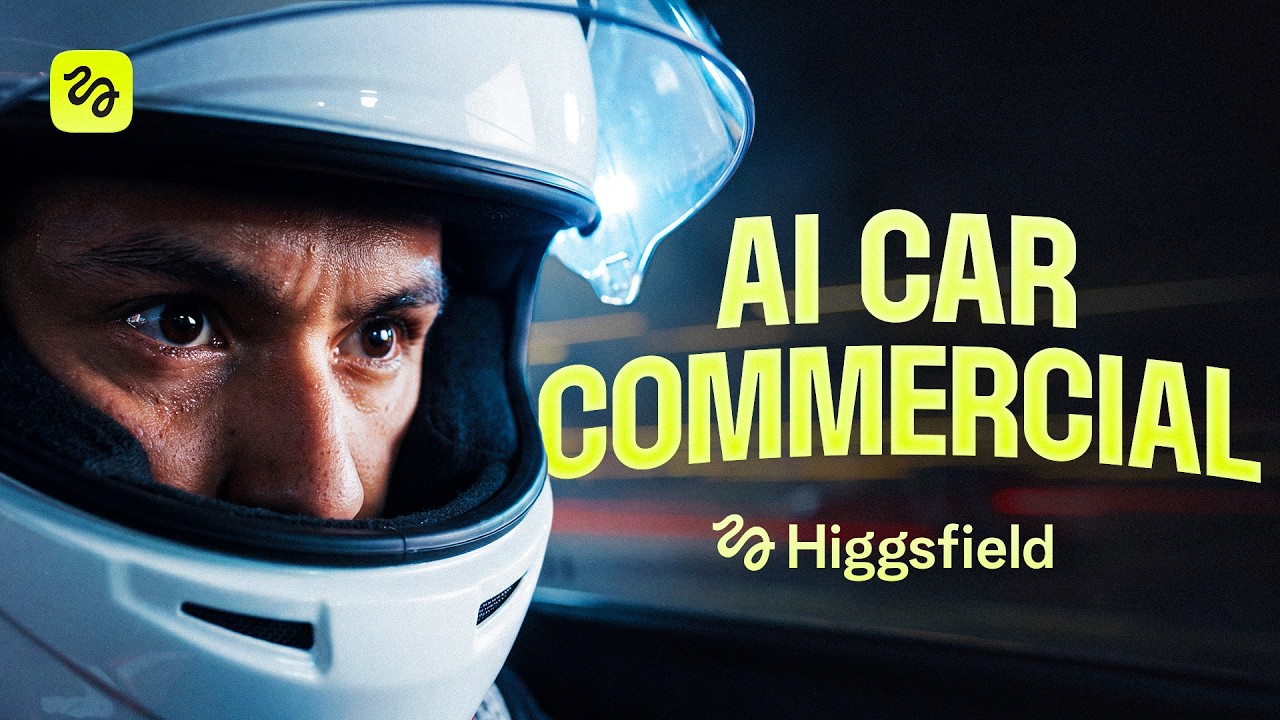
One repeatable pipeline builds any product commercial: assets, then skill setup, then generations. Swap the assets (car, sneaker, perfume) and the workflow is identical.
Claude writes every prompt; Higgsfield's models render. The presenter (Adil) never hand-writes a generation prompt. He attaches reference images to Claude (shown on-screen as "Fable 5" with a Higgsfield connector), Claude writes the prompt, and pasting it back into Higgsfield auto-attaches the saved assets.
Saved @elements are the glue. Every asset (a car, a face, a location, a steering wheel) is saved in Higgsfield as a named element starting with @. Claude writes that name into the prompt and the element attaches itself on paste. This is how consistency survives hundreds of generations.
Model routing is the craft, not one magic model. Soul Cinema for realistic "acting", Seedream 5.0 Pro and Nano Banana Pro for image edits and face-swaps, Seedance 2.0 for video (and, currently, the best image editor). Rule: don't try to get everything from one model.
Continuity is on you.Color transfer to lock one palette, "clean your plate" before generating, connecting shots so scenes don't teleport, blocking locks, hard shot-count rules, and turning failures into deliberate beats.
The tighter the frame, the less slop. Wide aerials expose every mistake (traffic laws, morphing signs); tight, unique angles let the model hold the scene together.
Everything on screen is a fictional invented brand: the GENOVA car (4-point-star logo) with race sponsors APEX GP / VOLTRA / KYRO FUEL. This is deliberate and non-IP, so the models are never asked to reproduce a real brand.
---
1. The three-step pipeline and getting organized (2:09)
The whole workflow is three stepsassets, setup, generations. "Today it's a car, but the same workflow works for pretty much any commercial. You just swap the assets."
Before generating a single frame, the presenter sets up a project in Cinema Studio called "car commercial", with one main folder per scene and a subfolder per asset type, and a fresh subfolder for every iteration. "Sounds tedious, but a few hundred generations in, it's the only way to find anything."
Cinema Studio project organization: one folder per asset type (Character sheet, Location, Props), a fresh subfolder per iteration. 2:22
The hero asset, the car, is generated on a plain neutral gray backdrop. Pro tip stated on screen: "always generate the product shots on a neutral gray backdrop. It makes them way easier to blend into any background later." Then two things happen to every asset: it is saved in Higgsfield as an element with a name starting with @ (this one is @car_sheet), and the same image is attached into Claude and told its name. "From now on Claude writes car_sheet into its prompt, and when I paste the prompt back into Higgsfield, the element attaches itself."
The @car_sheet element saved in Higgsfield. Naming it and attaching the same image to Claude is what lets Claude reference it by name later. 2:48
---
2. Claude writes the prompts; model routing does the work (3:08)
The presenter drives Claude (shown as "Fable 5") with a Higgsfield connector/skill. The home screen offers quick actions: "Write a Seedance prompt", "Character sheet", "Storyboard a scene."
Claude ("Fable 5") with the Higgsfield connector. The whole prompt-writing side of the workflow lives here. 3:18
To build the lead character, he drops his own photo into Claude and asks for a 3-panel character sheet (close-up face, full-body front, full-body rear), clean-shaven, no copyright text. Claude returns a detailed prompt (including the fictional "APEX GP / VOLTRA / KYRO FUEL" branding, explicitly marked NON-IP).
The character-sheet request and Claude's detailed prompt. Note "Replicate his face 1:1 from the reference photo" and "fully fictional made-up branding". 3:46
Don't get everything out of one model
For the "champion holding a trophy" shot he runs the same prompt through different models. Seedream 5.0 Pro and Nano Banana Pro (image models) come out "too sloppy, faces smoothed out". So he switches to Soul Cinema ("easily the most creative model on the site; the generations feel more alive"). The catch: Soul Cinema can't attach the reference sheet, so it won't be his face. The fix is the core lesson: let Soul act the scene, then swap the face in afterward.
Head-to-head image-model comparison for the champion shot. 4:45Soul Cinema's results feel "more alive" but aren't his face yet. 5:35"Give me a prompt to replace the face in the first image with the face from the second image." The face-swap edit is tested in both Nano Banana Pro and Seedream. 5:45
Planning continuity into the asset itself
For the dealership scene the champion goes incognito: suede jacket, cap, amber glasses, and a fake stick-on mustache. The fake mustache is intentional: in scene 2 he peels it off on camera, so a real mustache would break that later shot. Nano Banana Pro "kept the face better", Seedream "kept the fabric better"; he picks the Nano Banana Pro version.
Designing the disguise, with the peel-off mustache planned in advance. 6:40
---
3. Color transfer, lazy first prompts, and the skill setup (8:16)
His first prompts are lazy on purpose: "car commercial look, interior of a car dealership. That's the whole prompt. I just want to nail the vibe and the colors first." Once he lands a vibe, he uses color transfer: select the model, click color transfer, upload the reference image, and "from now on every image I create pulls from that exact same palette. It's what keeps the whole film looking like one film."
Lazy first prompt plus color transfer to lock the palette across the whole film. 8:52Location options for the showroom (glass wall one side, warm orange accent wall the other, where the champion photo goes later). 9:26Saving a location/prop as a reusable named element. 9:27
For the video step he uploads a custom skill for Claude (a /seedance slash skill, "free in the description") that writes shot-by-shot video prompts. Then he drops in the locked assets, generates, and stitches scene 1 together from the best shot of each of four videos.
Scene 1 result. The GENOVA 4-point-star brand appears on the key. 10:42
---
4. Casting, clean plates, and the video-as-editor trick (11:12)
"Casting is still casting, even in AI. If the face doesn't feel like a lead, don't settle. Keep iterating." The girl who stops the car took three full versions before one felt like a lead.
Version one reads like a villain, version two's outfit is off, version three is the lead. 11:40
Clean your plate
A VFX termthe background image is the "plate". "Clean your plate. Anything a video model can break, melted text, background clutter, random cars, edit them out of the image before you generate a single video." He does it in multiple passes (remove text, then remove distant cars that kept morphing into clones of the hero car).
The three things a video model will break if you leave them in the plate. 12:28The cleaned plate, generated at a 3/4 angle (important for locations). 12:42
Continuity: don't let the hero teleport
Putting scene 2 next to scene 1 exposed a problem: the hero walks out of the dealership and instantly appears at a gas station. "In AI filmmaking, continuity is on you. The model won't keep track of it." So he generates connecting shots of the hero cruising through a new residential LA street (deliberately not the gas-station location, so the montage doesn't reveal the destination too early).
A connecting shot generated purely to bridge two scenes so the geography reads. 15:28
The favorite trick: a video is the best image editor
To get five interior stills that actually match (seats, dashboard, steering wheel with the star logo), he doesn't generate five images and pray. He asks Seedance for a short video, because "every frame of a video matches every other frame by definition, and Seedance is currently the best image editor we have." Then he pauses on each frame, screenshots it, and saves it as an element (a position log: the parked-car frame tells Seedance exactly where the car stands; the steering-wheel close-up locks interior shots).
A multi-shot prompt built from named elements (@loc_street_main, @car_sheet) with an SFX-only audio section. This is the element-referencing workflow at full strength. 15:35The matched interior, reflections and all, produced from the video-as-editor trick. 15:50
When a prompt is too big, he tells Claude "if this is too much for one prompt, split it in two", and Claude splits it. And he plans the mustache peel as a real beat.
The planned failure paying off: "you can see the skin tugging and letting go, like an actual prop piece coming off." 18:02
---
5. The driving sequence: tighter frame, less slop (19:45)
Downtown, highway, tunnel "ate a ton of generations." The rules he learned, stated on screen:
Traffic lights always came out wrong (red while everyone drives). Couldn't fix it, so frame intersections out.
Wide aerials / FPV flyovers expose all the traffic at once, and "the model doesn't know traffic laws." Cut them.
Overtakes in dense traffic never look right. Cut them.
"If you remember one rule from this video, make it this one: the tighter the frame, the less slop you get." The move for any dynamic sequence: generate multi-shot, patch a ton, and cut the best parts together.
Generate many shots at once, then keep only the parts that work. Note the highly detailed prompt (camera height, "each car crisp, no motion blur", "60% warm... 16:9 warm-and-teal cinematic grade") and the "Rustic Racer Vibes" color-transfer preset. 12:00Multi-shot highway batch; only tight, unique angles survive. 22:40A downtown result that worked once the frame stayed tight and unique. 20:48"You can actually feel the speed of the car now." 23:32The tunnel "beauty pass", the tightest frame of all. 23:55
---
6. The checkpoint: directing actors that don't exist (24:08)
The toll-checkpoint dialogue took four iterations, "the part of AI filmmaking you rarely get to see: directing actors that don't exist." He tunes emotion through prompt deltas: reduce the hero's smirk, write the girl feeling anxiety from the speed, add breathlessness, and even remove the word "what" so her line lands between suspicion and confusion.
Directing via prompt deltas, one adjustment at a time. 25:00
To stop people teleporting between shots, he opens with a plain frontal that locks the blocking (who sits where). And when the steering wheel kept morphing, he screenshotted a video frame, saved it as @car_wheel, and locked it.
Lock blocking with a first shot that defines positions, so later shots can't scramble them. 25:20
The two toll controllers get the same character-sheet workflow, and the scene's problems each get a specific fix: the phantom second booth is erased from the plate, the unreadable newspaper is generated as its own pre-blurred prop, the shot count is enforced as a hard rule ("exactly five shots and four cuts, no extra inserts"), and the flying cap is rewritten as a deliberate landing ("the cap drops onto the asphalt right in front of the camera").
Same character-sheet workflow for background characters, with flat lighting and no skin highlights. 27:00The newspaper is a separate, pre-blurred prop image; the cap becomes a comic beat. 27:42
---
7. The airport finale: diagrams, split beats, and a position mark (29:12)
To control exactly where the car parks, he draws a simple diagram (blue line = the car's path into the gap between two cars, red = parked cars) and uploads it straight to Claude.
The airport location saved as @airport. 29:15"Don't judge my drawing skills." A crude diagram is faster than describing a parking maneuver in words. 29:32
The scene is split into 5A (arrival), 5B (dialogue), 5C (exit), and he shoots 5B first ("the dialogue is the heart of the scene; it decides where the car sits and what's outside every window"). For the exact stopping spot he scribbles a red mark on the location image and saves it as @position, telling Claude the red mark is only the stopping point and must not appear in the video.
The @position element (a red mark meaning "stop here, don't render") plus the multi-shot dialogue script built from named elements. 30:55
Geography still had to be fixed (she exits the wrong door into traffic; the car parks on the wrong side), which he corrects with more prompt edits before the clean drive-off ending.
The airport dialogue and blocking landing correctly even in a complex location. 32:55
---
8. The result
The scene-2 hook: she stops a moving sports car with her bare hands. 34:10The finished GENOVA hero shot. Fictional brand, invented logo, non-IP throughout. 34:35The closing drift-park at the terminal. 35:00
"That's the full workflow. But remember, that works for any product. Can be perfume, sneakers, cars in our case."
---
Tools and resources
Tool
Role in the workflow
Notes
Higgsfield Cinema Studio
The project workspace: folders, elements, color transfer, generation
Product being demonstrated
Claude ("Fable 5") + Higgsfield connector
Writes every image and video prompt from attached reference assets
Quick actions: Write a Seedance prompt, Character sheet, Storyboard
/seedance custom skill
Slash skill in Claude that writes shot-by-shot video prompts
"Free in the description" (treated as untrusted; not installed)
Soul Cinema (image model)
Creative/realistic "acting"; can't attach a reference sheet
Used for scenes, then face-swapped
Seedream 5.0 Pro (image model)
Outfit/edit generation and face-swap
Compared head-to-head on screen
Nano Banana Pro (image model)
Edits, face-swap; "kept the face better" in the disguise test
Compared head-to-head on screen
Seedance 2.0 (video model)
Video generation; also used as the best current image editor
Powers the video-as-editor / position-log trick
Color transfer (Cinema Studio feature)
Locks one palette across every generation
Presets shown, e.g. "Rustic Racer Vibes"
Elements (@name) system
Saves any asset so Claude can reference it and it auto-attaches
The consistency backbone
Claims to verify
Model names and tiers as spoken were garbled by auto-captions and corrected here against on-screen UI: Seedance 2.0 (video), Seedream 5.0 Pro and Nano Banana Pro (image), Soul Cinema (image), presenter Adil, brand GENOVA. Confirm exact current model names in the Higgsfield product before quoting.
"Seedance is currently the best image editor we have" is the presenter's opinion as of the video date (2026-08-03); model rankings move fast.
The downloadable "skill + prompts" and /seedance slash skill are from the video description and are treated as untrusted; nothing was installed or run.
Whether every capability shown (color transfer, elements auto-attach, connector quick actions) is available on Anthony's current Higgsfield plan is unconfirmed.
Glossary
element (@name): a reusable asset saved in Higgsfield under a name starting with @; writing that name into a prompt makes the asset attach itself on paste.
character sheet: a single generated image with multiple views of one character (front full body, back full body, close-up) used as a consistent reference.
color transfer: a Cinema Studio feature that pulls the color palette from a chosen reference image into every subsequent generation, so the whole film matches.
plate: the background image a shot is generated over (a VFX term); "clean your plate" means edit out anything the video model could break before generating.
clean your plate: removing melted text, background clutter, and random/duplicate cars from the plate image, often in multiple passes, before generating video.
position log: a screenshot of one video frame, saved as an element, that tells the video model exactly where the car or object is positioned for later shots.
blocking: the fixed physical arrangement of people and objects in a shot; "locking blocking" means a first shot that defines who sits where so later shots can't scramble it.
face swap: an edit that replaces the face in one image with the face from another, used here to put the presenter's real face onto a Soul Cinema scene.
3/4 angle: a three-quarter viewpoint (not straight-on, not full profile); called out as important for generating usable locations.
FPV flyover: a first-person-view aerial shot; flagged as a slop magnet because a wide aerial exposes all the traffic at once.
multi-shot: asking one generation for several sequential shots at once, then patching together only the parts that work.
stitching: assembling a finished scene from the best individual shots taken across multiple separate generations.
casting: iterating character generations until a face reads like a genuine lead rather than a supporting player.
NON-IP / fictional branding: invented brands and logos (GENOVA, APEX GP, VOLTRA, KYRO FUEL) used deliberately so the models never reproduce a real trademark.
Personal recommendations
1
Adopt the @element + Claude prompt loop as the standard Higgsfield workflow
Every asset is saved as a named @element in Higgsfield and attached to Claude; Claude writes the name into prompts and it auto-attaches on paste, keeping characters/props/locations consistent across hundreds of generations.
System value
This is the missing consistency layer for serious Higgsfield work. It turns "regenerate and hope" into a referenceable asset library.
Proposed form
A reference doc codifying the asset-naming + Claude-attach loop as the default workflow.
2
Bake "clean your plate" and color transfer into your generation workflow
Backgrounds are edited (text, clutter, cloned cars removed in multiple passes) before any video generation, and one color-transfer reference locks the palette across the whole film.
System value
Two cheap, repeatable steps that visibly cut regeneration cost and make multi-shot sequences look like one film.
Proposed form
A mandatory "prep the plate + lock palette" pre-step before any multi-shot sequence.
3
Use a short video as the image editor to generate matching stills (position log)
Instead of generating five interior stills separately (which drift), generate one short Seedance video (every frame matches by definition), then screenshot frames and save them as position-log elements.
System value
A concrete trick to solve the "consistent set of angles" problem that plagues AI product/interior shoots; could become a named technique in the toolkit.
Proposed form
A short named technique note in the toolkit.
4
"Direct via prompt deltas" and hard rules as a review pattern
Emotion and staging are tuned one small change at a time (reduce smirk, add breathlessness, remove a word), and Claude is given hard rules ("exactly 5 shots, 4 cuts") and split instructions ("if too much, split in two").
System value
Concrete, teachable levers for critiquing and fixing a generation instead of regenerating from scratch.
Proposed form
A "directing levers + hard-rule prompting" checklist.
5
"Tighter frame, less slop" as a shot-selection heuristic
Wide aerials and intersections expose model errors (traffic laws, morphing signs); tight, unique angles hold together. Multi-shot generate, patch a ton, cut the best.
System value
A one-line rule that improves hit-rate on dynamic sequences and can gate shot lists before spending credits.
Proposed form
A one-line rule to gate shot lists before spending credits.
Take this with you
Save the playbook to read later, or hand the raw notes to your favorite AI.
What's this?
The Markdown file (a .md file) is a plain-text copy of this whole playbook, written in the simple format AI chat tools read best. It keeps the headings, links, timestamps, and captions and drops all the page styling. Think of it as the raw notes behind this page, ready to hand to an assistant.
To use it, download the file and drag it into ChatGPT, Claude, or any AI chat (or just paste the text in), then ask for what you want: “Summarize this into a one-page cheat sheet,” “Turn these steps into a checklist I can follow,” or “Quiz me on the key ideas.” Because the file is already structured, the assistant works from the real content instead of guessing.