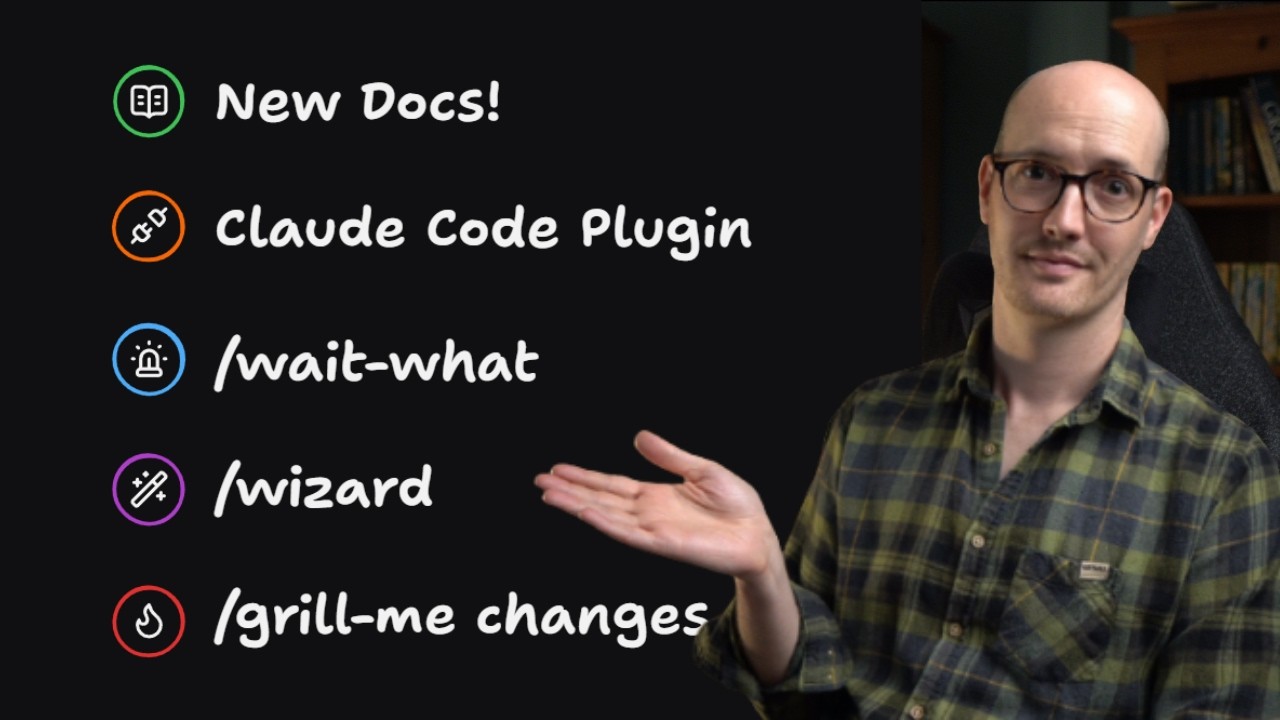
Source statement: v1.2.0 of Matt Pocock's engineering skills (the mattpocock-skills plugin) ships a proper documentation site, an official Claude Code marketplace listing, Codex compatibility, and five skill changes. The repo is now around 24K GitHub stars. [00:00]
The docs live at aihero.dev/skills: skill groupings, the main flow (grill-with-docs, to-spec, to-tickets, implement, tdd, code-review), a common-questions page sourced from his personal wiki, and a linked "AI Coding Dictionary" that defines terms like "ticket" so the docs double as a way to learn AI coding, not just his skills. [00:18]
The plugin is now in the official Claude Code plugin marketplace: open Claude Code, run the plugin command, search for mattpocock-skills, install it as a read-only bundle that auto-pulls his updates. [01:18]
Codex compatibility: every skill now ships an openai.yaml sidecar file so the "hidden until invoked" behavior of user-invoked skills (allow_implicit_invocation: false) works in Codex too, not only Claude Code and a few other harnesses. [01:43]
Five skill changes: wait-what (a fix for Opus 5 verbosity), grill-me now asks questions in multi-question rounds instead of one per turn, writing-for-agents (broadened from writing-great-skills), wizard (generates a human-run bash provisioning wizard), and to-questionnaire (turn grilling decisions into a shareable document). [02:32]
Closing: the full change log is in the v1.2.0 GitHub release, and Matt is launching a cheaper, self-paced AI coding crash course (his view: AI coding has settled since roughly December, so a stable foundation is now teachable). [10:28]
Docs site and Claude Code marketplace
Source statementthe skills repo is mature enough to need real documentation, so Matt built a site with his team. He notes it was once his full-time job to write docs. The best entry point is the /skills page and its groupings; the left panel is a full reference of every skill. There is a common-questions page fed by a personal wiki of questions people actually ask him, and the skills link into an AI coding dictionary. [00:18-01:18]
Visual evidence at 00:28: the site lays the skills out as an ordered pipeline. "The Main Flow" is grill-with-docs -> to-spec -> to-tickets -> implement -> tdd -> code-review; "Shaping" holds wayfinder and prototype. The "What's New" panel already lists the wizard, to-questionnaire, and wait-what skills.Visual evidence at 01:06: each concept has a dictionary definition. The "ticket" entry defines it as a handoff artifact sized to one session, testable by whether sessions on it "degrade before the work is done" (too big, split them) or spend most of their context on setup (too small, merge them). The docs teach the vocabulary, not just the commands.
Source statementthe second big change is an official Claude Code plugin marketplace listing. You open Claude Code, run the plugin command, search "Matt Pocock" or "Matt Pocock skills," and install from there. The result is a read-only bundle with no extra steps, and any updates Matt makes are pulled down automatically. [01:18-01:43]
Visual evidence at 01:36: the plugin appears under the official claude-plugins marketplace. Install gives a read-only, auto-updating bundle.
Codex compatibility: openai.yaml sidecars
Source statementCodex users previously could not benefit from user-invoked skills. The value of a user-invoked skill (seen in the SKILL.md frontmatter) is that it stays hidden from the agent's context window until you invoke it. That works for Claude Code, pi, and a couple of other harnesses, but not Codex. v1.2.0 ships an openai.yaml sidecar for every skill so that allow_implicit_invocation: false travels to Codex too, and the skills work out of the box in Codex UI. [01:43-02:32]
Visual evidence at 02:08: the sidecar restates the skill's identity and, crucially, policy: allow_implicit_invocation: false, the Codex-side equivalent of hiding a user-invoked skill from the model until the human calls it.
Inferencethe sidecar is a portability shim. The same "hide until invoked" intent is expressed once per harness format (Claude's SKILL.md frontmatter, Codex's openai.yaml) so one skill behaves the same across both.
wait-what: a fix for Opus verbosity
Source statementMatt finds Opus, especially Opus 5, "talking garbage": very verbose, using weird LLM phrases, hard to read, and many people feel the same. Output styles and agents.md tweaks did not fix it. What he needed was a way to say "wait, what did you just say?" You use the skill whenever the agent produces something incomprehensible, and it replies with a much better alternative. [02:32-04:01]
Visual evidence at 03:10: the motivation. The bot comment ("The honest options are to accept it and reword the AC, or to persist the digest alongside the export so a resumed/unchanged Publish can skip the read too. Flagging rather than picking.") is the exact kind of output wait-what is built to re-pitch.Visual evidence at 03:25: the whole skill is a few lines. It sets ASD-STE100 (Simplified Technical English) as a leading instruction toward clear declarative sentences, and grounds the reply in the project's own vocabulary from CONTEXT.md.
Source statementthe real cure for verbosity is not "use simple language," it is "use your language," the ubiquitous vocabulary you built up in grill-with-docs. The simplified-English instruction is only part of it. [03:20-04:01]
grill-me: multi-question rounds
Source statementgrill-me is Matt's most popular skill. It used to grill one question per turn (question, answer, question, answer). That has a bad failure mode: near the end, the hard questions are done and you are left clicking "yes, sounds good" through a slow tail of easy ones. The fix he wanted was multiple questions per turn, so you can answer a batch of easy ones at once. [04:01-04:32]
Source statementthe problem with a naive batch is that question three may depend on the answer to question one. The solution: treat the questions as a graph. A critical question at the start opens up a set of others, which may open still more. grill-me now follows this graph, asks only the questions answerable now, and asks them in rounds, always pushing you down the frontier as fast as possible. [04:32-05:40]
Visual evidence at 05:40: the mental model. Each round is the set of questions unlocked by the previous round's answers. Round one might be a single critical question; answering it opens the next round.Visual evidence at 05:55: each question carries an emoji marker and a recommended answer, so with dictation you can blast through a round ("Q1 agree, Q2 agree, Q3 change that"). When the round is answered, the next round arrives.
writing-for-agents
Source statementMatt broadened his "writing great skills" skill because he was using it for anything an agent reads, not just skills, to make the doc more concise and the agent's output more predictable. It is now writing-for-agents: use it for agents.md, claude.md, or when creating or editing skills. It has extra skill-mechanics stapled on in a reference file. Crucially, it helps pull content out of agents.md into skills to stop "frontloading" (over-stuffing the always-loaded config). It is model-invocable with a clean description, so it pulls itself in whenever an agents.md is being modified. [06:27-07:27]
Visual evidence at 07:00: the skill treats a skill, an AGENTS.md, a CLAUDE.md, and a pointer-reached doc as the same object with different packaging. It defines a "context pointer" as a reference the agent holds whose wording, not just its target, decides how reliably the agent reaches the material.
wizard: a human-run provisioning wizard
Source statementMatt had to provision infrastructure and walk through AWS steps he hated. Rather than let the agent click through with computer use (which felt "icky" and gave up control), the wizard skill generates an interactive bash wizard that walks the human through the steps only they can perform. It is a deterministic script, so nothing is sent to an agent or to Anthropic. It sends you to the exact page, gets you to log in, has you paste API keys, saves them to the files it needs (including GitHub secrets), and walks staged UI until done. It turned provisioning from painful to "weirdly joyful." [07:27-08:58]
Visual evidence at 08:10: the wizard announces its stages and duration and makes clear the human drives while the script captures values. It is resumable, so a Ctrl-C mid-way does not lose saved values.Visual evidence at 08:32: a single stage. Dashboard-only steps (account signup, minting a key) are flagged as the only steps that must happen in a browser; everything else runs through the CLI, and the wizard collects each value inline.
to-questionnaire
Source statementthe most boring skill name he has produced, but one he really needed. It takes the decisions inside a grilling session and pulls them into a document you can walk through with someone else. His example: a wayfinder session to design a garden office, where the person he actually needed to consult was his wife, who will use the space. He had the agent turn the grilling questions into a Markdown doc, put it in a Google Doc, shared it, walked through it together, then pulled the answers back into the agent. [08:58-10:28]
Visual evidence at 09:25: the skill interviews the user only about the "send" (who the document goes to and what is needed back), then targets the questions at the gap between what the recipient knows and what the user needs.
Source statementMatt hopes to delete this skill someday, because it patches the fact that agents are hard to collaborate with. The better setup, which some teams already have, is an agent in Slack that stakeholders can tag into a shared conversation. But many people are not there yet, so a document you can hand someone to comment on in Google Docs is genuinely useful now. [09:40-10:28]
Wrap and course
Source statementa few smaller changes are in the v1.2.0 GitHub release change log. Matt is launching an AI coding crash course: instead of a time-boxed group class run over a couple of weeks, it is a cheaper self-paced course available year-round. His reasoning is that AI coding has "settled down" with little fundamental change since roughly December, so a stable foundation is now teachable without going stale. A waitlist link is in the description. [10:28-11:37]
Tools and resources
Resource
Role in this playbook
Where used
Link
mattpocock-skills
The plugin being released (v1.2.0)
Entire video
https://github.com/mattpocock/skills
Skills docs site
Groupings, main flow, common questions, dictionary
Docs section
https://aihero.dev/skills
Claude Code plugin marketplace
Official install path, read-only auto-updating bundle
Marketplace section
https://docs.claude.com/en/docs/claude-code
Codex
The harness the openai.yaml sidecars target
Codex section
https://openai.com/codex
ASD-STE100
Simplified Technical English standard used by wait-what
The "24K stars, 24th most-starred repo of all time" claim is stated verbally and not shown on screen; verify against the GitHub repo before repeating it (the "of all time" ranking especially).
The captured screenshots of SKILL.md and openai.yaml are from the video; the exact frontmatter keys (allow_implicit_invocation, disable-model-invocation) should be confirmed against the installed v1.2.0 skills before relying on them in your own authoring.
Whether the marketplace bundle is strictly read-only and how updates are delivered (auto-pull cadence, pinning) is stated but not demonstrated; check the plugin docs before assuming you cannot edit a local copy.
wait-what's effectiveness is anecdotal ("saves your ass a couple of times"); it is a prompt-only skill, so results will vary by model and context.
The garbled ~02:50-03:05 passage in the auto-captions is Matt reading an example of Opus verbosity, not a real instruction. The video's own on-screen text is the reliable source for the skill bodies.
Glossary
skill: A packaged, reusable instruction set an agent loads for a specific kind of task; the unit this whole plugin ships.
SKILL.md: The Markdown file that defines a skill: frontmatter (name, description, invocation policy) plus the instruction body.
frontmatter: The YAML block at the top of a SKILL.md that carries machine-read fields like name, description, and invocation flags.
user-invoked skill: A skill hidden from the agent's context until the human explicitly calls it, keeping the context window clean.
model-invoked skill: A skill the agent can pull in on its own when its description matches the task.
disable-model-invocation: The SKILL.md frontmatter flag (true) that makes a skill user-invoked only.
allow_implicit_invocation: The openai.yaml equivalent flag; false means the same "only when the human invokes it" behavior in Codex.
openai.yaml sidecar: A per-skill file that restates the skill for Codex so Claude-only invocation rules carry over to that harness.
harness: The runtime an agent runs in (Claude Code, Codex, pi, opencode); each reads skills in its own format.
marketplace: The official Claude Code plugin registry you install skills from; the mattpocock-skills bundle now lives there.
read-only bundle: An installed plugin you do not edit locally, so updates from the author apply cleanly.
the main flow: Matt's core skill pipeline: grill-with-docs, to-spec, to-tickets, implement, tdd, code-review.
grill-with-docs: The skill that interviews you about a plan and records the decisions, seeding the project's vocabulary.
ubiquitous language: The shared project vocabulary (captured in CONTEXT.md) that both humans and the agent use; the real cure for vague output.
CONTEXT.md: The file holding a project's ubiquitous language, which wait-what and others ground their output in.
ticket: A handoff artifact scoping one session of work; stands alone or hangs off a spec, and can block or be blocked by sibling tickets.
spec: A written specification a grilling conversation is turned into, upstream of tickets.
wayfinder: A slower, denser shaping skill that charts a large effort as a map of decisions; drops into a grilling session for the parts of the map that fit.
smart zone: The range in which an agent works well; a ticket is sized so a session stays in it rather than degrading before the work is done.
ASD-STE100: Simplified Technical English, a controlled-language standard wait-what invokes to push clear, declarative sentences.
question graph: The dependency structure grill-me now follows: answering one question unlocks the next set, asked in rounds.
round: One batch of currently-answerable questions in the new grill-me; each round unlocks the next.
frontier: The leading edge of still-answerable questions grill-me pushes you toward as fast as possible.
recommended answer: A suggested response grill-me shows beside each question so you can accept or override quickly.
context pointer: A reference an agent holds (a skill description, a line in AGENTS.md) whose wording decides how reliably the agent reaches the named material.
frontloading: Over-stuffing an always-loaded config (AGENTS.md/CLAUDE.md) with content that should live in on-demand skills.
SKILL-MECHANICS.md: The reference writing-for-agents reads for skill frontmatter, invocation choice, and router skills.
wizard (skill): A skill that generates a deterministic interactive bash script walking a human through provision steps only they can perform.
deterministic script: A plain script with no agent in the loop, so nothing is sent to a model; the wizard's output is one.
GitHub secrets: Encrypted repository settings the wizard can write provisioned keys into.
to-questionnaire: A skill that turns grilling decisions into a Markdown document a stakeholder fills in.
the send: In to-questionnaire, the only thing the user is interviewed about: who the document goes to and what is needed back.
Personal recommendations
1
Adopt wait-what to tame Opus verbosity in your own sessions
A few-line user-invoked skill that re-pitches an incomprehensible reply in Simplified Technical English grounded in CONTEXT.md vocabulary.
System value
You run Opus 4.8/5 as your daily driver; when a reply is verbose or jargon-heavy, "wait, what?" gives a cleaner restatement without you hand-editing. Grounding in your own ubiquitous language fits your "Plain English by default" CLAUDE.md rule directly.
Proposed form
Confirm it is in your installed v1.2.0 bundle; add it to your quick-invoke habit
Target project
Global (~/.claude), all sessions
2
Use writing-for-agents when editing CLAUDE.md and authoring skills
A model-invocable skill for any agent-read doc (skills, AGENTS.md, CLAUDE.md) that makes the writing predictable and pulls frontloaded config out into skills, reading a SKILL-MECHANICS reference for skill authoring.
System value
You constantly edit a large global CLAUDE.md and build skills; the claude-md-hygiene hook already fights bloat. This skill's "stop frontloading, pull AGENTS.md into skills" is the same battle, with a repeatable authoring process.
Proposed form
Use it as the default pass when editing CLAUDE.md or a SKILL.md
Target project
Global (~/.claude) and the fleet-control/skills repos
3
Switch to the Claude Code marketplace install for auto-updates
Install mattpocock-skills from the official marketplace as a read-only, auto-updating bundle.
System value
You depend on these skills as your engineering default (grilling, tdd, codebase-design, etc.) and have a router hook for them. A marketplace bundle means v1.3+ arrives without a manual pull, so your defaults stay current.
Proposed form
Verify how it is currently installed; move to the marketplace bundle if not already
Generates a deterministic, resumable bash wizard that walks a human through browser-only provisioning (accounts, API keys, secrets) with nothing sent to an agent.
System value
Your website builds involve repeatable human-only steps (Vercel project + Git integration, Cloudflare DNS records, GitHub repo/secrets, the alexanamarketing identity dance). A wizard would turn that documented-but-manual checklist into a guided, resumable script and cut setup errors.
Proposed form
Generate one wizard for the standard "new site deploy" provisioning path
Target project
A ~/Projects deploy utility or the website build workflow
5
Note the grill-me rounds change in your grilling habit
grill-me now asks batches of currently-answerable questions per turn, each with a recommended answer, walking a question DAG instead of one-per-turn.
System value
You use grilling before specs and builds; the rounds format plus recommended answers is much faster with dictation, so the same discipline costs less time. No build needed, just awareness that the behavior changed on update.
Proposed form
Reference note; no code
Target project
Engineering methodology practice
6
Use to-questionnaire for client and stakeholder decisions
Turns grilling decisions into a Markdown doc (then a Google Doc) to walk through with someone who holds knowledge the user lacks, then pull answers back into the agent.
System value
Your client discovery and project scoping often need a non-technical stakeholder's input (a client, or Julie on personal decisions). This bridges a grilling session to a shareable Google Doc, which fits your existing gog/Docs workflow, until an agent-in-Slack setup makes it unnecessary.
Proposed form
Use when a grilling session hits a decision only a client/stakeholder can answer
Target project
Client discovery workflow (Alexana)
Take this with you
Save the playbook to read later, or hand the raw notes to your favorite AI.
What's this?
The Markdown file (a .md file) is a plain-text copy of this whole playbook, written in the simple format AI chat tools read best. It keeps the headings, links, timestamps, and captions and drops all the page styling. Think of it as the raw notes behind this page, ready to hand to an assistant.
To use it, download the file and drag it into ChatGPT, Claude, or any AI chat (or just paste the text in), then ask for what you want: “Summarize this into a one-page cheat sheet,” “Turn these steps into a checklist I can follow,” or “Quiz me on the key ideas.” Because the file is already structured, the assistant works from the real content instead of guessing.