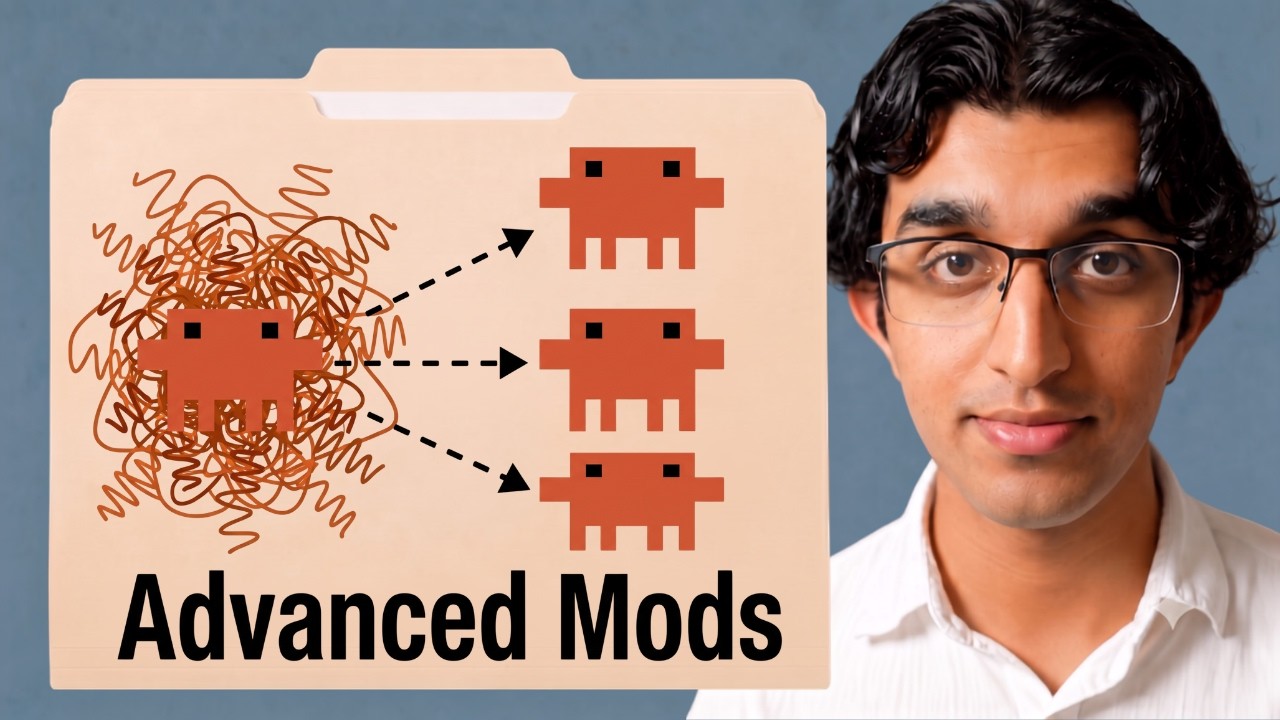
The good Claude Code mods share one shape. When Claude finishes a turn, a cheap check (Haiku answering yes or no, or the Jevclassifier giving probabilities) asks whether there is side work worth doing. If there is, a fork copies the whole conversation, reuses the same prompt cache, and does that work while the main session keeps going.
Two building blocks make it possible: $.model.complete for a quick one-prompt call to a model you pick, and $.model.fork for a background copy of the conversation with an extra instruction.
The highest-value mods are panes that keep you in the loop: a diagram of what a long session did, a live monitor for an agent swarm (Ray ran about 100 sandboxed agents for $1.80 an hour of sandbox cost), and a decision tree for exploring Claude's options.
Four mods save tokens or protect you: Cache Clock shows how long the prompt cache has left and writes a handoff before it goes cold, Jev skills loads only the skills that fit the prompt, Secret Box keeps API keys out of the transcript, and Prompt Bouncer rejects vague prompts before they cost a turn.
He builds each mod by typing /plugin-authoring and describing it, and turns ideas he finds online (Cognition's dreaming, HumanLayer's show-me skill, TypeSafe's skill-suggestion cookbook) into mods the same way. All of them are on GitHub and on his site.
Claude Code mods shipped about a week before this video, and Ray's point is that most good ones follow one pattern [00:20]. Every time Claude finishes a turn, something cheap checks whether there is anything else worth doing. The check can be a small model like Haiku or a classifier like Jev. When the answer is yes, a whole copy of the conversation spins off to the side and handles it with the same prompt cache, while Claude keeps working toward the main goal. The side job might update memory or leave a note for you.
The pattern: Claude's turn ends, Haiku decides the side work is worth doing, and a copy of the conversation with the same history writes to memory or leaves a note while the main session keeps working. Screenshot at 00:44.
Two building blocks carry this [00:48]. The first is $.model.complete, which calls a model you pick, such as Haiku, Opus or Sonnet, with one prompt and no conversation. Haiku is enough for a quick yes or no. If you want probabilities, Jev fits better. In code it works like middleware: ask Haiku a question such as "Did the user just correct Claude?", and if the answer is anything other than YES, return early so the turn carries on untouched. The slide notes that most turns stop here.
For context, the wider mods API from his earlier video: $.ui, $.tool, $.store, $.clock and $.http. Screenshot at 00:52.$.model.complete: one prompt, no conversation, a model you pick, a YES or NO back. Cheap and fast. Screenshot at 01:03.The gate in code. Anything but YES returns next(e) and the turn carries on, so most turns stop here. Screenshot at 01:14.
The second building block is $.model.fork. A fork inherits the conversation: every tool call and result in the main session is copied over, the fork shares the prompt cache, and it gets one extra instruction. It then does its own work in the background and can pass anything it finds back to the main session [01:31].
A fork inherits all prior history, adds an extra instruction, does its own work and shares the prompt cache. Screenshot at 01:33.The fork in code: one extra prompt, and the reply comes back as JSON. Screenshot at 01:40.
The memory mod writes memories in the background so the main session never has to. Combining the two blocks gives you what a Claude Code engineer described: your own memory harness, made by spinning off a custom classifier every turn and writing memories when it matches [01:40].
Thariq from the Claude Code team, 2 October 2026: a memory harness built from a per-turn classifier and a fork. Screenshot at 01:52.
Ray builds mods by typing /plugin-authoring in Claude Code and describing what he wants. Claude writes the mod, and /reload-plugins loads it into the session [01:55]. To test it he says "remember that I want the ClickHouseP99 latency to be under 50 milliseconds". Haiku classifies the message in the background as a request to remember something, the status line shows the memory updating, and opening the side pane shows the fork writing. When it finishes, the pane lists the two files it changed: MEMORY.md and a brand new memory file for the latency target. A close button in the top right of the pane hides it again.
Building a mod starts with /plugin-authoring and a plain description. Screenshot at 02:00.The memory mod at work: a status line while the fork writes, then a pane listing the two changed files. Screenshots at 02:30 and 02:46.
In real use he wants memory updated without being asked, so the main session can stay on its task instead of juggling the task and its memory [03:03]. He customizes a mod the same way he built it, by running the authoring command again and describing the change, for example showing line counts in the sidebar. The code behind it shows the two-step shape: a Haiku judge first, and only on a yes a fork that writes the files [03:30].
Behind the scenes: Haiku judges, and only an UPDATE answer starts the fork that writes or deletes memory files. Screenshot at 03:32.
The Diagram Pane draws what a long session did, so you do not have to read a summary. Agents can work for an hour, and a written summary of that is hard to read [03:40]. After Claude finishes a big task, a Haikuclassifier decides whether a lot of work was done. If so, a fork takes a copy of the conversation, designs a diagram and shows it in the side pane as a live work map [04:34].
A live work map for a small checkout change, with its key and the pinned diagrams list. Screenshot at 04:34.
He shows a session where Claude worked for 20 to 30 minutes [04:50]. The map shows what it built first, then a live test in herdr (he let Claude use that terminal tool to check the mod worked), then a diagram, then publishing to a GitHub repo. A small key explains the shapes: a square rectangle is a file, a rounded rectangle is a new component, and a double rectangle is a step.
The map of a 20 to 30 minute build, from the code to a live test in herdr to a public GitHub repo. Screenshot at 05:28.
The mod also catches Mermaid diagrams. The terminal cannot draw a Mermaid diagram that Claude writes inline, so the mod shows it in the side panel instead, pinned under "pinned diagrams", where you can scroll and resize it [05:30].
An inline Mermaid architecture diagram, pinned and rendered in the pane. Screenshot at 06:00.
You can combine the idea with other tools [06:05]. Instead of using HumanLayer's show-me skill as a skill, you can have Claude turn it into a mod that shows everything in a side panel.
HumanLayer's show-me skill, a candidate to rebuild as a pane. Screenshot at 06:12.
dream-pass consolidates memory files in the background, and it came from an article. When Ray sees an idea he likes, such as Cognition's write-up of Devin's dreaming, he asks Claude to turn it into a mod [06:20]. Each memory entry keeps a source link to the session it came from, so it can be resolved later. You can run /dream to see which files were removed, merged and rewritten. By default it runs every 20 turns, just before compaction, or when you run the command.
The dream-pass repo. Screenshot at 06:40.One pass: three entries merged, one removed and one rewritten, with a backup that /dream undo restores. Screenshot at 07:00.
The repo explains how it differs from the auto-dream feature built into Claude Code [07:00]. Auto-dream runs at most once a day, after 24 hours and five sessions, and greps past transcripts. dream-pass runs behind a gate every 20 turns and before compaction, can be run by hand, and learns from the live conversation through a fork.
Auto-dream compared with dream-pass, from the repo's README. Screenshot at 07:06.The source of the idea: Cognition's dreaming post and its Agent Memory Repo standard. Screenshot at 07:12.
Agent swarms: message board, swarm pane and a 100-agent run
These mods watch a swarm of agents that coordinate through a shared message board. The same Cognition article describes agent swarms using a message board, and Ray gave his own swarms one so agents can message each other while they work toward a common goal [07:11]. A pane shows Who is on the board (three running and four idle in his test) and recent messages with their read state. For red teaming or bug bashing he wants an overview inside Claude Code of what the swarm is doing, how much compute it uses and how many tokens.
The message board: who is on it, and what they have said to each other. Screenshot at 07:38.
The video breaks for a sponsor slot here. Ray is selling his course The Agent-Era Engineer, a two-week course starting 26 October that covers codebase design, verification loops, system one models, agent swarms and software factories [07:37].
His swarm pane sits beside the diagram pane, and two mods that both use panes can switch between them [09:07]. It showed eight sandboxed agents in the cloud on 18 virtual CPUs for about 16 cents an hour of sandbox cost. The sandboxes come from Impello, a sandbox provider he launched, which he says is 8 to 40 times cheaper than other providers. He linked Impello to the swarm pane so the stats update live.
The swarm pane at eight agents, and Impello's own price comparison on a 2 vCPU, 4 GB CI job. Screenshots at 09:15 and 09:32.
To show the pane working he starts a research swarm [09:50]. Many classic software engineering books transfer well to agents, such as Refactoring by Martin Fowler, and others may not. The prompt asks a swarm of at least 100 agents to benchmark, test hypotheses and run blind reviews across the top 25 foundational books, coordinating over message boards, and to report which ideas to use with agents and which not. He spends his expiring usage resets on it. The swarm ramped to about 100 agents running in parallel, with the sandboxes costing $1.80 per hour [10:39].
The research prompt, and the swarm at 100 agents. Screenshots at 10:32 and 10:52.
The side panel also counts board traffic: messages sent and clusters, where a cluster is a set of agents (all named Percy) that pair with each other more often than with the rest [11:00]. He did not expect the run to finish before the end of recording and said he would share the result in his newsletter.
Board stats later in the run: 482 messages, 160 direct messages, 12 clusters. Screenshot at 11:30.
Ray's main claim is that the biggest value of mods is panes that keep you in the loop [11:34]. Two cases drive it. The first is duration: on long runs of an hour or two you want an overview of what Claude did, and any diagrams it made pinned beside you, which the Diagram Pane gives you. The second is breadth: when Claude fans out into many subagents or an agent swarm, you want a panel that tracks the swarm over time so you can see it stays healthy on the way to its goal.
The decision tree mod turns a run of Claude's questions into a tree you can explore branch by branch. He asks for three storage options in a numbered list [12:20]. Claude's ask-question tool got in the way the first time, so he disabled it and retried. Claude then suggests running /explain, which opens the sidebar with the options: a JSON file on disk, SQLite (recommended) and hosted Postgres.
The options pane, each answer with its tradeoffs and an Explore button. Screenshot at 12:52.
Pressing Explore forks the session in the background and asks the follow-up question, such as which SQLite driver to use [12:50]. You can explore further, type your own answer (he types "IDK"), go back to an earlier question and pick a different option, and press Map to see the tree you took. Once you decide, the final choice goes back into the main session. He finds the map the most useful part, because it gives a quick overview after exploring several options.
An explored branch, and the map of every path taken. Screenshots at 13:06 and 13:32.
Cache Clock shows how much time the prompt cache has left. On a subscription, the prompt cache lasts about one hour for the main session and about five minutes for subagents, and you can change that [13:41]. Lydia Hallie confirmed the numbers and the settings: promptCacheTtl, or subagentPromptCacheTtl for subagents, in settings.json. When you return to a session you may forget how much time is left, and sending a message after the cache expires costs more than starting fresh.
Lydia Hallie on the cache lifetimes and the setting that changes them. Screenshot at 13:52.
The cache-clock band sits above the prompt. It shows the minutes left on the cache, how full the context window is, and a separate clock for a warm subagent. It also has an auto handoff: when fewer than five minutes remain, it writes a handoff document, which helps when you return to a session hours later and would rather load the handoff than resend into a cold cache [14:05].
The band, and its settings, including the auto handoff switch. Screenshots at 14:06 and 14:12.
Jevskills lets the Jev classifier choose which skills Claude loads. Every installed skill keeps its name and description in the context window, and his /context showed 10,000 tokens spent on skills [14:23]. TypeSafe's Jev cookbook already describes using Jev to suggest skills while you type, so he pointed Claude at it and asked for a mod [14:40]. With the mod on, Jev grades the prompt as you type and decides which skills load, instead of Claude loading them itself.
Skills cost 10k tokens of context before any work starts. Screenshot at 14:32.
Running /jev steerturns on steer mode [14:55]. He has 48 skills installed, mostly for content creation. When he types "I want to edit a video", the pane shows Jev's probabilities for each skill. If the ranking is not accurate enough, you can load only the top three and let Claude choose among them. He suggests it for organizations with many skills that need the right ones loaded at the right time.
Steer mode on a code prompt and on a video prompt, with Jev's probability per skill. Screenshots at 14:52 and 15:35.
Secret Box lets Claude use your API keys without ever seeing them. It registers a new tool, request_secret [15:49]. When Claude needs a secret it calls the tool, a pane opens on the right, and you paste the value there. The mod saves it straight to your .env folder, which Claude is blocked from reading. Claude only sees a redacted placeholder, can still make requests with it, and the real value never appears in the transcript or reaches Anthropic's servers.
The request pane, the four steps from the README, and a tool call that uses the key while Claude only ever sees the placeholder. Screenshots at 16:06, 16:20 and 16:26.
He compares it to the Infisical Agent Proxy [16:30]. There the agent sends requests with a placeholder value, and the proxy fetches the real credential from wherever you store it and sends the real request to the public internet. You can keep secrets locally in a .env folder, or customize the mod to store them in Infisical, for example in a project for your marketing secrets [16:42]. Secret Box is how he manages his own secrets.
The same idea at the network layer: Infisical's Agent Proxy swaps placeholders for real credentials. Screenshot at 16:40.
Prompt Bouncer checks whether your prompt is clear enough before Claude sees it. A vague prompt such as "fix a thing on the settings page" goes to Haiku, which bounces it back because "the thing" is unclear [17:07]. That saves the tokens a whole turn would burn when a tired, vague prompt sends the agent off to do the wrong work, at the cost of the few tokens the check takes.
A vague prompt rejected before Claude runs: turn aborted, 0 tokens spent. Screenshot at 17:32.
It works best with a project glossary [17:40]. If you write "the payments page shows a wrong price, fix it", the bouncer rejects it and says the project calls that the Billing Panel, then asks whether the wrong price is in the Billing Panel's plan display or in an invoice. Being bounced is a little annoying at first, but he finds his prompts get clearer over time and use the project's own terms, which saves tokens in the long run [18:14]. The GitHub page has a diagram of how it works.
Project mode names the glossary term, and the flow from the README: one hook on prompt.submit, a quick regex mode and a project mode that checks the docs. Screenshots at 18:00 and 18:26.
All the mods are on his GitHub and on a Claude Code Mods page on his site [18:20]. His advice is not to install every one: download the one that looks most interesting to you, then use Claude Code to personalize it to your own use case. He plans to share more mods in his newsletter.
The mods listing on his site. Screenshot at 18:32.
Tools and resources
Item
What it is
Notes
Claude Code mods
Plugins that change Claude Code's own interface and behaviour: panes, bands above the prompt, status lines, toasts, hooks, tools
Built here with /plugin-authoring, loaded with /reload-plugins
$.model.complete
Mods API call that sends one prompt to a model you pick
Used as a cheap yes-or-no gate with Haiku
$.model.fork
Mods API call that copies the conversation into a background fork with an extra instruction
Shares the prompt cache with the main session
Haiku
Anthropic's small, fast model
The default gate and classifier in these mods
Jev
TypeSafe's classifier model
Returns probabilities; used for skill selection
herdr
A terminal tool
Claude used it for a live test of a mod
HumanLayer show-me skill
A skill that explains topics with diagrams and focused HTML artifacts
Suggested as a pane-based mod
Cognition Dreaming and Agent Memory Repo
Devin's background memory consolidation and Cognition's open memory format
Source for dream-pass
Impello
Ray's own sandbox provider
Powers the swarm pane; Ray says 8 to 40 times cheaper
Infisical Agent Proxy
A credential broker that swaps placeholder keys for real ones
On GitHub under ray-amjad and on his site's Claude Code Mods page
Claims to verify
"Prompt cache lasts about 1 hour on a subscription and 5 minutes for subagents" comes from a post by Lydia Hallie on 10 October 2026; check the current values and the promptCacheTtl and subagentPromptCacheTtl settings in the Claude Code docs before relying on them.
Impello being "8 to 40 times cheaper" than other sandbox providers is the founder's own claim, backed by Impello's own price table from its runs on 18 September 2026.
The 100-agent swarm's $1.80 an hour covers sandbox cost only, not model usage.
dream-pass's comparison with Claude Code's auto-dream was read from the shipped code of Claude Code 2.1.296 by the mod's author; auto-dream's behaviour may change between versions.
Secret Box's guarantee that a key never reaches the transcript depends on the mod's redaction and on Claude being blocked from reading the .env folder; test both before trusting it with production keys.
Glossary
Claude Code mod: A plugin that changes Claude Code's own interface or behaviour, such as a pane, a band above the prompt, a status line, a toast, a hook or a new tool.
plugin: A packaged extension for Claude Code; mods are plugins written against the mods API.
/plugin-authoring: The Claude Code command Ray uses to describe a mod and have Claude build it.
/reload-plugins: The command that loads new or changed plugins into the running session.
turn: One round of Claude working on a prompt until it stops and hands back to you.
prompt cache: Stored processing of a conversation's earlier tokens, so resending the same history is cheaper and faster while the cache is warm.
TTL: Time to live, how long a cache entry lasts before it expires.
fork: A background copy of the whole conversation with an extra instruction, sharing the prompt cache with the main session.
classifier: A model that sorts an input into categories or a yes or no, rather than writing text.
Haiku: Anthropic's small, fast, cheap Claude model, used here as a gate.
Jev: TypeSafe's classifier model that returns probabilities over a set of options.
middleware: Code that runs before the main handler and can stop the request early.
pane: A side panel a mod draws beside the Claude Code terminal.
Mermaid: A text format for diagrams that renders into flowcharts and other charts.
compaction: Claude Code summarising a long conversation to free context space.
auto-dream: Claude Code's built-in background pass that consolidates memory files.
Agent Memory Repo: Cognition's open standard for an agent's memory as a folder of Markdown files with source links.
subagent: A separate agent Claude starts to handle part of a task.
agent swarm: Many agents working on one goal in parallel and coordinating with each other.
message board: A shared channel where agents in a swarm post messages to each other.
sandbox: An isolated machine where an agent can run code without touching yours.
vCPU: A virtual CPU core rented from a cloud provider.
handoff: A document that captures a session's state so a fresh session can continue it.
context window: The amount of text a model can consider at once, measured in tokens.
skill: A packaged set of instructions Claude can load for a type of task; each installed skill's name and description sit in context.
steer mode: The Jev skills setting where Jev decides which skills load for each prompt.
.env: A file or folder of environment variables, often holding API keys.
.gitignore: A list of files git must never commit.
placeholder secret: A stand-in value the agent sees and uses, swapped for the real key only when a tool runs.
hook: Code that runs at a fixed point, such as when you submit a prompt.
prompt.submit: The mods hook that fires when you press Enter, before Claude sees the prompt.
project glossary: A list of a project's own names for things, used here to make prompts specific.
P99 latency: The response time that 99 percent of requests beat.
ClickHouse: A column-oriented database built for fast analytics queries.
SQLite: A database stored in a single local file.
better-sqlite3: A popular Node.js package for SQLite.
node:sqlite: The SQLite module built into newer versions of Node.js.
Postgres: A full client-server relational database.
settings.json: Claude Code's settings file.
Personal recommendations
1
Prompt Bouncer wired to the repos' GLOSSARY.md files
A prompt.submit hook bounces vague prompts with one Haiku call, and in project mode names the project's own term from its glossary (the Billing Panel example).
System value
fleet-control and other repos already keep a GLOSSARY.md that every session loads. A bouncer in project mode could catch prompts that use the wrong term for a fleet concept before a turn burns on them, and reinforce the glossary's names.
Proposed form
A claude-mods mod, run in quick mode first, then project mode against GLOSSARY.md.
A band shows minutes left on the prompt cache and a separate subagent clock, and writes a handoff when fewer than five minutes remain.
System value
Long sessions here already depend on HANDOFF.md files and /sync. A cache-aware band would show when resending into a cold session costs more than a fresh one, and an early handoff draft would protect work when a session is left idle.
Proposed form
A claude-mods band plus a handoff draft written to scratch, never to the vault without a /sync.
After a big task, a Haiku gate decides whether a lot of work happened, and a fork draws a live work map of files, components and steps in a side pane; inline Mermaid diagrams get pinned there.
System value
Multi-hour orchestrate runs are reviewed today by reading journals. A per-run work map pinned beside the session would make a morning review faster.
Proposed form
A claude-mods pane, tested first on one orchestrate run.
A request_secret tool opens a masked pane, writes the key to .env (gitignored, unreadable by Claude), and gives Claude a placeholder that turns into the key only when a tool runs.
System value
The current secret rules rely on guard hooks and the GNOME keyring. A placeholder flow that reads from the keyring would let a session use a key without it ever entering the transcript.
Proposed form
Research then build: a mod that resolves placeholders from secret-tool instead of .env, red-teamed before use.
Target project
~/Projects/claude-mods (security).
5
Compare Jev skills steer mode with the held JEV skill router
Jev scores every skill against the prompt as you type, and in steer mode decides which skills load; Ray uses it with 48 skills.
System value
fleet-control has a JEV skill-router shadow that is deliberately not armed for privacy. Ray's mod is a working reference for the same idea, useful when deciding whether that hold can lift.
Proposed form
A reference note comparing the two designs, including what text leaves the machine.
Target project
fleet-control JEV arming roadmap.
Take this with you
Save the playbook to read later, or hand the raw notes to your favorite AI.
What's this?
The Markdown file (a .md file) is a plain-text copy of this whole playbook, written in the simple format AI chat tools read best. It keeps the headings, links, timestamps, and captions and drops all the page styling. Think of it as the raw notes behind this page, ready to hand to an assistant.
To use it, download the file and drag it into ChatGPT, Claude, or any AI chat (or just paste the text in), then ask for what you want: “Summarize this into a one-page cheat sheet,” “Turn these steps into a checklist I can follow,” or “Quiz me on the key ideas.” Because the file is already structured, the assistant works from the real content instead of guessing.