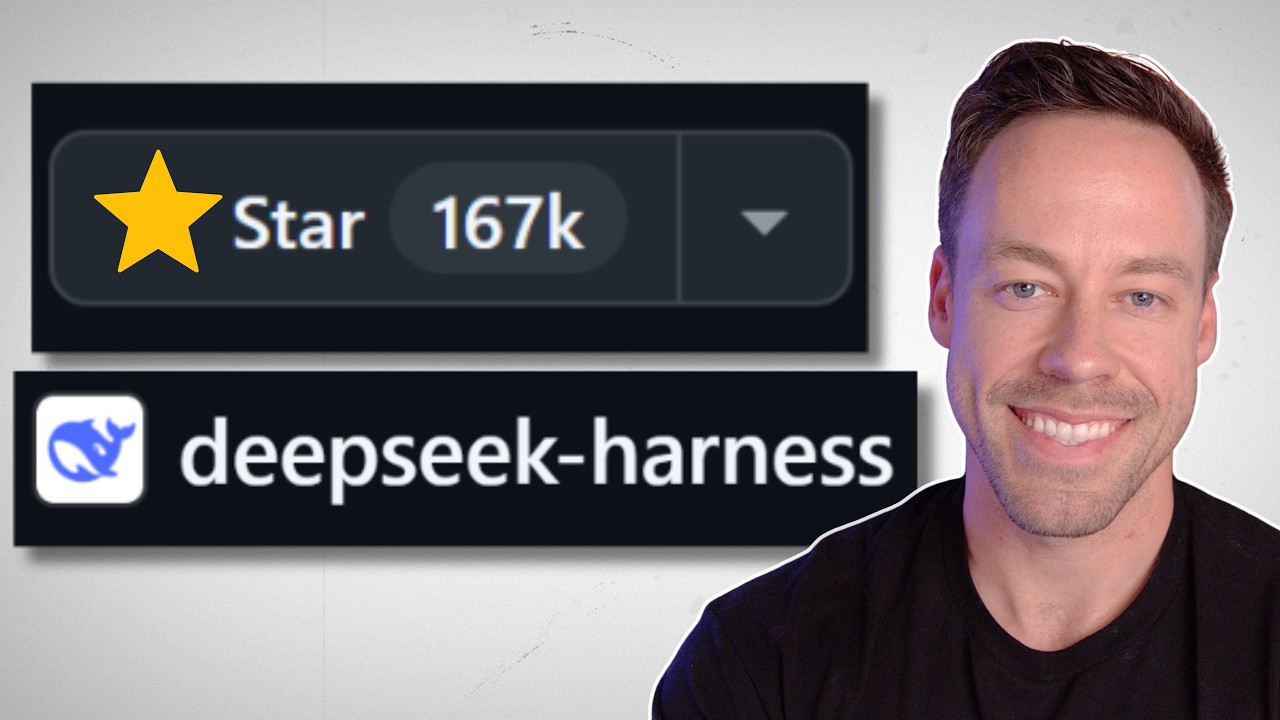
DeepSeek open-sourced DeepSeek Harness (deepseek-ai/deepseek-harness), an agentic coding harness for DeepSeek models comparable to Claude Code or Codex; it hit 167,000 GitHub stars in under a week, described in the video as the fastest-growing GitHub repo ever.
Its defining idea is "everything is a plugin": unlike Claude Code's skills/hooks/MCPs, which sit on top of the harness, DeepSeek Harness plugins can rewrite the harness's own internal plumbing (the agent loop, tool routing, the UI itself).
It ships genuinely strong execution observability: a trajectory panel that drills into every context injection, tool call, and its payload/result/schema/timing, plus a downloadable full session-log ZIP - more visibility than Claude Code exposes by default.
Security gap: every plugin gets full shell and filesystem access by default in this developer-preview release, no sandboxing, which the reviewer flags as a real risk comparable to early Open Interpreter-style tools.
It is model-agnostic and works fully local via any OpenRouter-connected model, not only DeepSeek's own API.
Verdict: worth trying because it's free, open source, and fully local, but not yet a reason to leave Claude Code or Codex; the reviewer recommends staying tool-agnostic and running both.
Chapter 1: What DeepSeek Harness Is And Why It Exploded (0:00-1:31)
DeepSeek open-sourced its own coding harness, positioned as "Claude Code for DeepSeek" - an agent shell that wraps a model with file editing, shell access, and tool use, the same category of product as Claude Code or Codex. The reviewer opens on the headline number: 167,000 stars in under a week, which he calls the fastest-growing GitHub repo ever.
The repo's own GitHub page (captured moments into the video) confirms the number and shows the project already carries a mature commit history (12,940 commits) and a public topic tag of cordis - the internal engine name that recurs throughout the rest of the video.
DeepSeek Harness repo page at capture time: 167K stars, 17.8K forks, MIT license. The cordis tag confirms the harness's internal engine name. 0:05
The pitch, per the reviewer: everything in the harness is exposed as a plugin, including things you normally can't touch in Claude Code or Codex - the harness's own internal behavior. DeepSeek is selling this as an infinitely customizable, somewhat self-improving harness that can write its own plugins, custom-fit to whatever task a user is working on. That framing sets up the rest of the video: does 167K stars in days mean this is actually worth switching to, or just hype?
Chapter 2: Installing And Touring The Harness (1:31-5:39)
Installation is a single terminal command found on the GitHub README, which launches a local web UI.
Two install paths from the README: npx @deepseek-ai/dsh web for a quick run, or clone + pnpm install && pnpm run build && pnpm dsh web from source. The web UI defaults to 127.0.0.1:3080. 1:31
The UI layout mirrors other coding harnesses: a workspace/folder picker on the left, chat history underneath, and a prompt box up front. Four operating modes are selectable per session, captured verbatim from the harness's own mode-picker tooltips:
Standard mode - "Full coding agent with file editing, shell, file and web search, skills, planning, goals, subagents, and workflows."
PTC mode - "All Standard mode capabilities, with tools exposed through the Code Mode SDK so the model can combine multi-step operations in one TypeScript program." The reviewer's plain-English gloss: in Standard mode the model calls tools one at a time; in PTC mode it writes a script that runs several tool calls in one go, cutting the context bloat of many separate tool-call round trips on complex tasks.
Minimal mode - "Two-tool coding agent with persistent bash and str_replace_editor." Meant for very simple tasks.
Creator mode - "Built for creating custom agent presets, with all Standard mode capabilities plus runtime inspection, plugin experiments, and preset-authoring guidance." This is the mode used later to build a custom plugin.
The four harness modes with their exact on-screen descriptions. 2:30
The harness is not tied to DeepSeek's own API - the reviewer connects it to OpenRouter in Settings > Models, which exposes essentially any model (GPT-5.x variants shown in the picker) rather than only DeepSeek's own line.
Settings > Models: provider set to OpenRouter, giving access to any model on that gateway rather than only DeepSeek's own API. 3:02
Settings > General exposes an agent preset (default mode for new sessions), a default permission level for new sessions ("Workspace Write" shown), language, light/dark/system appearance, and an Enter behavior while busy setting with two options: Queue (wait for the current tool call to finish before sending the next message) and Steer (interrupt the current tool call and bring the new message in immediately) - the same Queue-vs-interrupt distinction Codex offers.
General settings: default mode, default permission level, and the Enter-behavior toggle. 3:15Queue vs. Steer: Queue finishes the current tool call first; Steer interrupts it to take the new message immediately. 3:20
Settings > Plugins lists every capability in the harness as an individually toggleable plugin - not just add-on tools, but core internals like the agent-loop plugin itself, which controls the harness's parallel-tool-call behavior. This is the concrete version of "everything is a plugin": in Claude Code, a user can approximate some of these changes with skills and hooks, but cannot edit the actual plumbing underneath; in DeepSeek Harness, that plumbing is a plugin like any other.
Every harness capability, including internal ones like agent-loop and system-prompt, is a toggleable plugin. 3:40
Chapter 3: The Plugin Ecosystem - Power And Risk (5:39-9:57)
One immediate friction pointweb search is disabled out of the box unless a DeepSeek API key is provided - the built-in web-search plugin only works against DeepSeek's own search provider. A user on a different model (like the reviewer, on OpenRouter) has to find a separate plugin for web search with any model.
The built-in web-search plugin needs a DeepSeek API key by default; the community "Free Search" plugin (FREE badge) is the workaround. 4:34
The reviewer installs a community plugin, dsh-free-search (GitHub: DDDMUC/dsh-free-search), following the plugin's own README install instructions. Its README's own supported-engines table shows it covers considerably more than the "Bing or DuckDuckGo" the reviewer mentions verbally - seven-plus free search engines, several of which need no API key at all:
The free-search plugin's actual engine list: 7+ free engines, most usable with no API key at all. 4:45
This is where the reviewer raises the video's central caution. Right now, in this developer-preview release, every plugin a user installs gets full shell access and full access to the entire file system by default - there's no sandboxing shown. He compares this moment to the early days of Open Interpreter-style agent tools: installing a plugin from an unknown GitHub author means trusting it with the same access level as the harness itself, including the ability to read API keys off the machine. He says he had Claude Code review the specific plugin before installing it, and flags this as a real difference from Claude Code, where third-party additions are more contained.
To show the plugin ecosystem's breadth, he pulls a UI-enhancement plugin - an effort slider - from a curated "awesome DeepSeek Harness plugins" list on GitHub (repo: 2768651338/dsh-effort-slider), installed with one dsh plugin --profile web add github:... command and a harness restart.
Installing a plugin from the curated list: one command, then restart DeepSeek Harness and refresh. Uninstalling references editing cordis.patch.yml directly - the internal Cordis config the harness's own plugin system patches. 6:05The effort slider working after install and restart - a UI element that did not exist in the base harness, added entirely by a third-party plugin. 6:20
Hot-reload is only partialsome plugins apply live, but UI-level plugins like this one need a full harness restart (about two seconds) to take effect.
Creator mode: the agent writes its own plugin
The reviewer calls this the harness's biggest sell. Switching to Creator mode, he types a plain-language request: "I want you to create a plugin that changes the UI color scheme to look like the Matrix with the falling ASCII characters in the background."
The exact creator-mode prompt used to generate a custom plugin live, on camera. 7:05
The chat view surfaces more machine detail than the reviewer says he sees in other harnesses by default: labeled context injection events (AGENTS.md, the harness's own system prompt, a skill catalog), a labeled skill call (cordis-plugin-development), and a running stats footer - turn/step counts, LLM duration, cache-hit percentage, and input/output token counts.
Mid-generation: context injections, a skill call, and live execution stats in the footer. Note the cordis_inspect_list tool call - the plugin author invoking the harness's own internal Cordis engine to introspect the running app's theme/service providers before writing code. 7:25
This is the feature the reviewer says goes deeper than anywhere else he's seen: a dedicated Trajectory tab renders the full session as a scrollable timeline (Duration/Turns/Calls views) with every context block, assistant message, and tool call laid out in order, each one expandable into further detail.
The Trajectory tab: the entire session as an inspectable timeline, not just a scrolling chat log. 7:45
Clicking any row opens a detail panel. For a context block, that panel offers Summary / Preview / Raw / Source tabs down to the literal JSON that was injected (a skill-catalog block shown here); for a tool call, a parallel panel shows Summary / Payload / Result / Schema / Timing, down to exact call duration in milliseconds.
Drilling into one context injection down to its raw JSON source. 7:54Drilling into one tool call: its exact payload, result, schema, and 33ms timing. 8:05
The entire session can also be exported as a ZIP of raw JSON, browsable offline by turn and call - a portable debugging artifact the reviewer calls a second major differentiator versus other harnesses.
Exporting the full session log as a downloadable ZIP of raw JSON. 8:25
One caveata plugin built this way in Creator mode is not saved automatically. The user has to explicitly ask the harness to persist it (a saved-plugin toggle/prompt) or it is lost at the end of the session.
The finished Matrix plugin does apply - green text, black background, an in-progress falling-ASCII effect - though the reviewer calls the visual result "ugly as sin" and spends a stretch debugging with the agent (checking the browser console for [matrix] log lines, confirming the ctx.effect is actually executing) to get it fully working.
The self-authored Matrix UI plugin applied to the harness's own interface, mid-debugging. 9:11
Chapter 4: Verdict - Should You Switch? (9:57-10:55)
The reviewer's summary of the two biggest genuine strengths: (1) plugins that can edit the harness at a foundational level, not just bolt onto it, and (2) the trajectory/observability tooling, which he says gives more visibility into what the agent is actually doing than any other harness he's used. Being open source and able to run fully local, against any model, adds to the case.
His verdict, direct quote in substance: probably don't leave Claude Code or Codex for this today. The self-improving, task-customized harness DeepSeek is selling is a compelling idea, but he's skeptical it materializes in practice, and is unsure the customization is worth the time it costs even if it does. He is glad DeepSeek didn't just clone Claude Code's UX - the everything-is-a-plugin approach is a genuinely different bet. Closing recommendation: try it anyway, since it costs nothing, and stay tool-agnostic rather than locking into one harness.
The comparison point for the verdict: the reviewer's own daily-driver Claude Code setup. 10:05
Tools and Resources
Tool / Resource
What it is
Where it showed up
DeepSeek Harness (deepseek-ai/deepseek-harness)
The open-source agentic coding harness under review; MIT-licensed, developer preview
Entire video
Claude Code
Anthropic's coding harness; the primary comparison point throughout
0:00, 3:02, 9:57-10:55
OpenAI Codex
The other major coding harness named as a comparison point
0:00, 9:57-10:55
Cordis
The harness's internal plugin/query/patch engine (confirmed via on-screen cordis_inspect_query/cordis_inspect_list tool calls, cordis.patch.yml, and the repo's own cordis GitHub topic tag)
7:05-8:25
OpenRouter
Third-party model gateway used instead of DeepSeek's own API, to access GPT-5.x and other models
3:02
dsh-free-search (DDDMUC/dsh-free-search)
Community plugin adding free web search (7+ engines) without a DeepSeek API key
4:34-4:50
dsh-effort-slider (2768651338/dsh-effort-slider)
Community UI plugin adding an effort-level slider to the composer
6:05-6:20
Claims to Verify
"167,000 stars in under a week" and "the fastest growing repo ever." Time-sensitive (video published the same day this playbook was captured) and a strong superlative - verify current star count and growth-rate context against GitHub itself before repeating the "fastest ever" framing.
"Every single plugin you add to Deep Sea Harness gets full shell access and full access to your entire file system" by default in the developer-preview build. A material security claim, worth confirming against the project's own security documentation or an independent test before treating it as still true on a later release.
Web search requires a DeepSeek API key out of the box, unless a third-party plugin is installed. Confirmed on-screen for the specific session shown (0434-web-search-plugin-config.jpg), but worth re-checking against current docs since this is explicitly a fast-iterating developer preview.
Glossary
harness: the orchestration layer that wraps an LLM with tools, memory, and a UI/CLI so it can act as a coding agent - what Claude Code, Codex, and DeepSeek Harness all are.
plugin (DeepSeek Harness): a self-contained module that can add a tool, change a UI element, or modify the harness's own internal behavior.
Standard mode: the default mode - full coding agent with file editing, shell, file/web search, skills, planning, goals, subagents, and workflows.
PTC mode: a mode that exposes tools through a Code Mode SDK so the model can combine several tool calls into one script instead of calling them one at a time.
Minimal mode: a stripped-down two-tool coding agent limited to persistent bash and a str_replace_editor tool.
Creator mode: the mode built for authoring and testing new harness plugins and agent presets, with extra runtime-inspection tooling.
agent loop: the plugin controlling the harness's core reasoning-and-tool-calling cycle, including how many tool calls can run in parallel.
Cordis: the harness's internal plugin/query/patch engine; plugin code calls Cordis tools to read and modify the running app's theme, services, and UI state.
skill (in this harness): a reusable, named set of task-specific instructions the harness can load mid-session.
context injection: a labeled event showing exactly what extra text (a file, a system reminder, a skill) was added to the model's context at that step.
system prompt: the base instructions given to the model before any user message; this harness lets a user view it directly.
trajectory: the harness's execution-history view - every message, tool call, and context injection in a session, browsable by turn or by individual call with drill-down detail.
cache hit percentage: the share of a request's tokens served from a cached prefix instead of freshly processed, lowering cost and latency.
tokens per second (tok/s): the model's output generation speed.
TTFT: time to first token - how long before a response starts streaming.
session log: a downloadable ZIP export of a full session's raw JSON, browsable by turn and tool call.
effort: a per-request setting (Off/High/Max/XHigh in this harness) controlling how much reasoning/compute the model applies.
permission mode: the harness's access-control setting for a session (e.g. "Workspace Write") controlling what files/commands the agent may touch.
Enter behavior (Queue vs Steer): Queue waits for the current tool call to finish before sending the next message; Steer interrupts the current tool call to bring in the new message immediately.
developer preview: a pre-release software stage where the product is expected to change in breaking ways.
shell access: a plugin's ability to run arbitrary commands on the host machine, not just read/write specific files.
MCP (Model Context Protocol): an open standard for connecting an AI model to external tools and data sources.
hook (in Claude Code): a script that runs automatically at a defined point in Claude Code's workflow, one way Claude Code lets users customize behavior without touching the harness's own internals.
subagent: a separate agent instance a harness can dispatch to handle part of a task independently.
OpenRouter: a third-party API gateway that lets one account call many different LLM providers' models.
tool-agnostic: not committed to one single AI tool; willing to use whichever tool fits a given job.
workspace: a saved project/folder context in the harness that a session runs against.
open source: software whose source code is publicly available to inspect, modify, and redistribute (DeepSeek Harness is MIT-licensed).
Personal recommendations
1
Trajectory-style drill-down as a fleet-control debugging view
the harness's Trajectory tab renders a full session as a timeline where every context injection and tool call expands into payload/result/schema/timing detail.
System value
fleet-control's dashboard currently relies on raw logs to diagnose a stalled or wrong-result mission; a similar per-step drill-down (what context was injected, what a tool call returned, how long it took) would cut debugging time on multi-agent runs.
Proposed form
reference note for a future fleet-control dashboard iteration.
Target project
fleet-control.
2
Security caution - never default new tool integrations to unrestricted shell access
every DeepSeek Harness plugin gets full shell and filesystem access by default in this developer-preview release, with no sandboxing shown.
System value
a concrete cautionary example to cite if Anthony ever builds or evaluates a plugin-loading or MCP-server system for Alexana - the default access level for any third-party addition should start restricted, not full.
Proposed form
reference note (add to a security/architecture reference doc if a plugin-loading system is ever built).
Target project
none active currently; general reference.
3
Downloadable session-log export as a debugging artifact
the harness exports an entire session as a ZIP of raw JSON, browsable offline by turn and call.
System value
a portable, shareable artifact pattern worth considering if fleet-control or another Alexana agent tool ever needs to hand off a failed-run debug package (to Anthony, or between agents) without live dashboard access.
Proposed form
reference note.
Target project
fleet-control.
Take this with you
Save the playbook to read later, or hand the raw notes to your favorite AI.
What's this?
The Markdown file (a .md file) is a plain-text copy of this whole playbook, written in the simple format AI chat tools read best. It keeps the headings, links, timestamps, and captions and drops all the page styling. Think of it as the raw notes behind this page, ready to hand to an assistant.
To use it, download the file and drag it into ChatGPT, Claude, or any AI chat (or just paste the text in), then ask for what you want: “Summarize this into a one-page cheat sheet,” “Turn these steps into a checklist I can follow,” or “Quiz me on the key ideas.” Because the file is already structured, the assistant works from the real content instead of guessing.